run record~/research/cliste/runsAll Cliste runs

Type a section name and press Enter. Use “help” for the list.

Figures: softened for dark viewingDisplay only; image files are unchanged.
← All Cliste runs

Cliste experiment

Native size visual perception

Execution: completedScientific verdict: native component gain

The question

Retain complete images at their native pixel dimensions and aspect ratios through VSA, recover geometry from bound size vectors, and establish component quality alongside time and memory costs.

Why this experiment?

A memory can only preserve what its sensory interface encodes. These studies separate encoder quality, decoder quality and compatibility with earlier stored vectors.

How it works

Change one component or input representation at a time and evaluate immediate reconstruction on separate images. Keep old-vector readback visible so gains on new inputs do not hide compatibility losses.

Follow this part of the investigation: Sharper perception can also change the language of memory →
Implementation and comparison details

Admit complete RGB images at their native dimensions and aspect ratios. Recover dimensions from bound VSA vectors and decode position-bound native regions with a coarse VSA overview. Compare unchanged, encoder-only, decoder-only and joint refinement with fixed spatial machinery and normalization buffers. Measure native-pixel quality, geometry, borders, seams, compatibility, bytes and latency separately; existing lives remain unchanged.

What happened

Native-size VSA readback and all three refinement regimes pass the registered photo gates. Joint training reduces COCO/Flickr MSE by 37.00%/30.18%, and writing-white/photo by 71.41%/34.16%; every fitted seed improves every final entry in whole-image MSE. Fine photo texture remains weak. Joint old native-vector readback worsens 25.79% and legacy-vector readback 38.38%; decoder-only improves stored native readback 39.60% but worsens legacy readback 13.10%. Stored vectors cost 38.6–42.2 times raw RGB on these panels. Independent audit 23858/23858 passed. No candidate installed; earlier lives and failed runs preserved.

Measurements
Measurements — values preserved from this run
Recorded fieldValue
verdictnative_component_gain
validPass
native photo gate
{
  "encoder": true,
  "decoder": true,
  "joint": true
}

Results and visual artifacts

Open a figure for its input, comparison, and result. Click an image to enlarge it.

Native-size perception keeps the complete image at its original dimensions and encodes overlapping regions into VSA vectors. The encoder converts pixels to vectors; the decoder reconstructs pixels. “None” in original figure labels means the unchanged starting model. Encoder, decoder and joint labels indicate which weights were trained. A seed identifies a repeated training trial, not a different input category. Whole-image views are fitted to the page; detail views magnify a specified crop. Error panels show four times the absolute RGB difference from the reference, separately for each color channel, clipped at full brightness. Darker pixels mean smaller errors; black is zero or below the display’s precision. The scale is fixed across examples, not adjusted to make each image look better.

Original photographs used to monitor native-size perception
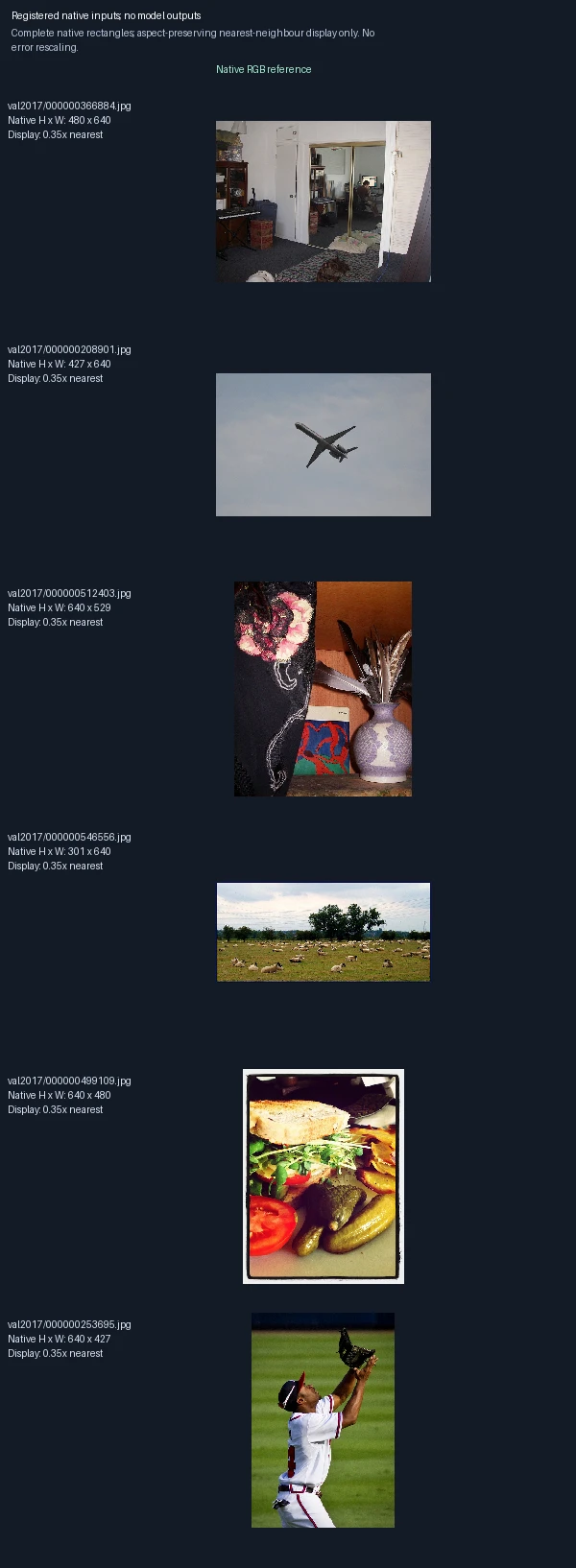
The six development photographs chosen before training, shown as complete rectangles with their original height and width. This figure contains only input images, not reconstructed outputs. The page scales them to fit without changing their aspect ratios.
Encoder-only training: can the model fit a small training sample?
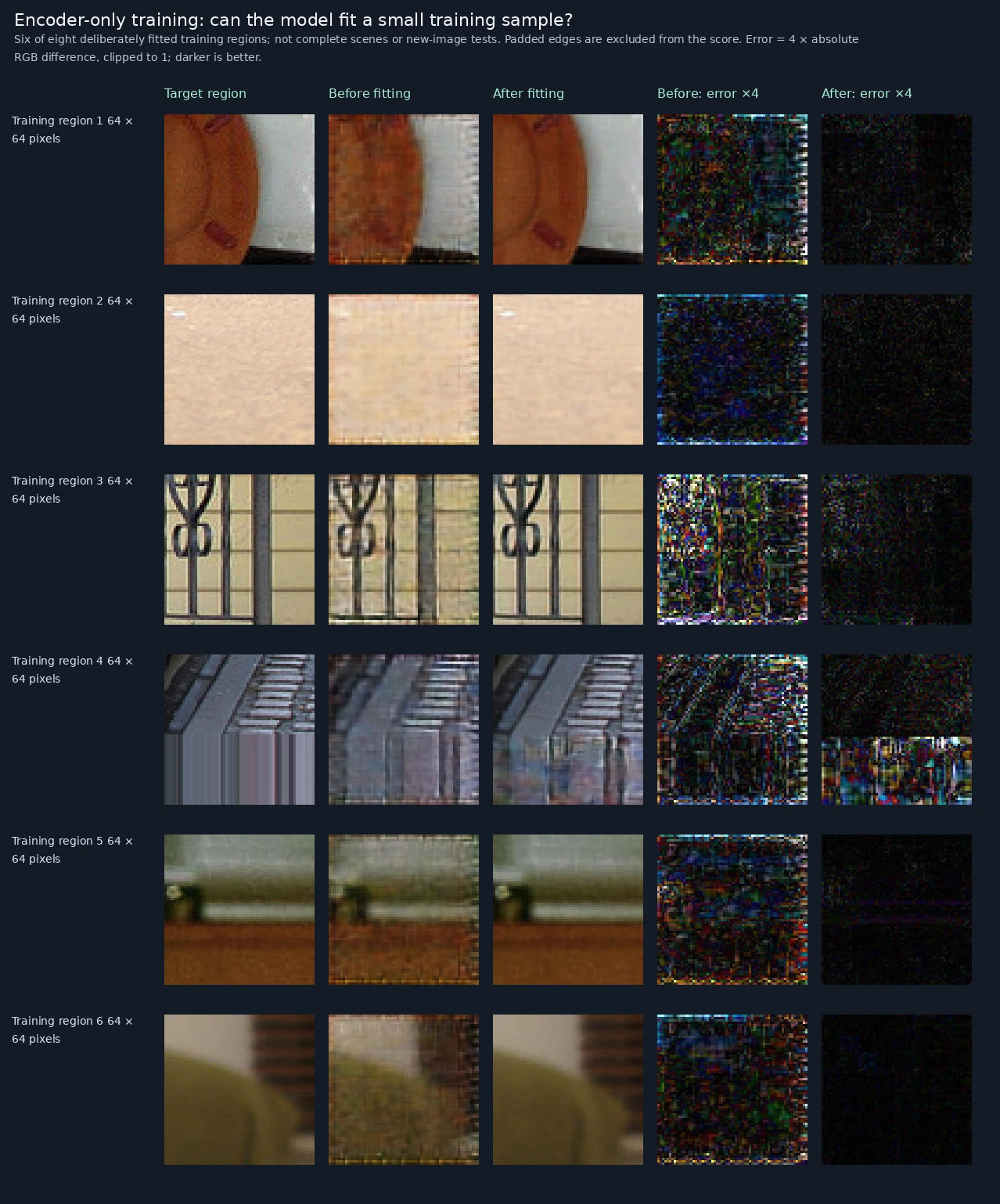
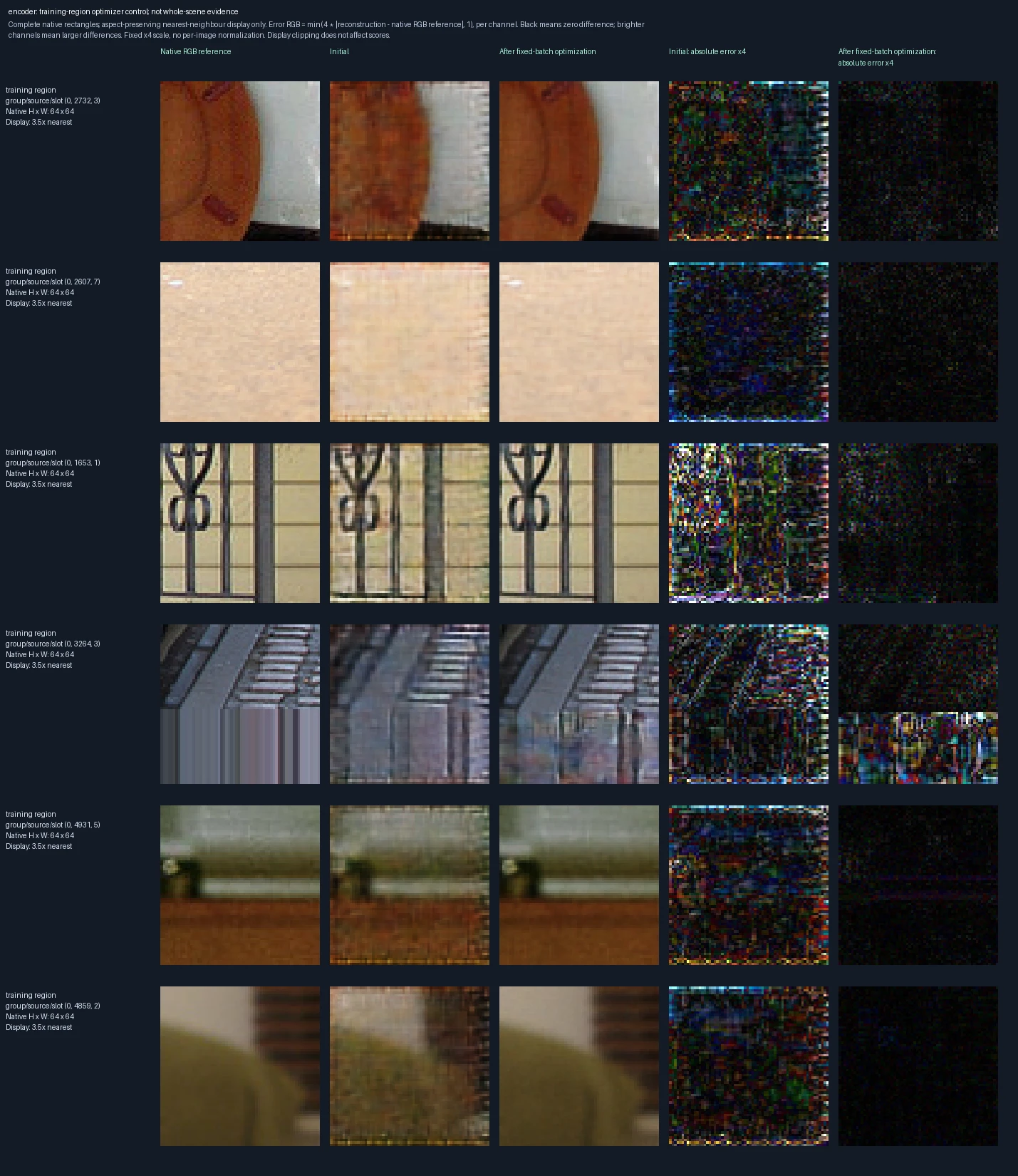
Six of the eight training regions used for a deliberate fitting check. Left to right: the 64 × 64 target region, reconstruction before fitting, reconstruction after fitting, and the two corresponding error panels. These are regions from photographs, not complete native scenes; padded edges are excluded from the training score. Only the encoder learns; the decoder stays fixed. Success here checks that optimization works, not performance on new images. Error panels show four times the absolute RGB difference from the reference, separately for each color channel, clipped at full brightness. Darker pixels mean smaller errors; black is zero or below the display’s precision. The scale is fixed across examples, not adjusted to make each image look better.

Original recorded figure ↗

Decoder-only training: can the model fit a small training sample?
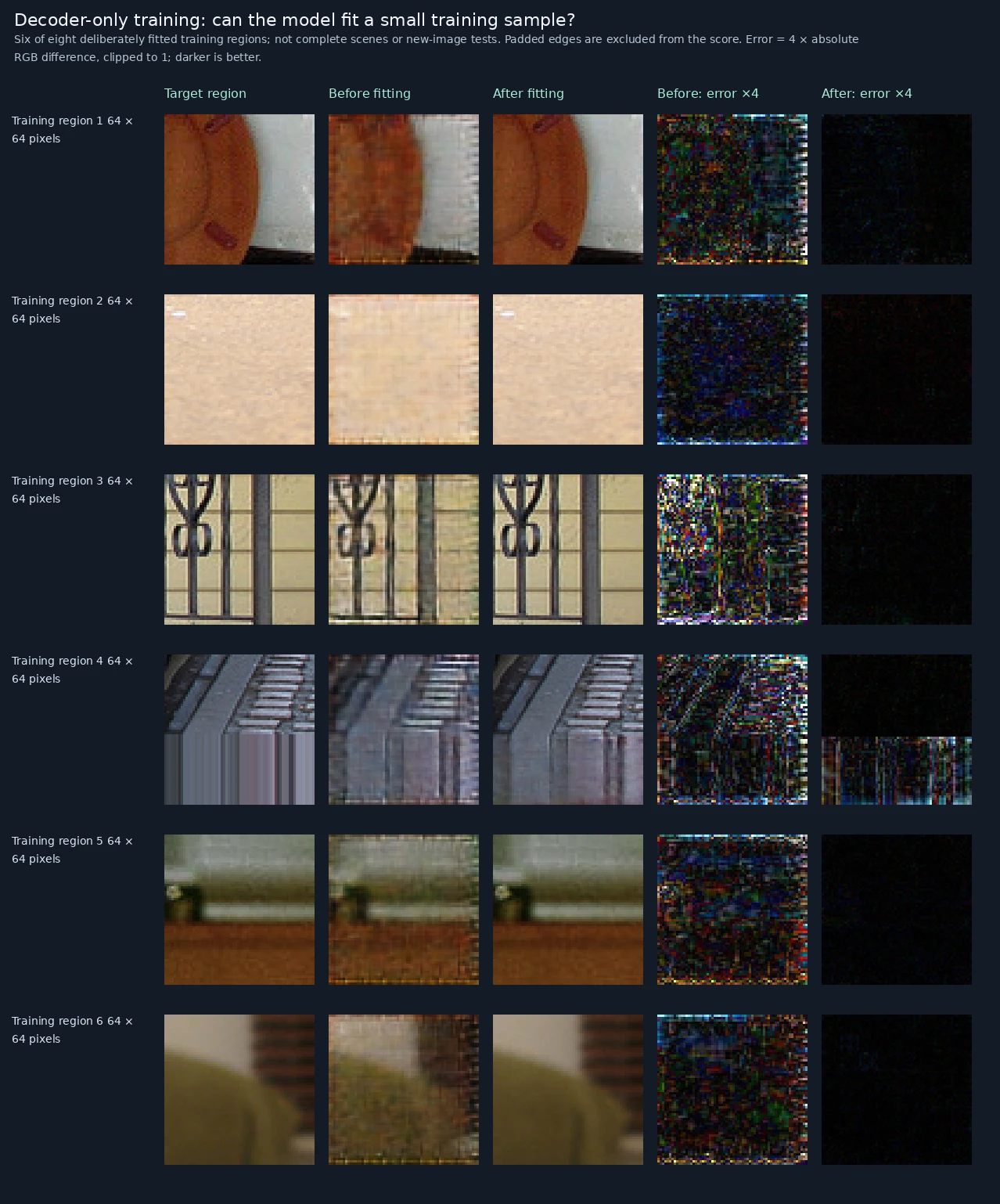
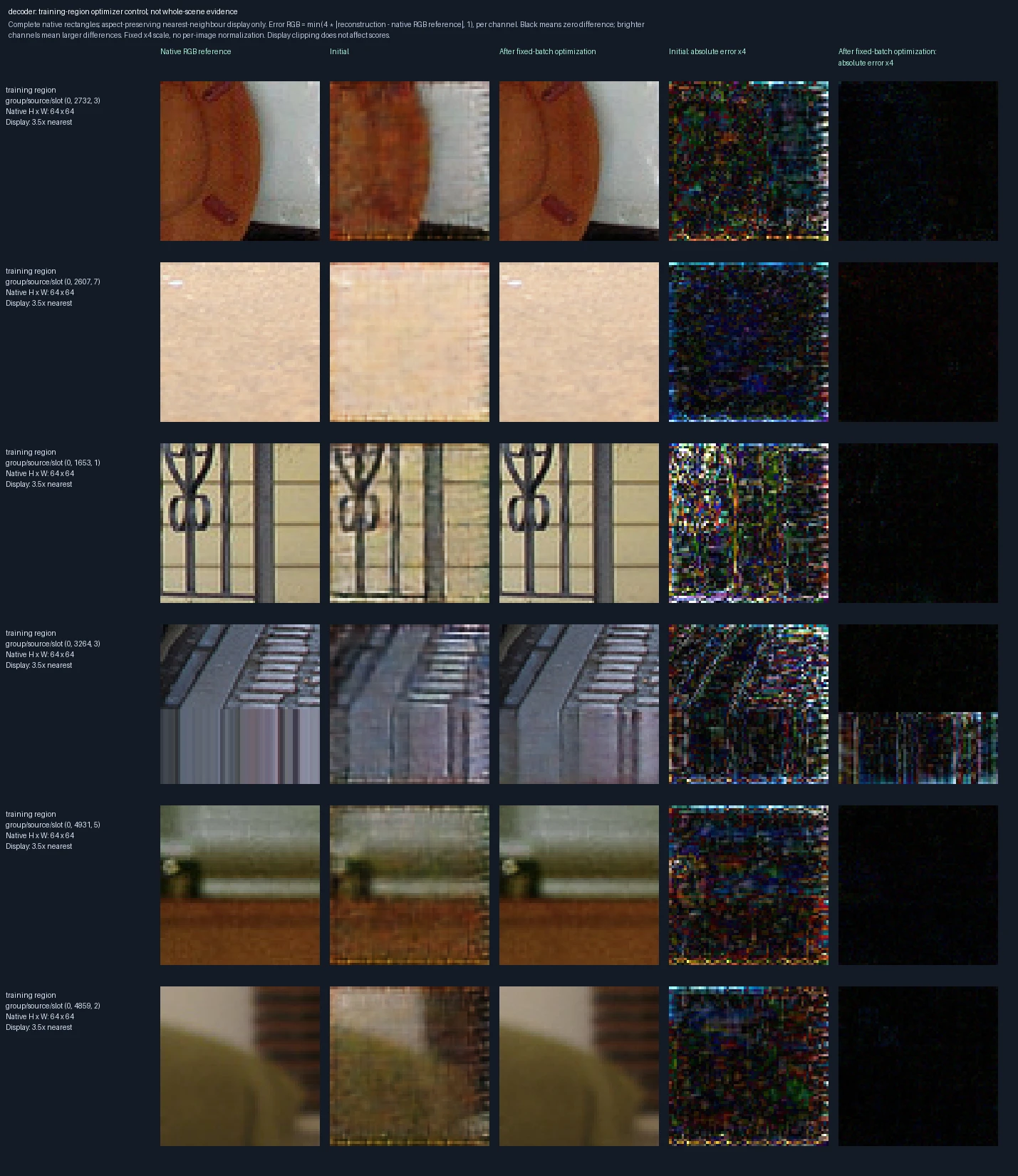
Six of the eight training regions used for a deliberate fitting check. Left to right: the 64 × 64 target region, reconstruction before fitting, reconstruction after fitting, and the two corresponding error panels. These are regions from photographs, not complete native scenes; padded edges are excluded from the training score. Only the decoder learns; the encoder stays fixed. Success here checks that optimization works, not performance on new images. Error panels show four times the absolute RGB difference from the reference, separately for each color channel, clipped at full brightness. Darker pixels mean smaller errors; black is zero or below the display’s precision. The scale is fixed across examples, not adjusted to make each image look better.

Original recorded figure ↗

Encoder and decoder trained together: can the model fit a small training sample?
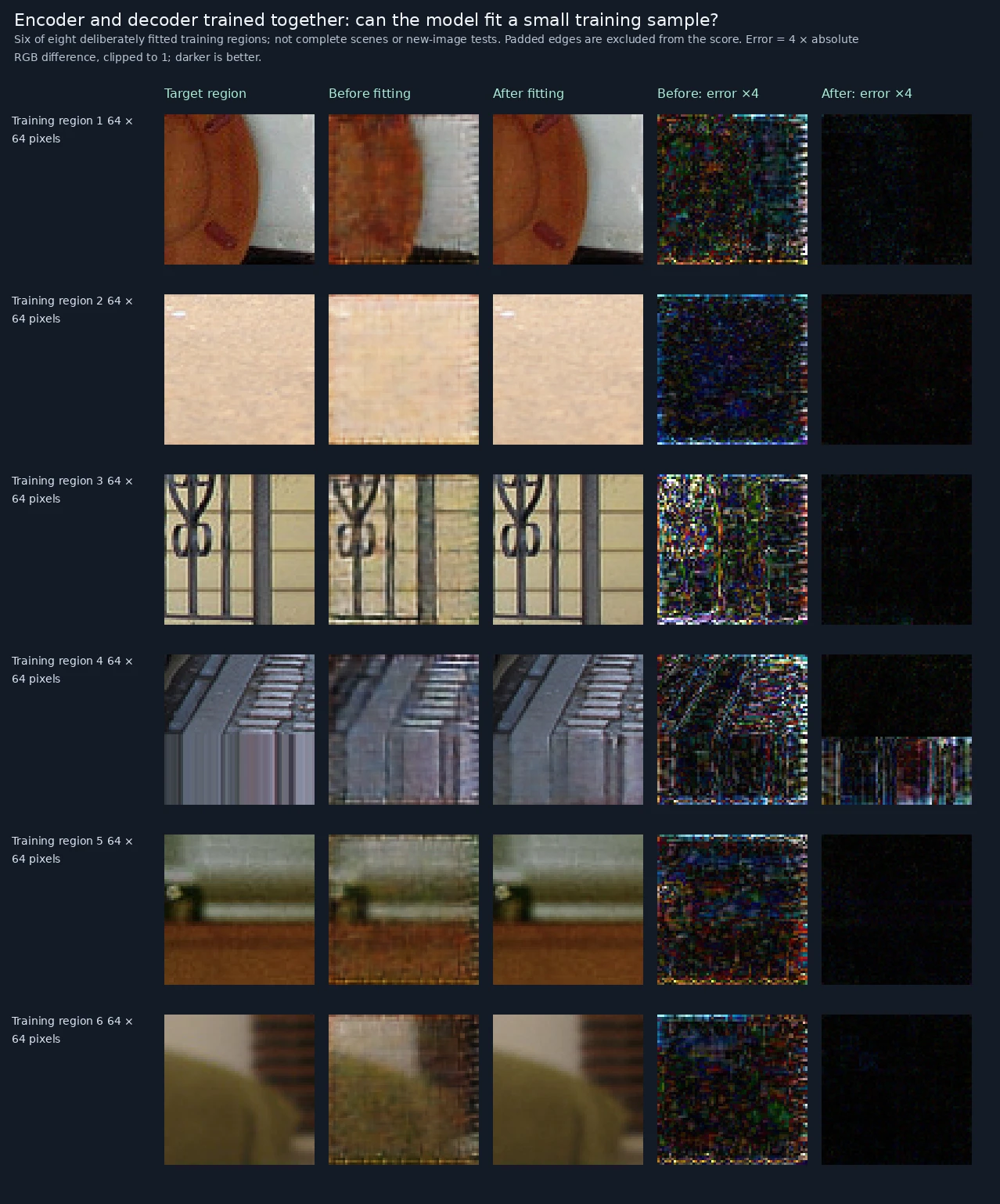
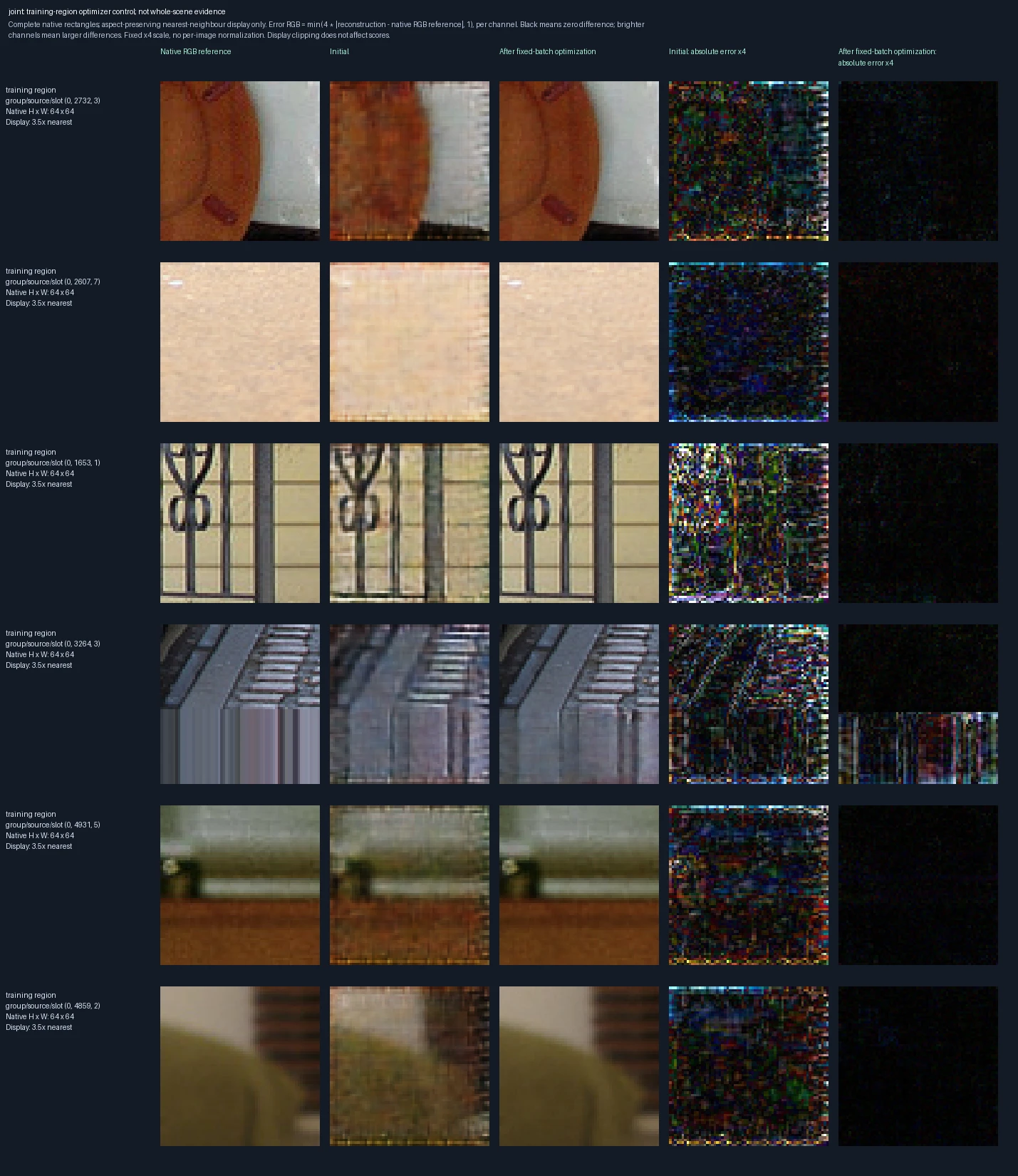
Six of the eight training regions used for a deliberate fitting check. Left to right: the 64 × 64 target region, reconstruction before fitting, reconstruction after fitting, and the two corresponding error panels. These are regions from photographs, not complete native scenes; padded edges are excluded from the training score. Both encoder and decoder learn. Success here checks that optimization works, not performance on new images. Error panels show four times the absolute RGB difference from the reference, separately for each color channel, clipped at full brightness. Darker pixels mean smaller errors; black is zero or below the display’s precision. The scale is fixed across examples, not adjusted to make each image look better.

Original recorded figure ↗

Storing local detail versus storing only a coarse image overview
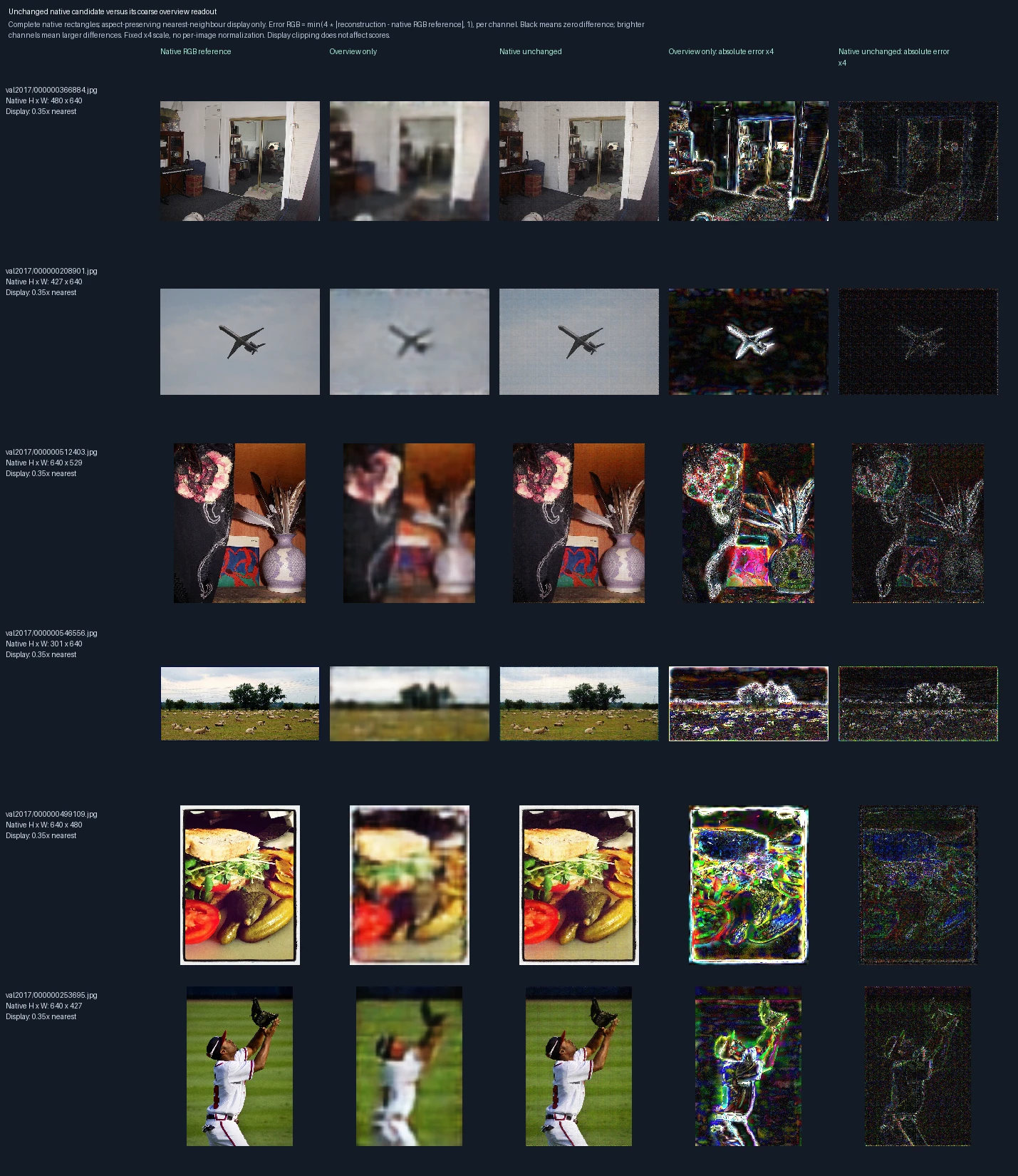
Left to right: the original photograph, reconstruction from one coarse overview, reconstruction using native-scale regions with the unchanged model, and the two corresponding error panels. The overview preserves the full field of view but compresses it to a small image; multiple region vectors preserve more local detail. The comparison uses different amounts of storage, so it does not show better fidelity at equal compression. Error panels show four times the absolute RGB difference from the reference, separately for each color channel, clipped at full brightness. Darker pixels mean smaller errors; black is zero or below the display’s precision. The scale is fixed across examples, not adjusted to make each image look better.
How reconstruction error changes while each component learns
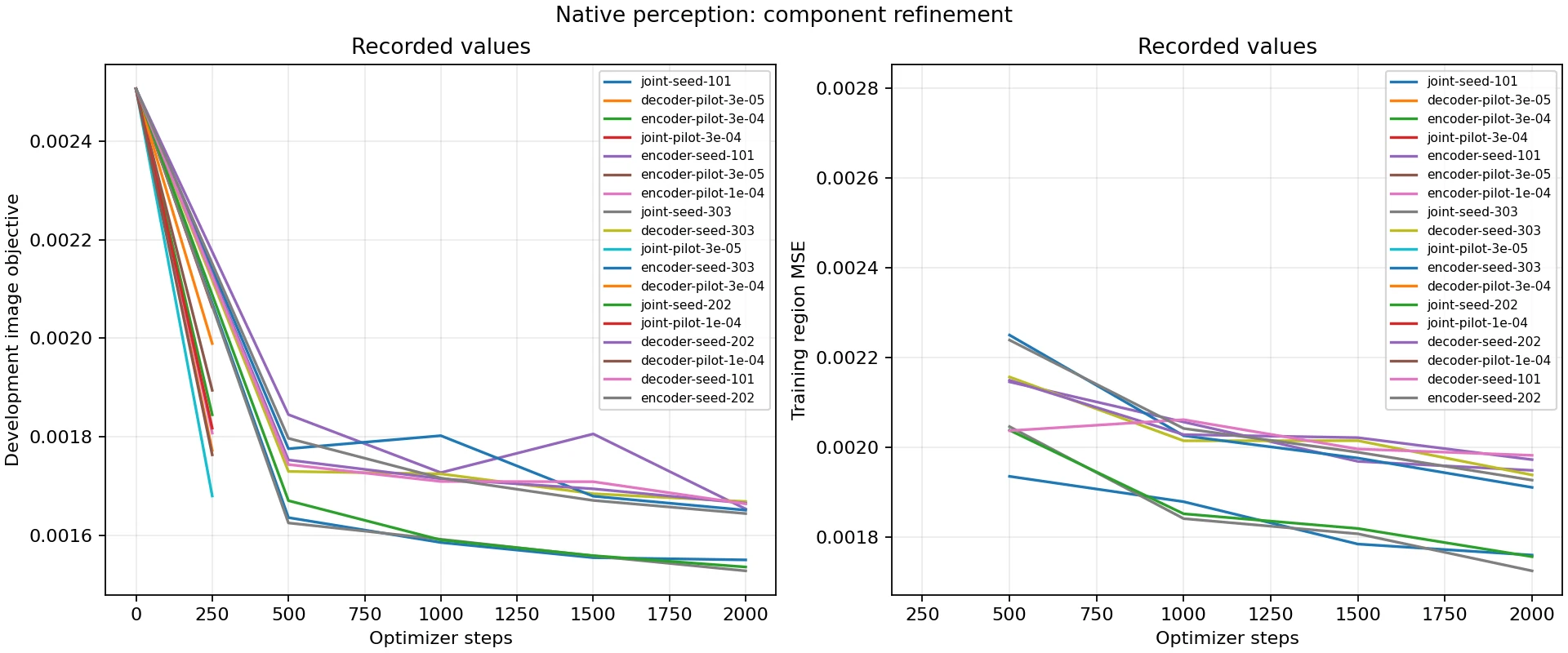
The horizontal axes count weight updates. Left: development error, weighted 75% photographs, 12.5% writing on white, and 12.5% writing on photographs. Right: recorded training-region MSE. Lower is better in both panels. Lines separate encoder-only, decoder-only and joint training, including short learning-rate trials and three repeated fits. Development error selects checkpoints; the training and development panels measure different image sets and objectives.
Encoder-only training, learning-rate trial (3e-05): 0 weight updates
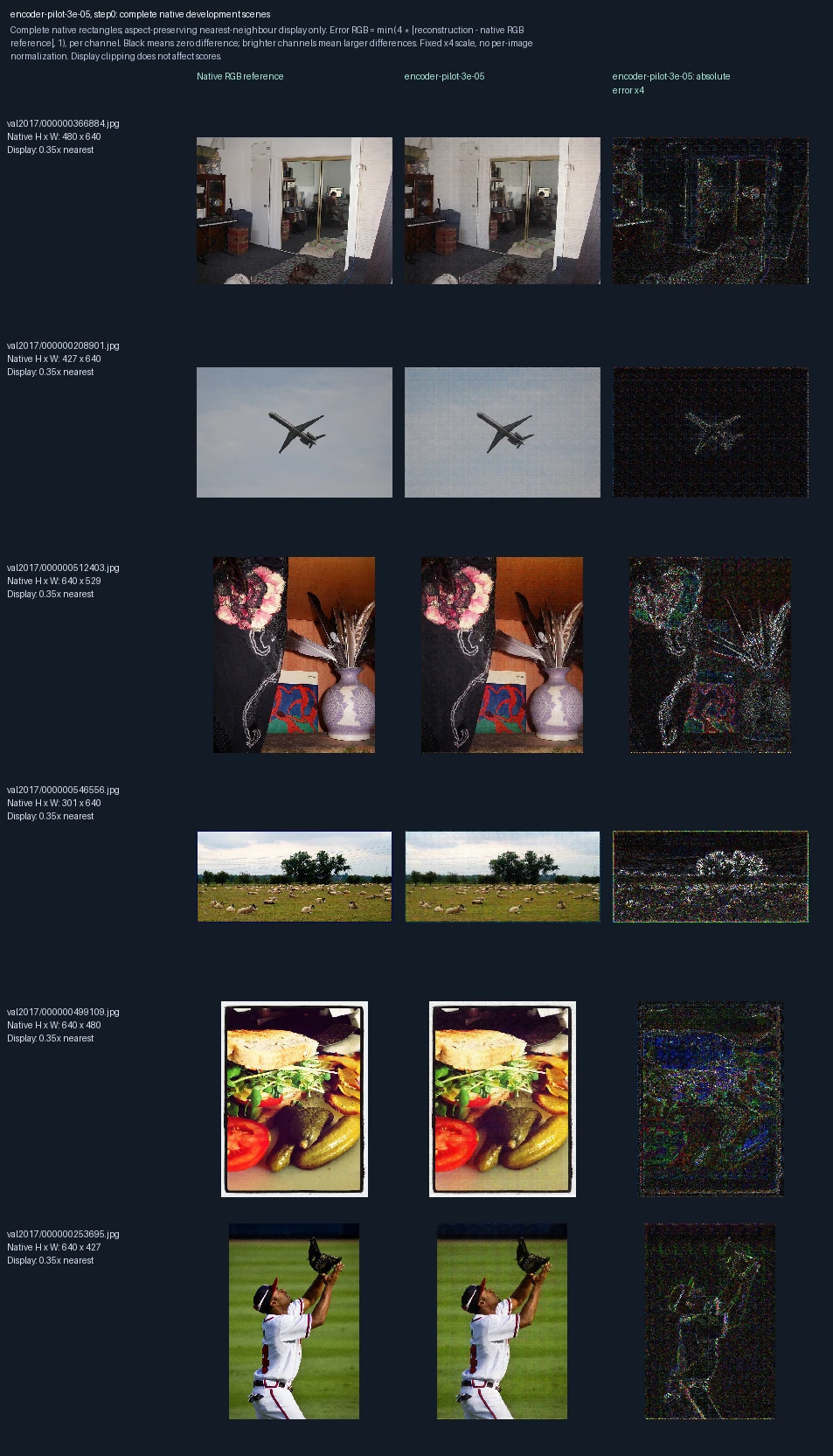
The same six development photographs appear in each progress figure. Left to right: original image, reconstruction at this training point, and its pixel error. Only the encoder learns; the decoder stays fixed. This short trial uses learning rate 3e-05, a setting that controls the size of weight updates. These images are used to monitor and select models, not as final test evidence. Error panels show four times the absolute RGB difference from the reference, separately for each color channel, clipped at full brightness. Darker pixels mean smaller errors; black is zero or below the display’s precision. The scale is fixed across examples, not adjusted to make each image look better. Zero updates shows the starting state before this fit.
Encoder-only training, learning-rate trial (3e-05): 250 weight updates
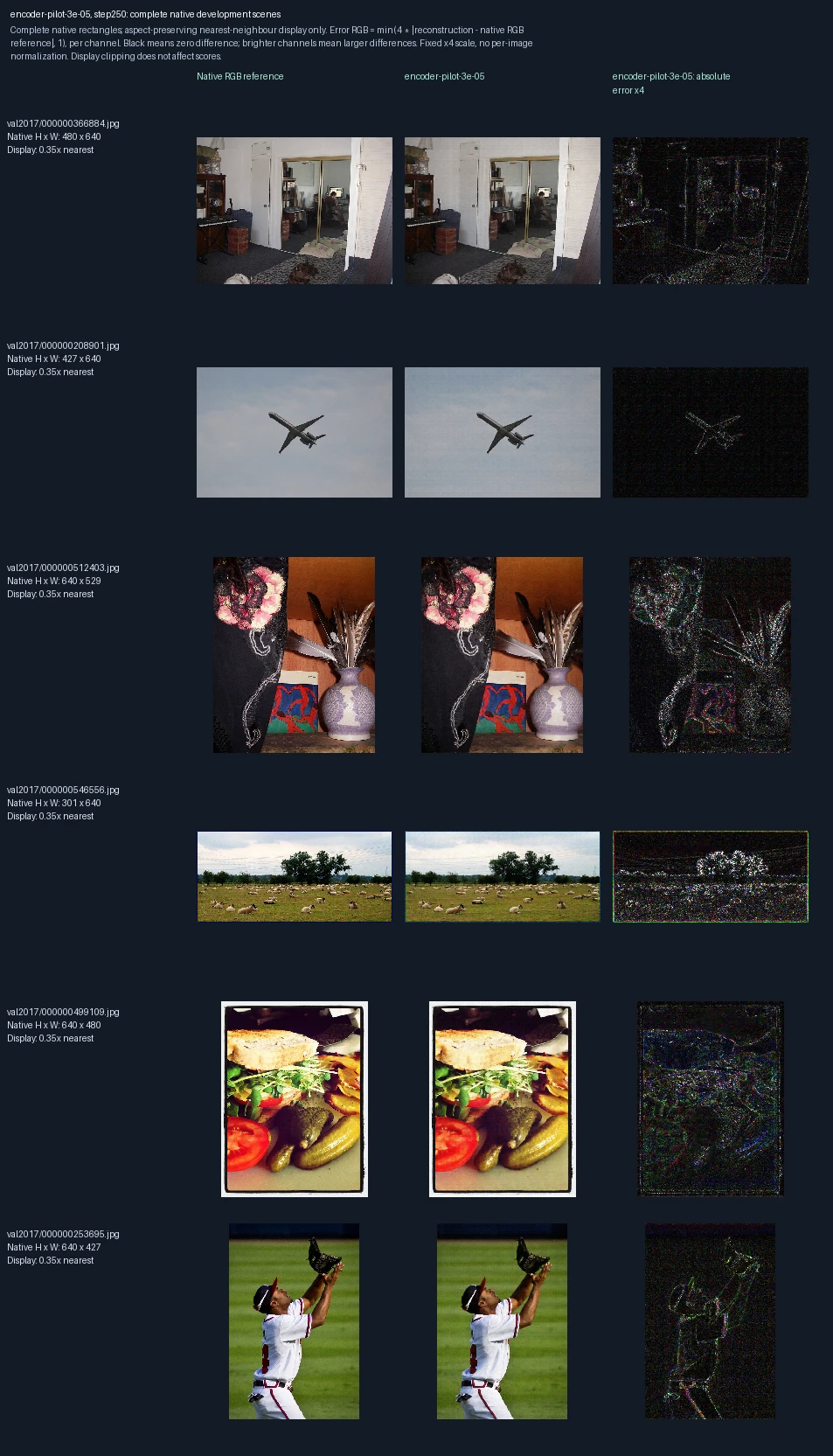
The same six development photographs appear in each progress figure. Left to right: original image, reconstruction at this training point, and its pixel error. Only the encoder learns; the decoder stays fixed. This short trial uses learning rate 3e-05, a setting that controls the size of weight updates. These images are used to monitor and select models, not as final test evidence. Error panels show four times the absolute RGB difference from the reference, separately for each color channel, clipped at full brightness. Darker pixels mean smaller errors; black is zero or below the display’s precision. The scale is fixed across examples, not adjusted to make each image look better.
Encoder-only training, learning-rate trial (1e-04): 0 weight updates
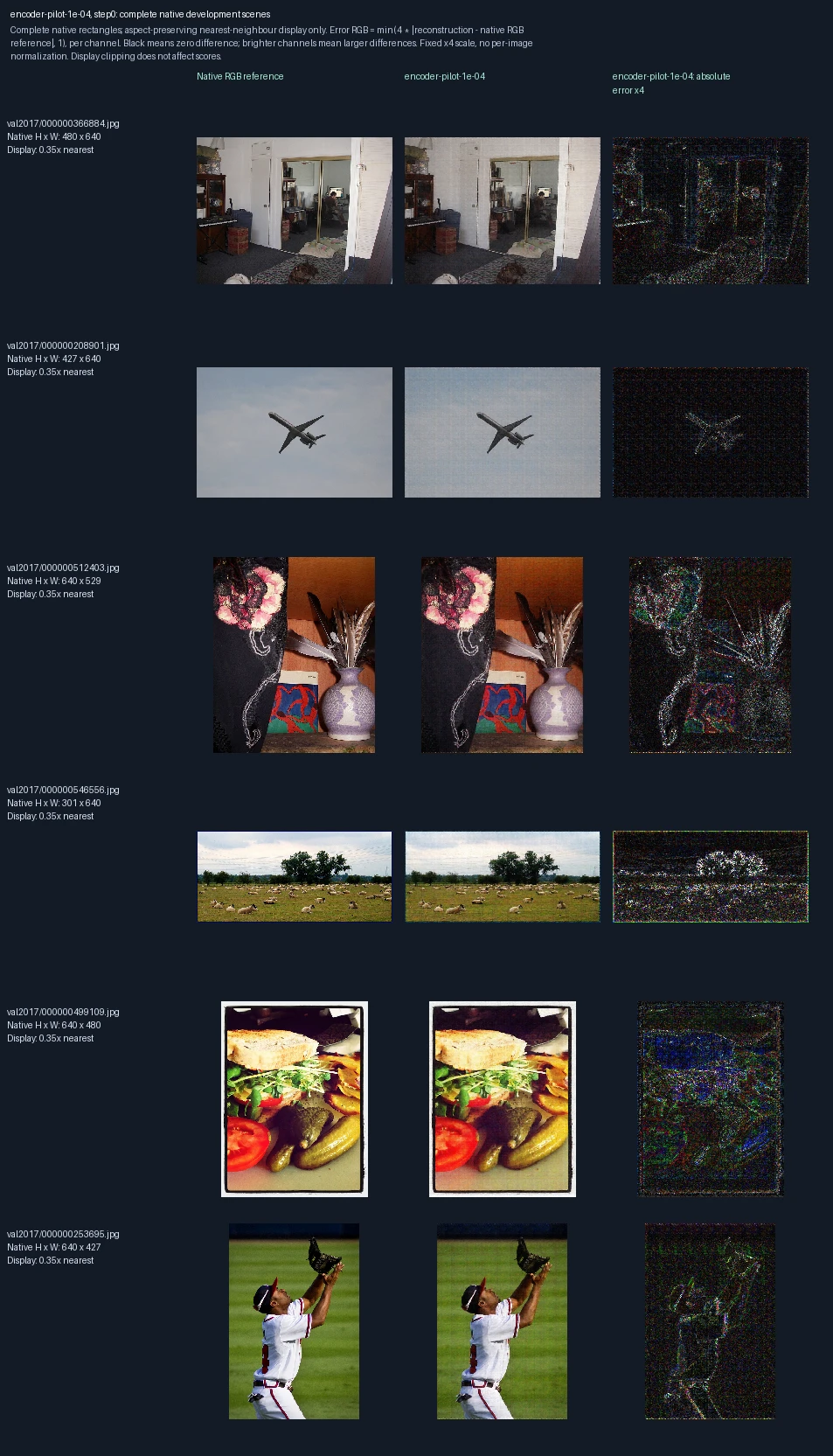
The same six development photographs appear in each progress figure. Left to right: original image, reconstruction at this training point, and its pixel error. Only the encoder learns; the decoder stays fixed. This short trial uses learning rate 1e-04, a setting that controls the size of weight updates. These images are used to monitor and select models, not as final test evidence. Error panels show four times the absolute RGB difference from the reference, separately for each color channel, clipped at full brightness. Darker pixels mean smaller errors; black is zero or below the display’s precision. The scale is fixed across examples, not adjusted to make each image look better. Zero updates shows the starting state before this fit.
Encoder-only training, learning-rate trial (1e-04): 250 weight updates
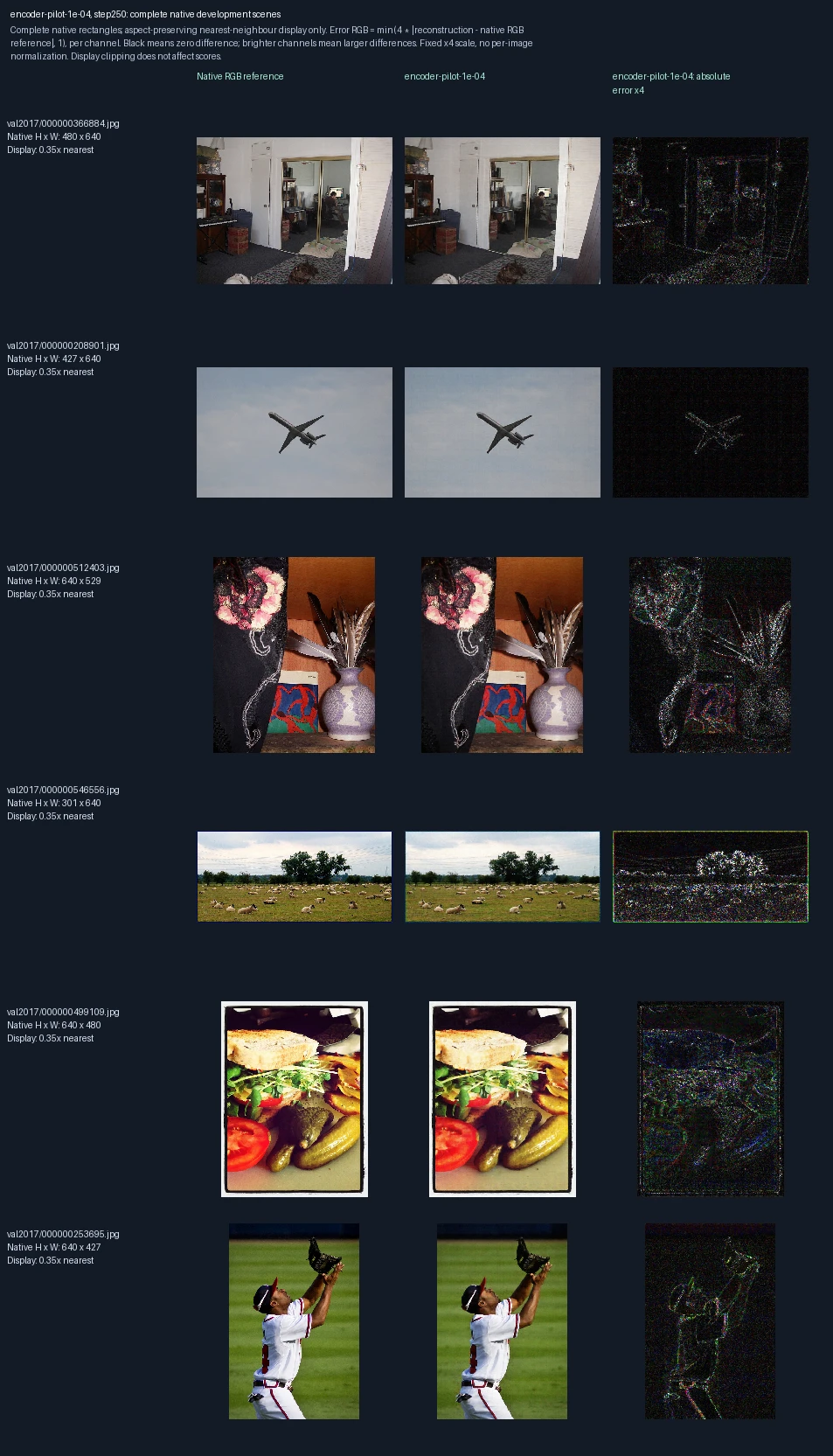
The same six development photographs appear in each progress figure. Left to right: original image, reconstruction at this training point, and its pixel error. Only the encoder learns; the decoder stays fixed. This short trial uses learning rate 1e-04, a setting that controls the size of weight updates. These images are used to monitor and select models, not as final test evidence. Error panels show four times the absolute RGB difference from the reference, separately for each color channel, clipped at full brightness. Darker pixels mean smaller errors; black is zero or below the display’s precision. The scale is fixed across examples, not adjusted to make each image look better.
Encoder-only training, learning-rate trial (3e-04): 0 weight updates
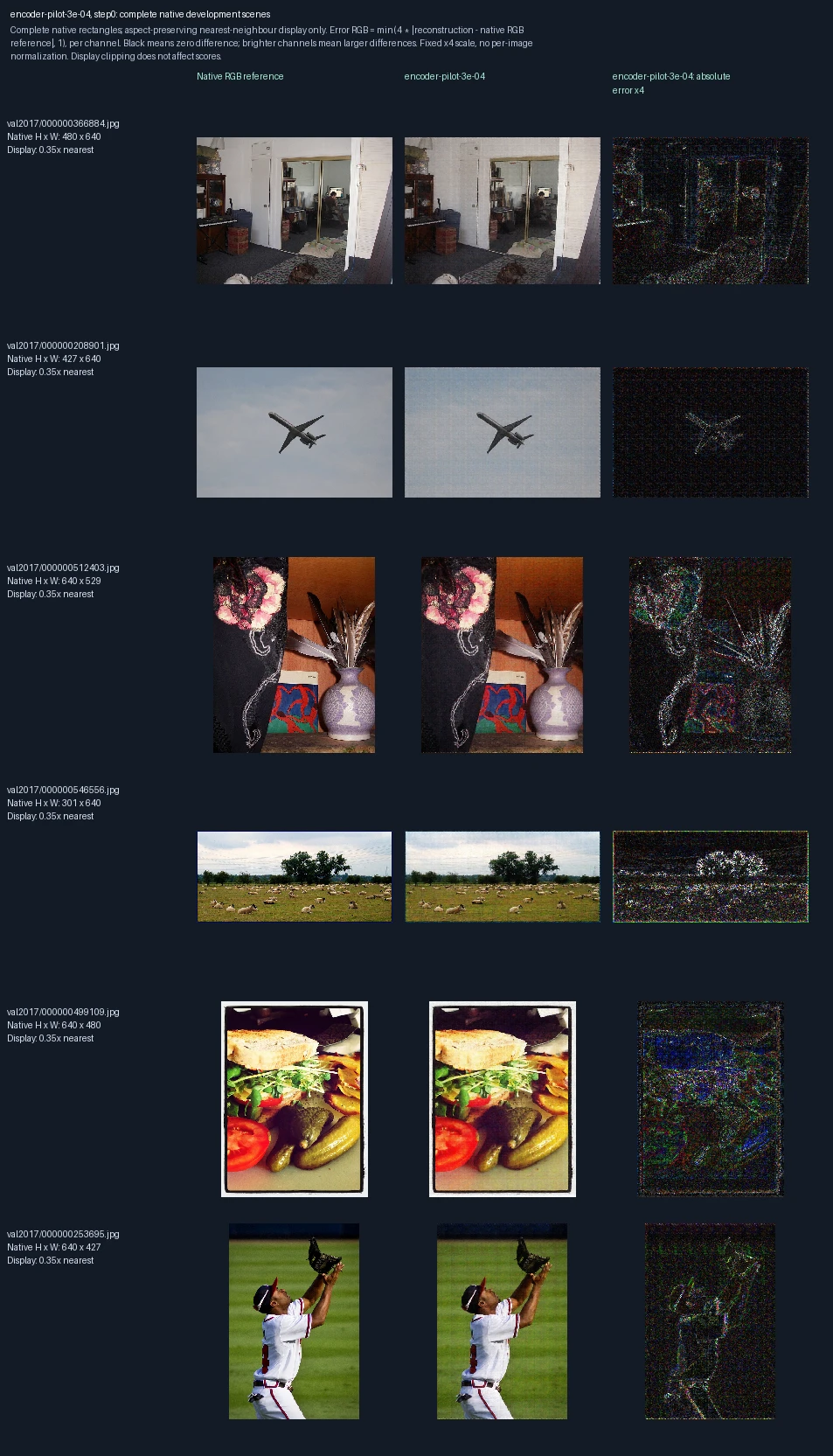
The same six development photographs appear in each progress figure. Left to right: original image, reconstruction at this training point, and its pixel error. Only the encoder learns; the decoder stays fixed. This short trial uses learning rate 3e-04, a setting that controls the size of weight updates. These images are used to monitor and select models, not as final test evidence. Error panels show four times the absolute RGB difference from the reference, separately for each color channel, clipped at full brightness. Darker pixels mean smaller errors; black is zero or below the display’s precision. The scale is fixed across examples, not adjusted to make each image look better. Zero updates shows the starting state before this fit.
Encoder-only training, learning-rate trial (3e-04): 250 weight updates
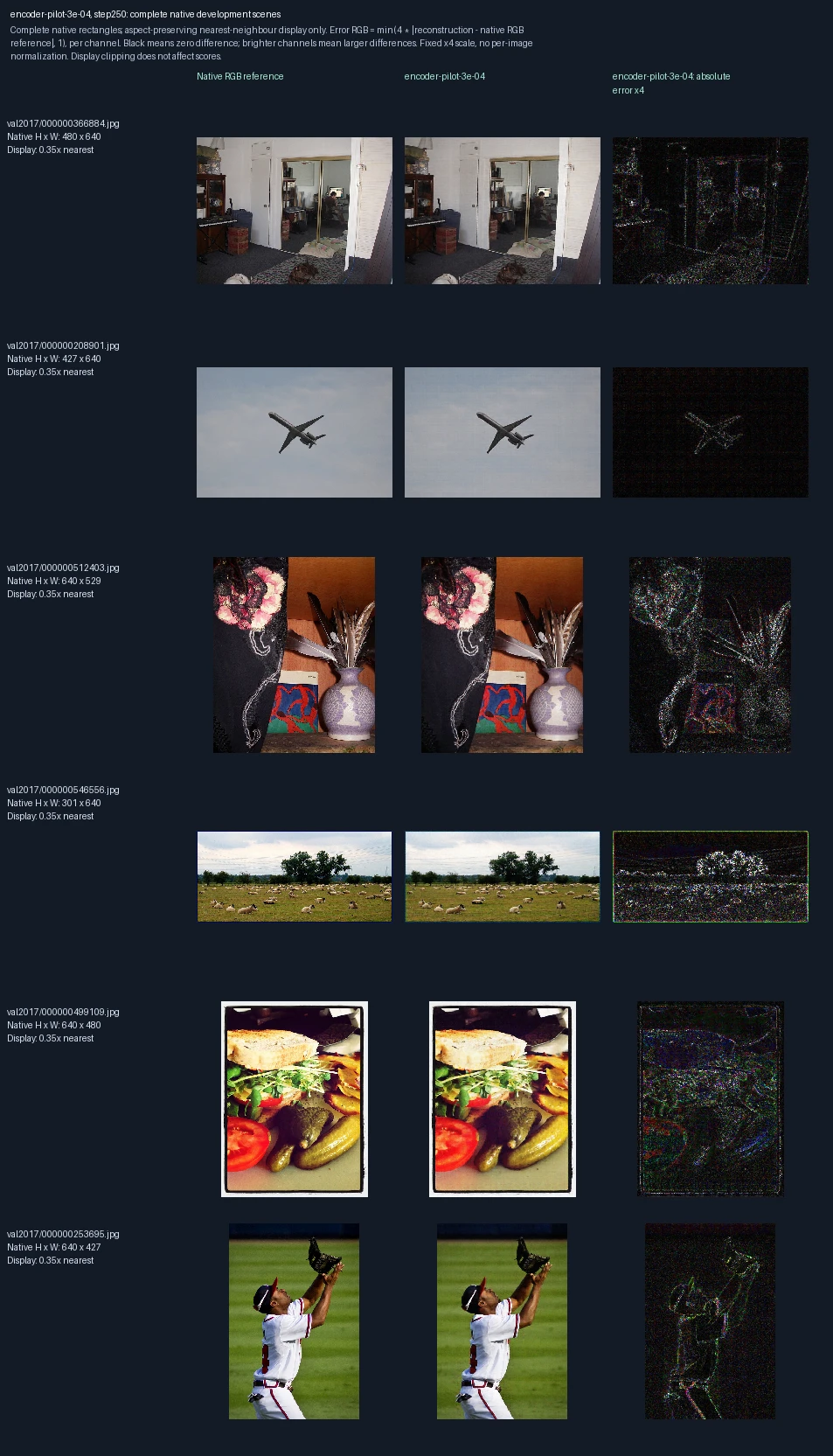
The same six development photographs appear in each progress figure. Left to right: original image, reconstruction at this training point, and its pixel error. Only the encoder learns; the decoder stays fixed. This short trial uses learning rate 3e-04, a setting that controls the size of weight updates. These images are used to monitor and select models, not as final test evidence. Error panels show four times the absolute RGB difference from the reference, separately for each color channel, clipped at full brightness. Darker pixels mean smaller errors; black is zero or below the display’s precision. The scale is fixed across examples, not adjusted to make each image look better.
Decoder-only training, learning-rate trial (3e-05): 0 weight updates
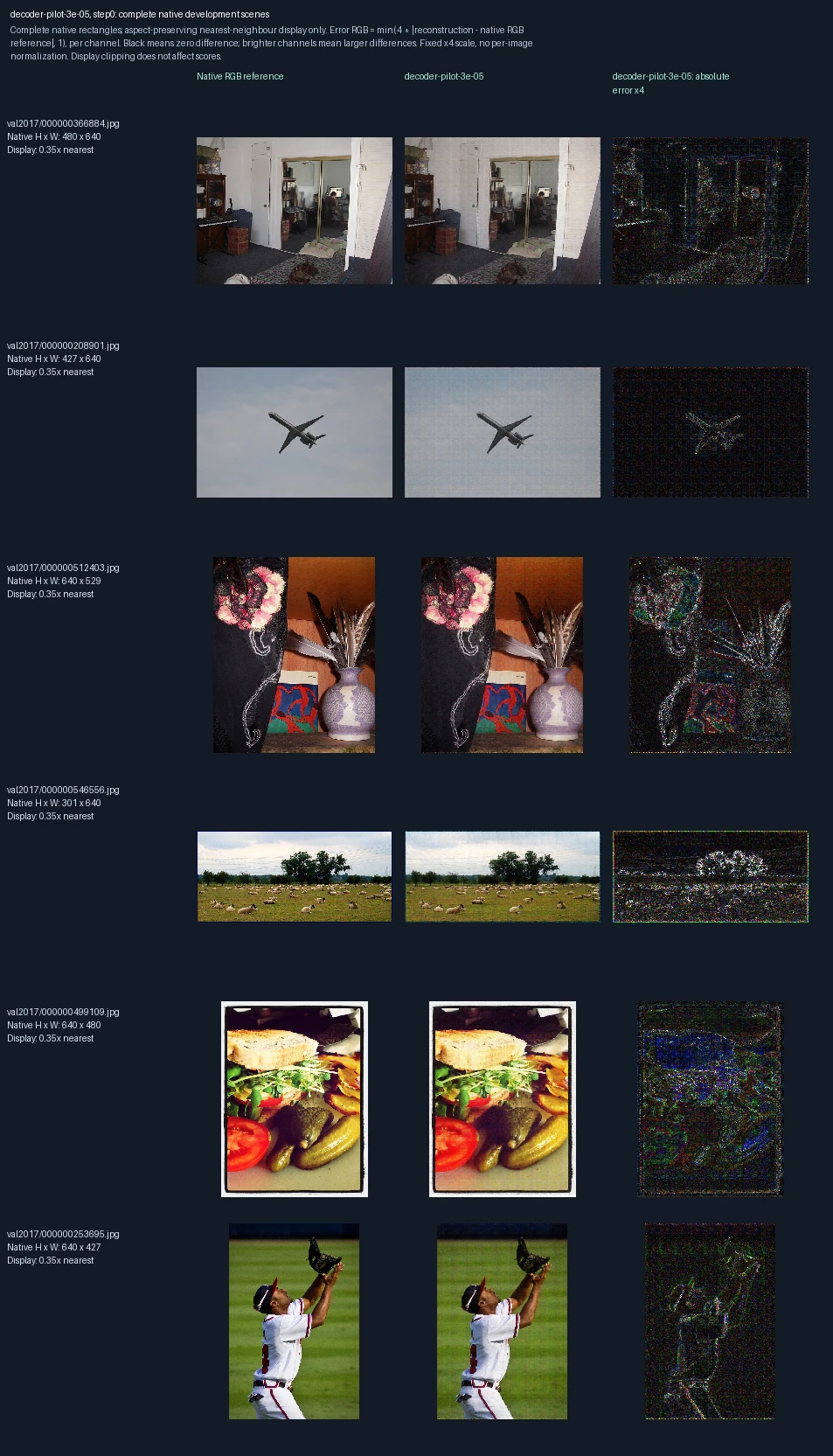
The same six development photographs appear in each progress figure. Left to right: original image, reconstruction at this training point, and its pixel error. Only the decoder learns; the encoder stays fixed. This short trial uses learning rate 3e-05, a setting that controls the size of weight updates. These images are used to monitor and select models, not as final test evidence. Error panels show four times the absolute RGB difference from the reference, separately for each color channel, clipped at full brightness. Darker pixels mean smaller errors; black is zero or below the display’s precision. The scale is fixed across examples, not adjusted to make each image look better. Zero updates shows the starting state before this fit.
Decoder-only training, learning-rate trial (3e-05): 250 weight updates
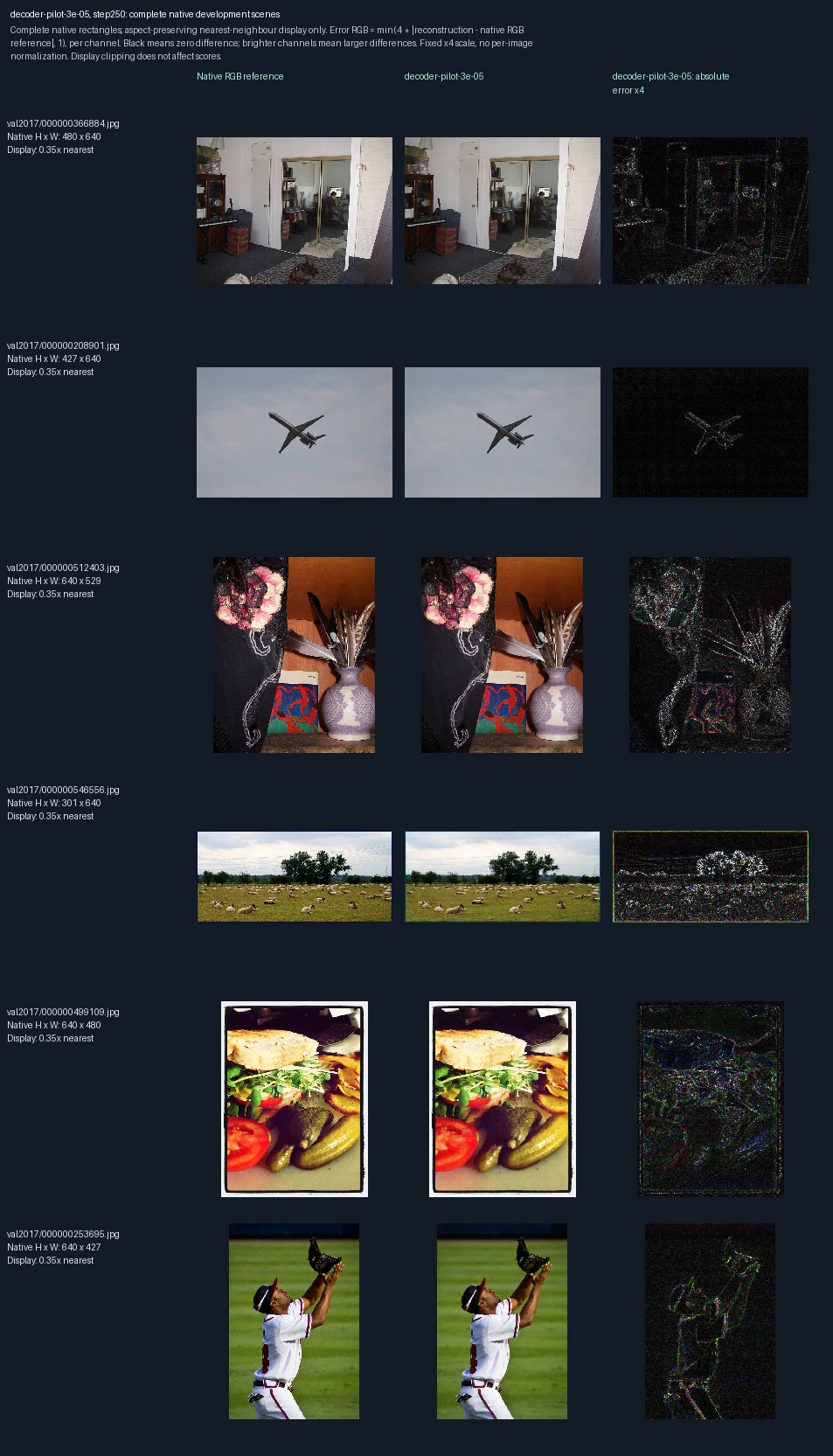
The same six development photographs appear in each progress figure. Left to right: original image, reconstruction at this training point, and its pixel error. Only the decoder learns; the encoder stays fixed. This short trial uses learning rate 3e-05, a setting that controls the size of weight updates. These images are used to monitor and select models, not as final test evidence. Error panels show four times the absolute RGB difference from the reference, separately for each color channel, clipped at full brightness. Darker pixels mean smaller errors; black is zero or below the display’s precision. The scale is fixed across examples, not adjusted to make each image look better.
Decoder-only training, learning-rate trial (1e-04): 0 weight updates
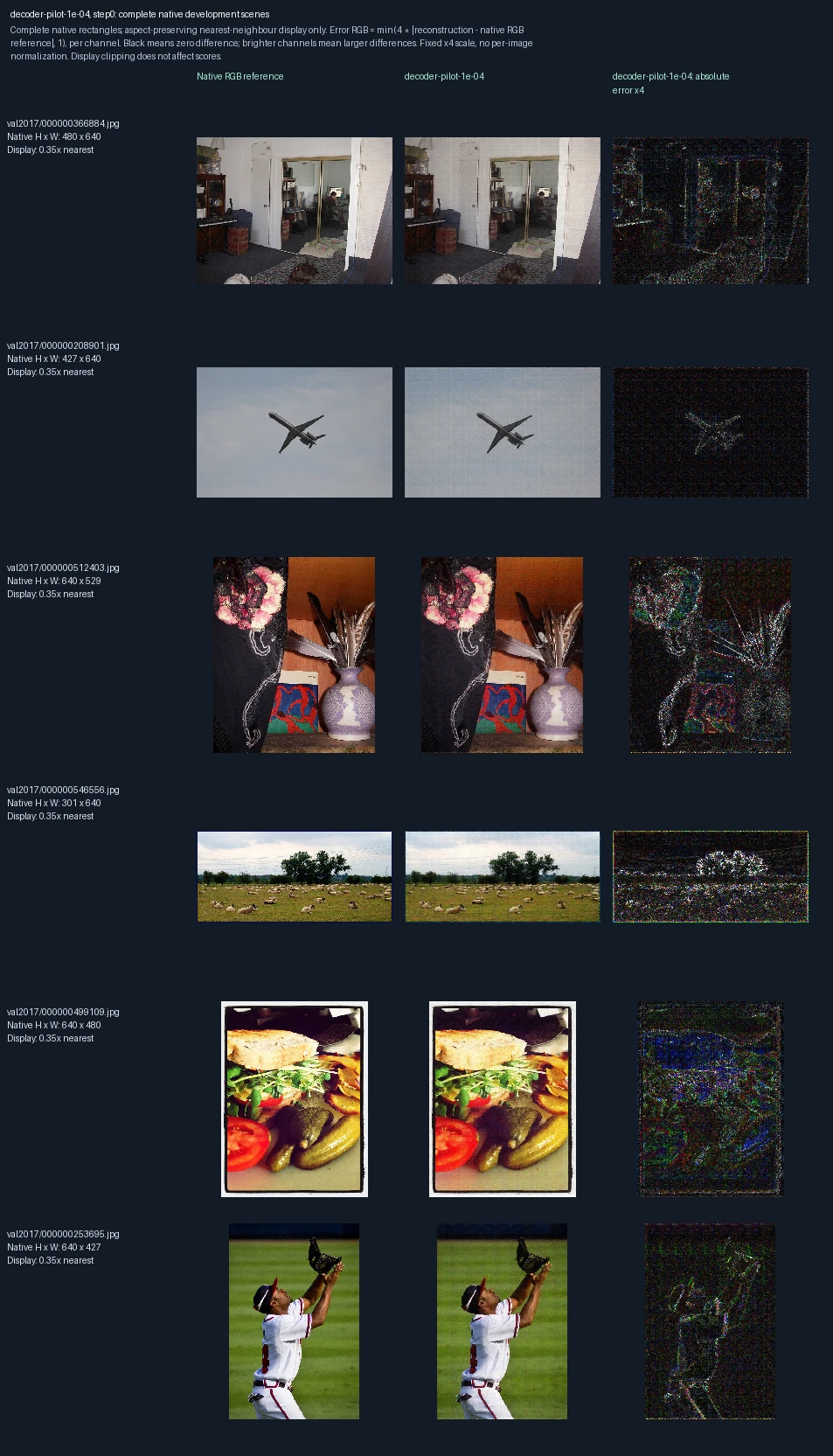
The same six development photographs appear in each progress figure. Left to right: original image, reconstruction at this training point, and its pixel error. Only the decoder learns; the encoder stays fixed. This short trial uses learning rate 1e-04, a setting that controls the size of weight updates. These images are used to monitor and select models, not as final test evidence. Error panels show four times the absolute RGB difference from the reference, separately for each color channel, clipped at full brightness. Darker pixels mean smaller errors; black is zero or below the display’s precision. The scale is fixed across examples, not adjusted to make each image look better. Zero updates shows the starting state before this fit.
Decoder-only training, learning-rate trial (1e-04): 250 weight updates
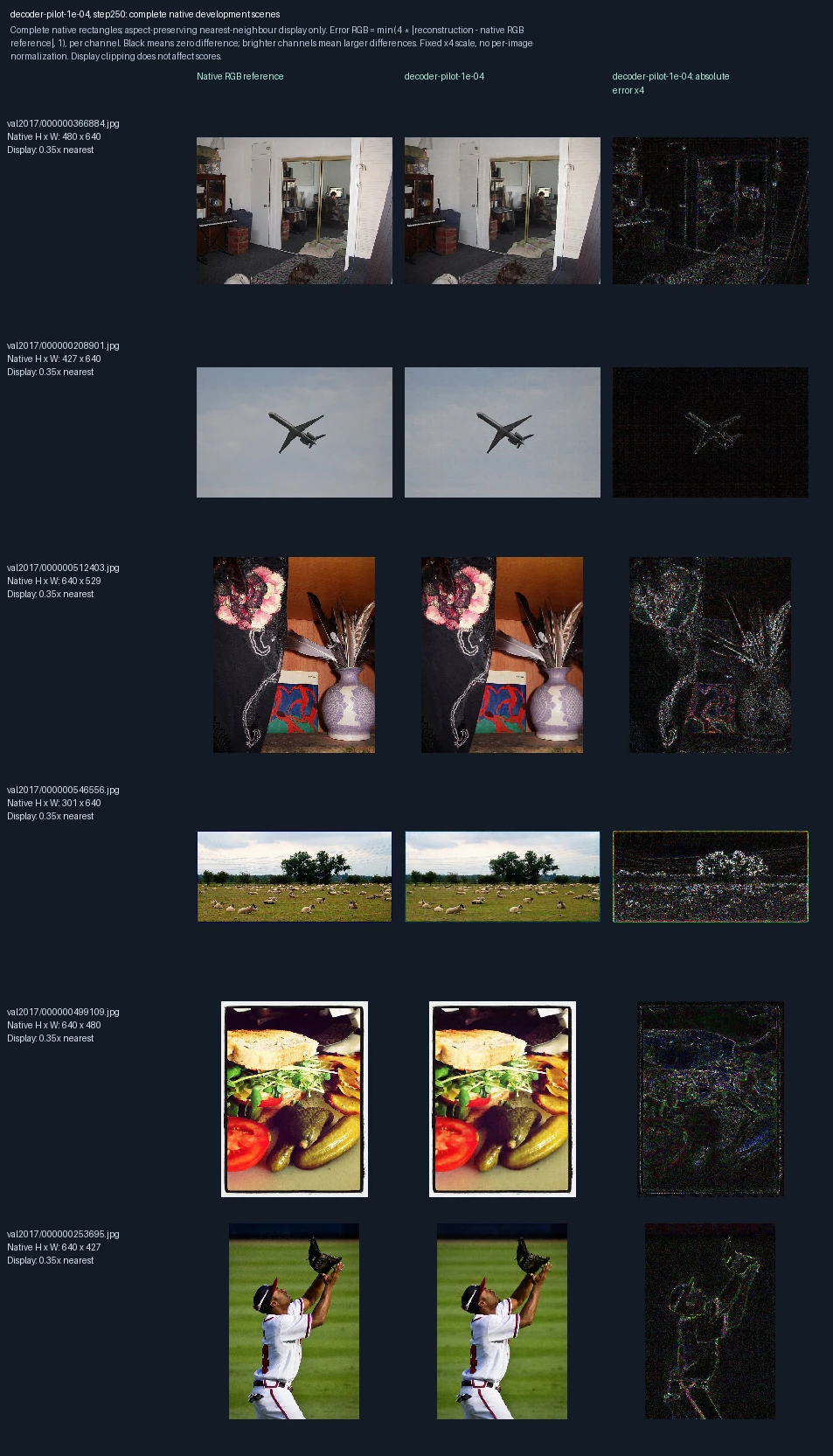
The same six development photographs appear in each progress figure. Left to right: original image, reconstruction at this training point, and its pixel error. Only the decoder learns; the encoder stays fixed. This short trial uses learning rate 1e-04, a setting that controls the size of weight updates. These images are used to monitor and select models, not as final test evidence. Error panels show four times the absolute RGB difference from the reference, separately for each color channel, clipped at full brightness. Darker pixels mean smaller errors; black is zero or below the display’s precision. The scale is fixed across examples, not adjusted to make each image look better.
Decoder-only training, learning-rate trial (3e-04): 0 weight updates
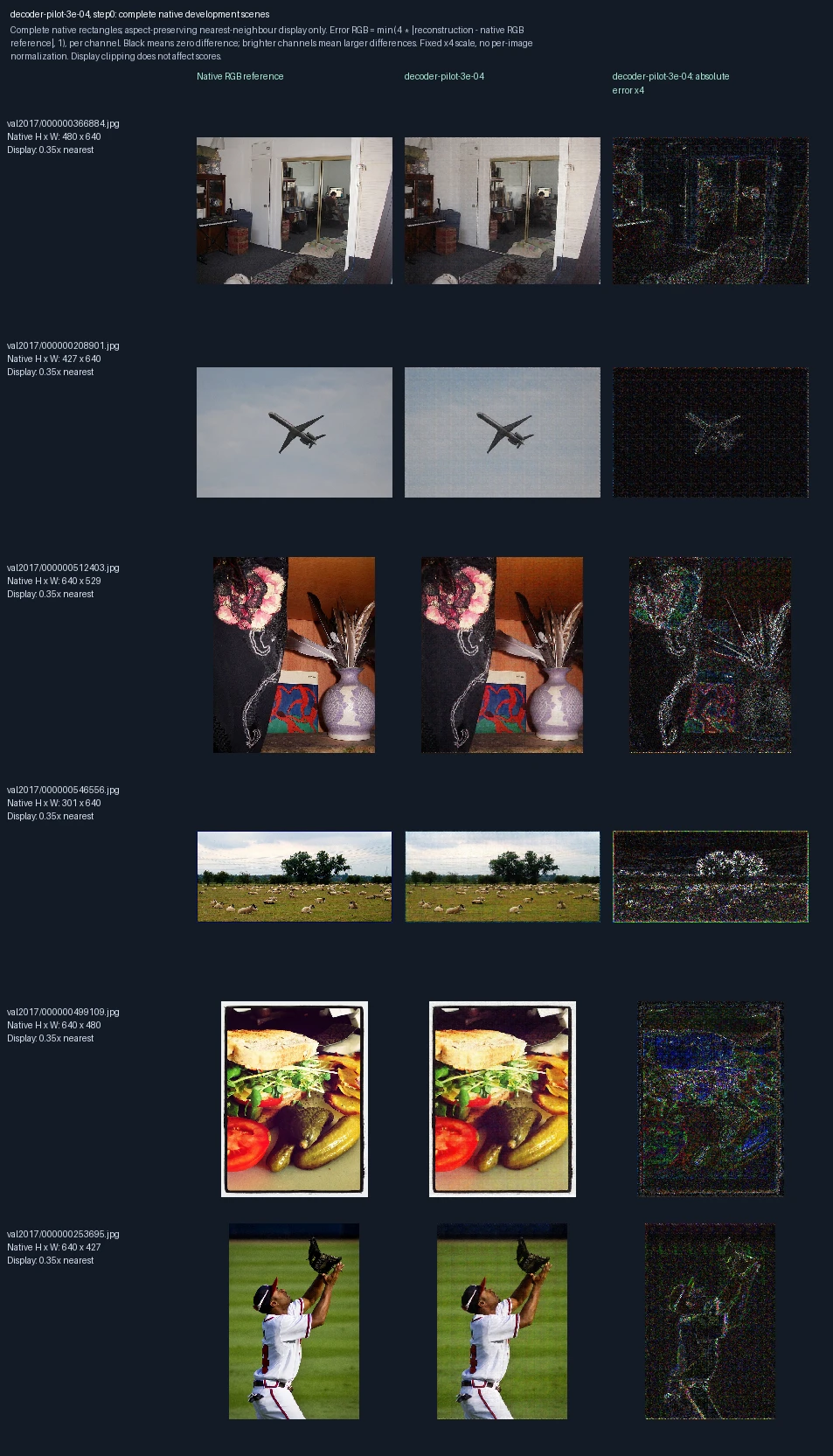
The same six development photographs appear in each progress figure. Left to right: original image, reconstruction at this training point, and its pixel error. Only the decoder learns; the encoder stays fixed. This short trial uses learning rate 3e-04, a setting that controls the size of weight updates. These images are used to monitor and select models, not as final test evidence. Error panels show four times the absolute RGB difference from the reference, separately for each color channel, clipped at full brightness. Darker pixels mean smaller errors; black is zero or below the display’s precision. The scale is fixed across examples, not adjusted to make each image look better. Zero updates shows the starting state before this fit.
Decoder-only training, learning-rate trial (3e-04): 250 weight updates
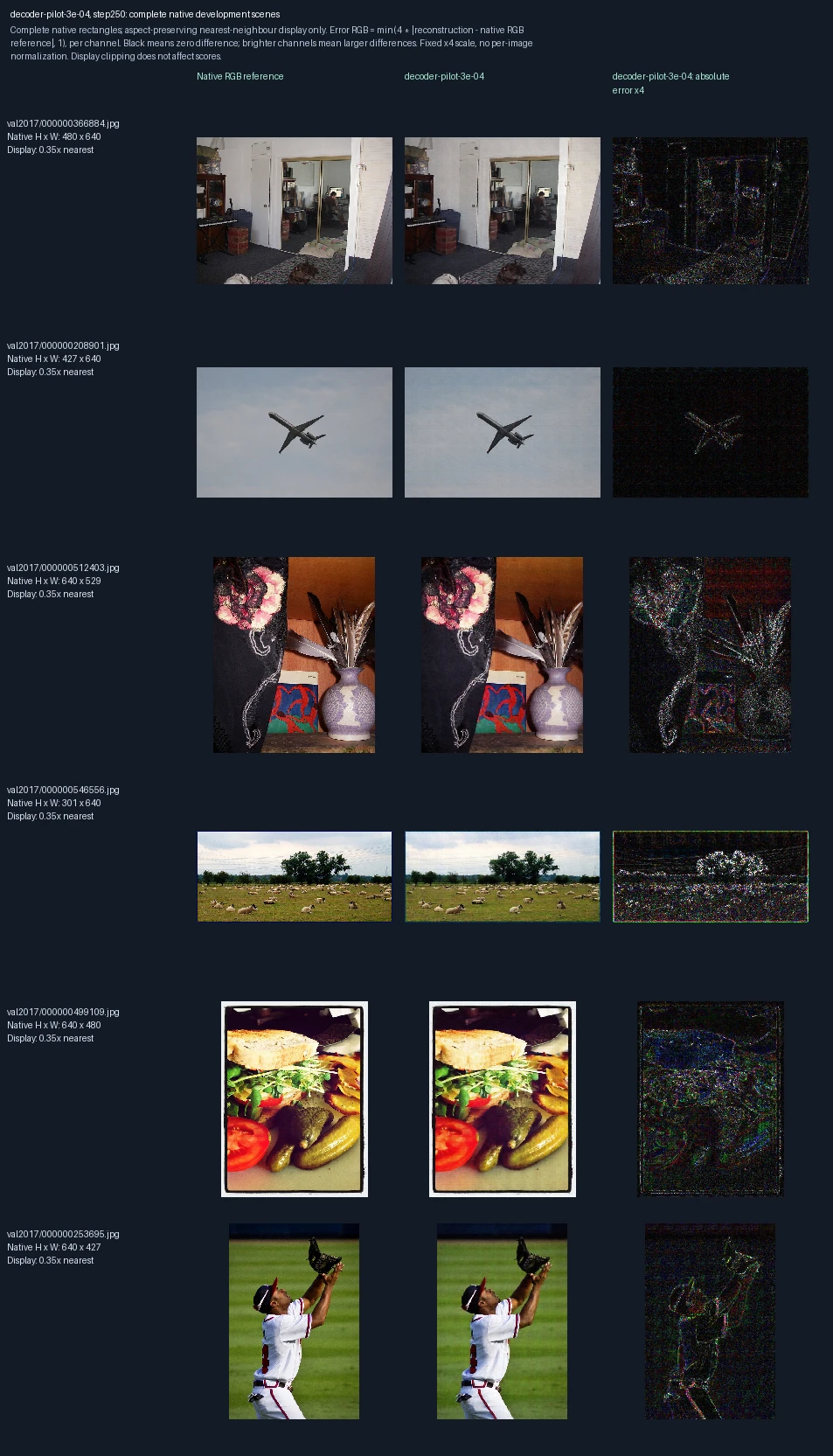
The same six development photographs appear in each progress figure. Left to right: original image, reconstruction at this training point, and its pixel error. Only the decoder learns; the encoder stays fixed. This short trial uses learning rate 3e-04, a setting that controls the size of weight updates. These images are used to monitor and select models, not as final test evidence. Error panels show four times the absolute RGB difference from the reference, separately for each color channel, clipped at full brightness. Darker pixels mean smaller errors; black is zero or below the display’s precision. The scale is fixed across examples, not adjusted to make each image look better.
Encoder and decoder trained together, learning-rate trial (3e-05): 0 weight updates
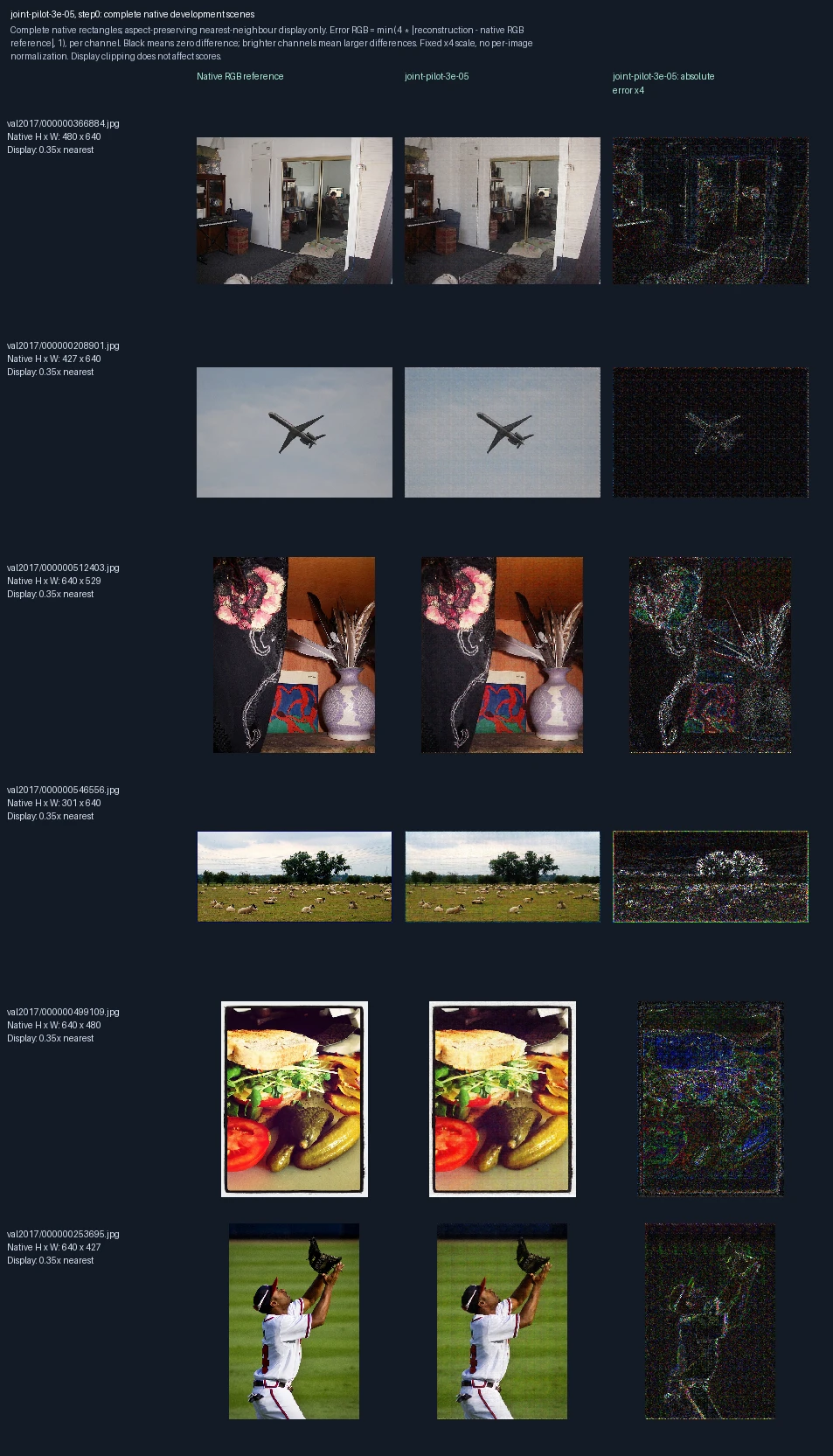
The same six development photographs appear in each progress figure. Left to right: original image, reconstruction at this training point, and its pixel error. Both encoder and decoder learn. This short trial uses learning rate 3e-05, a setting that controls the size of weight updates. These images are used to monitor and select models, not as final test evidence. Error panels show four times the absolute RGB difference from the reference, separately for each color channel, clipped at full brightness. Darker pixels mean smaller errors; black is zero or below the display’s precision. The scale is fixed across examples, not adjusted to make each image look better. Zero updates shows the starting state before this fit.
Encoder and decoder trained together, learning-rate trial (3e-05): 250 weight updates
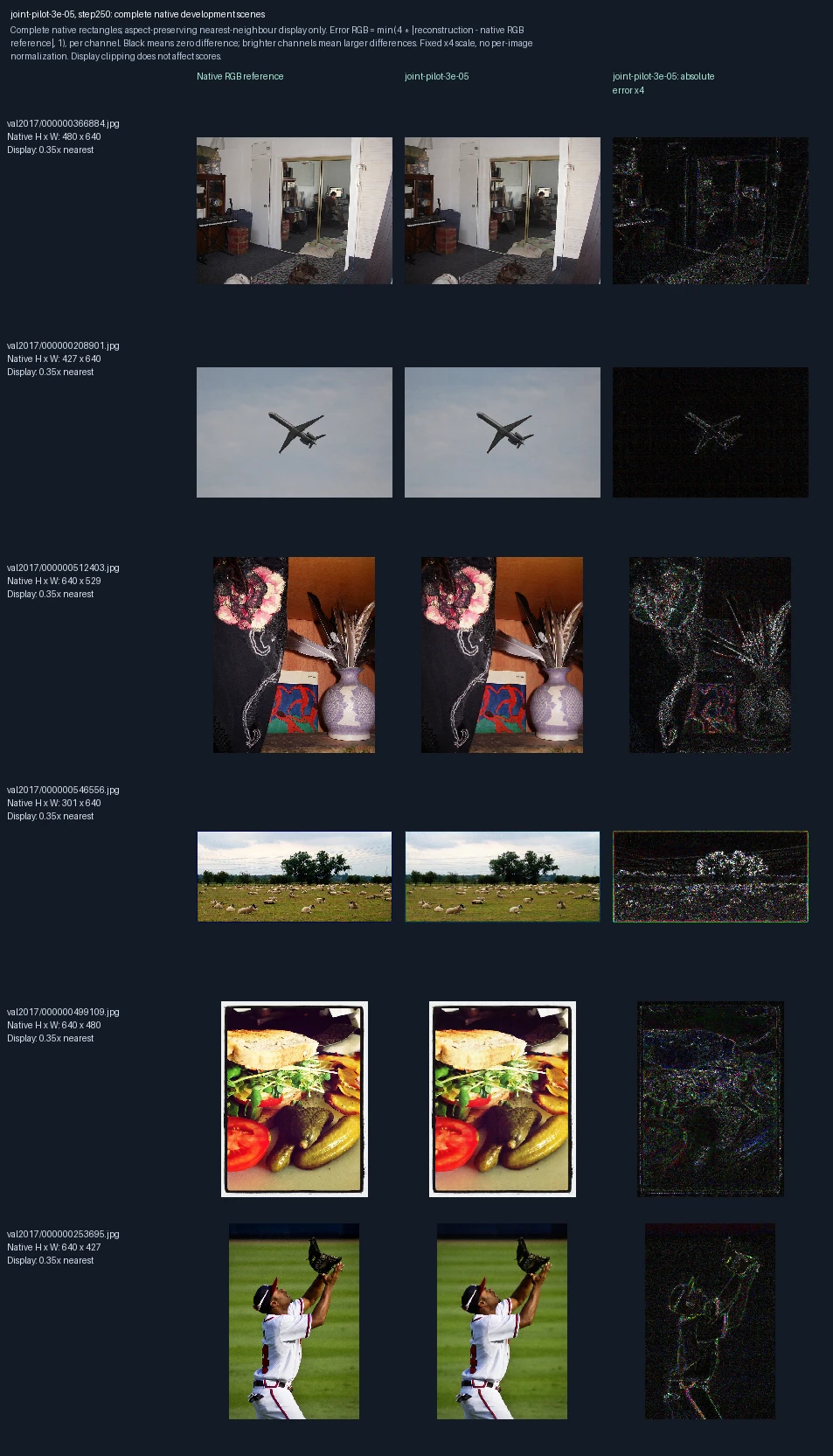
The same six development photographs appear in each progress figure. Left to right: original image, reconstruction at this training point, and its pixel error. Both encoder and decoder learn. This short trial uses learning rate 3e-05, a setting that controls the size of weight updates. These images are used to monitor and select models, not as final test evidence. Error panels show four times the absolute RGB difference from the reference, separately for each color channel, clipped at full brightness. Darker pixels mean smaller errors; black is zero or below the display’s precision. The scale is fixed across examples, not adjusted to make each image look better.
Encoder and decoder trained together, learning-rate trial (1e-04): 0 weight updates
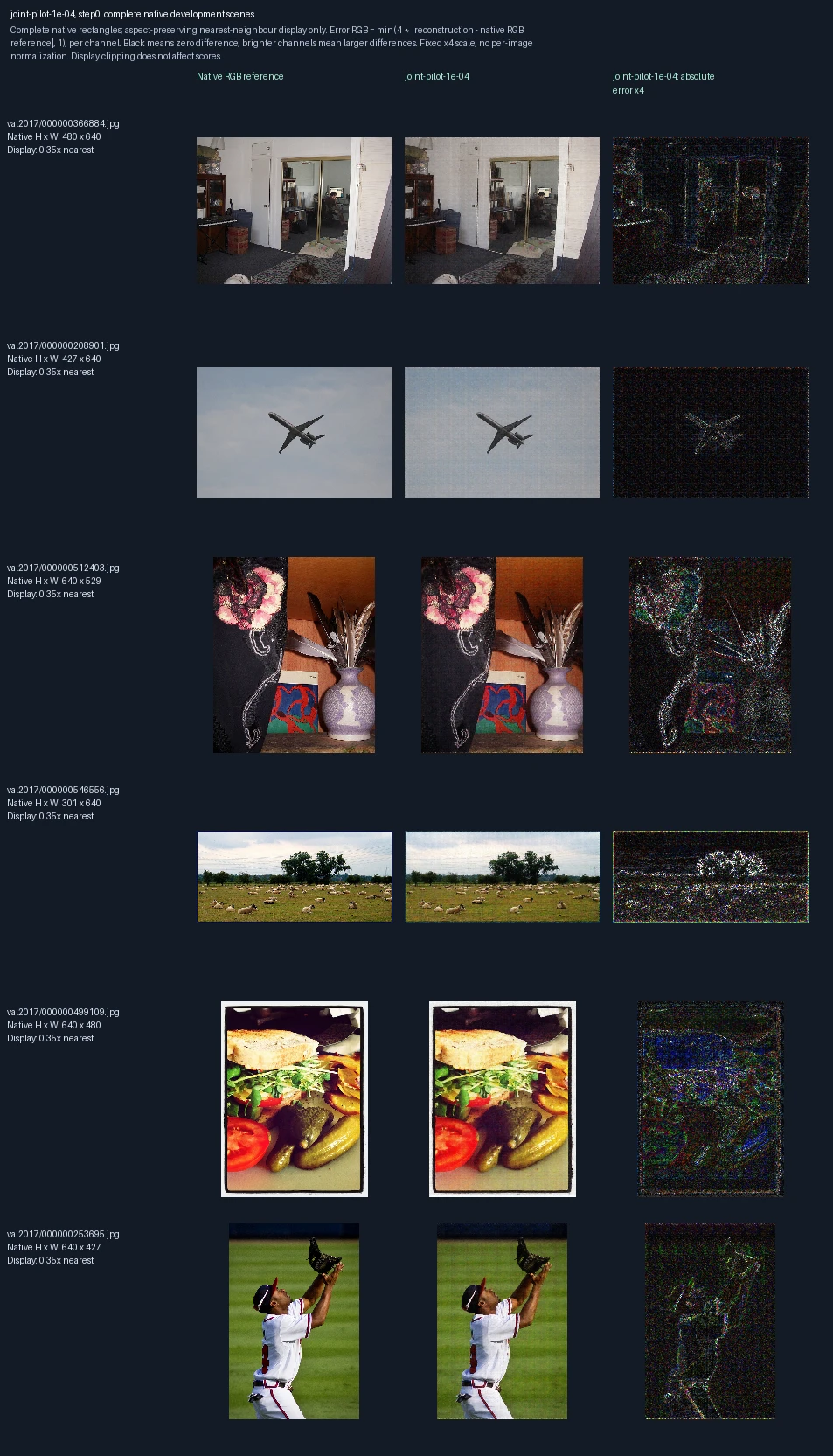
The same six development photographs appear in each progress figure. Left to right: original image, reconstruction at this training point, and its pixel error. Both encoder and decoder learn. This short trial uses learning rate 1e-04, a setting that controls the size of weight updates. These images are used to monitor and select models, not as final test evidence. Error panels show four times the absolute RGB difference from the reference, separately for each color channel, clipped at full brightness. Darker pixels mean smaller errors; black is zero or below the display’s precision. The scale is fixed across examples, not adjusted to make each image look better. Zero updates shows the starting state before this fit.
Encoder and decoder trained together, learning-rate trial (1e-04): 250 weight updates
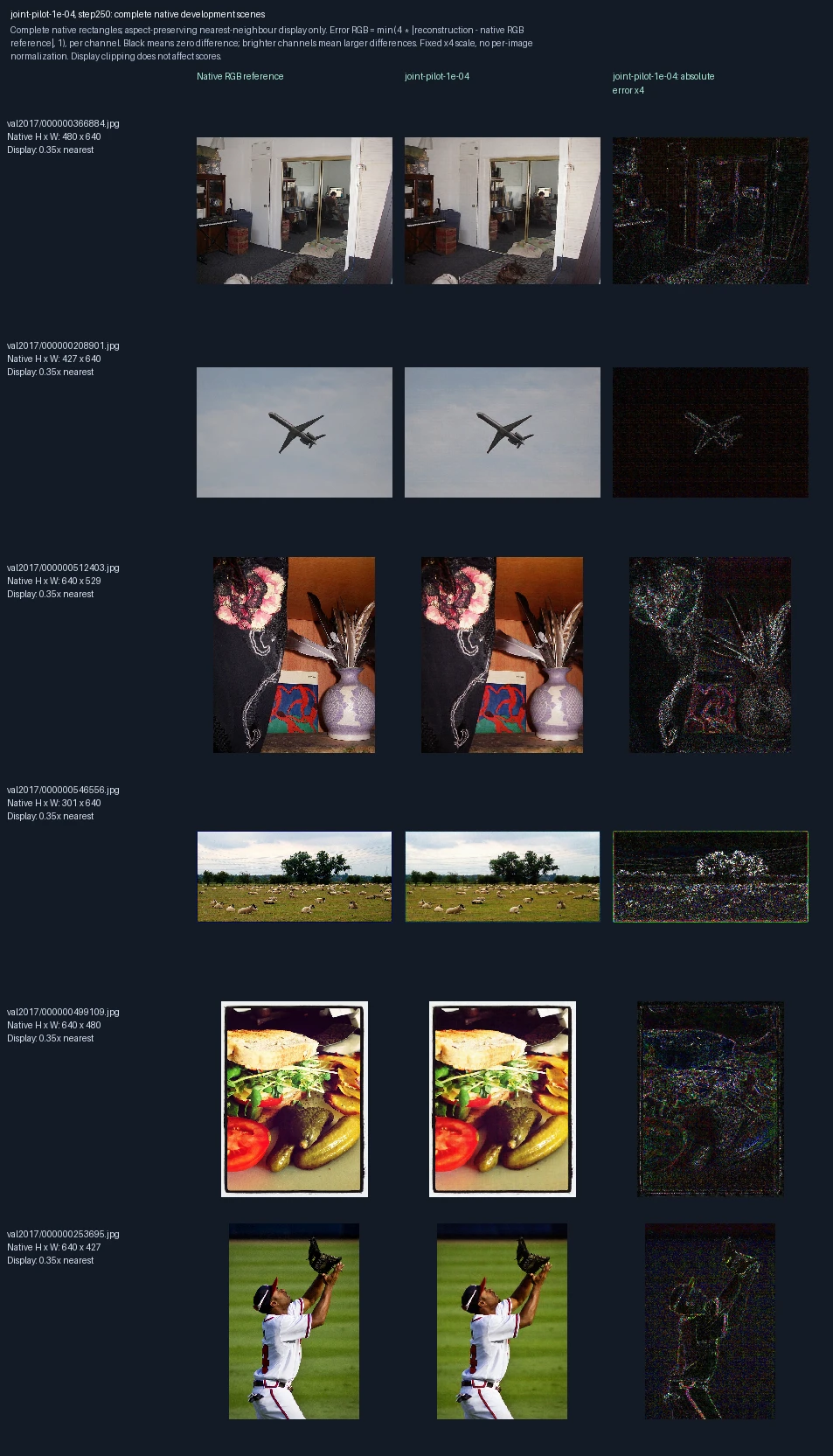
The same six development photographs appear in each progress figure. Left to right: original image, reconstruction at this training point, and its pixel error. Both encoder and decoder learn. This short trial uses learning rate 1e-04, a setting that controls the size of weight updates. These images are used to monitor and select models, not as final test evidence. Error panels show four times the absolute RGB difference from the reference, separately for each color channel, clipped at full brightness. Darker pixels mean smaller errors; black is zero or below the display’s precision. The scale is fixed across examples, not adjusted to make each image look better.
Encoder and decoder trained together, learning-rate trial (3e-04): 0 weight updates
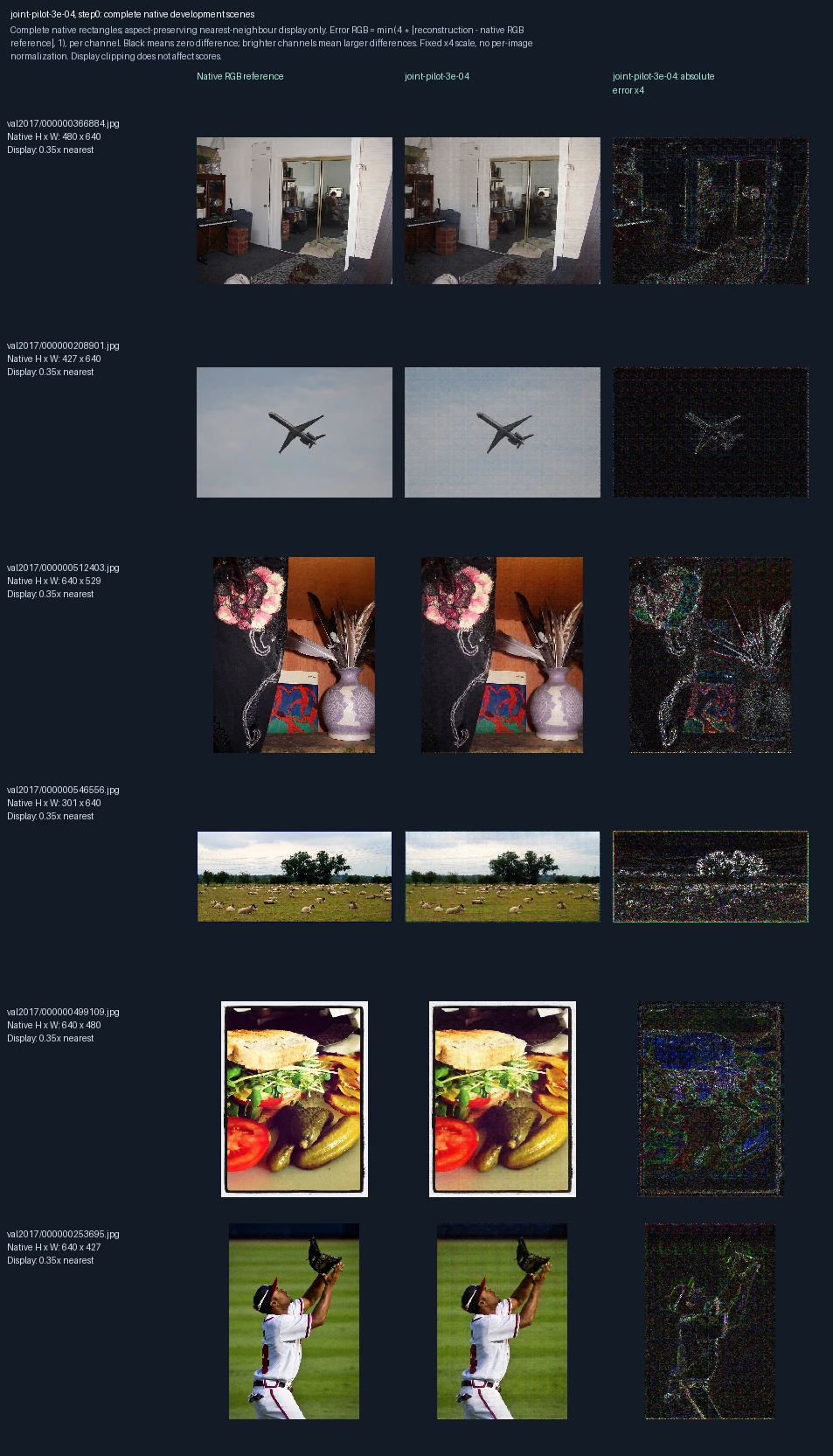
The same six development photographs appear in each progress figure. Left to right: original image, reconstruction at this training point, and its pixel error. Both encoder and decoder learn. This short trial uses learning rate 3e-04, a setting that controls the size of weight updates. These images are used to monitor and select models, not as final test evidence. Error panels show four times the absolute RGB difference from the reference, separately for each color channel, clipped at full brightness. Darker pixels mean smaller errors; black is zero or below the display’s precision. The scale is fixed across examples, not adjusted to make each image look better. Zero updates shows the starting state before this fit.
Encoder and decoder trained together, learning-rate trial (3e-04): 250 weight updates
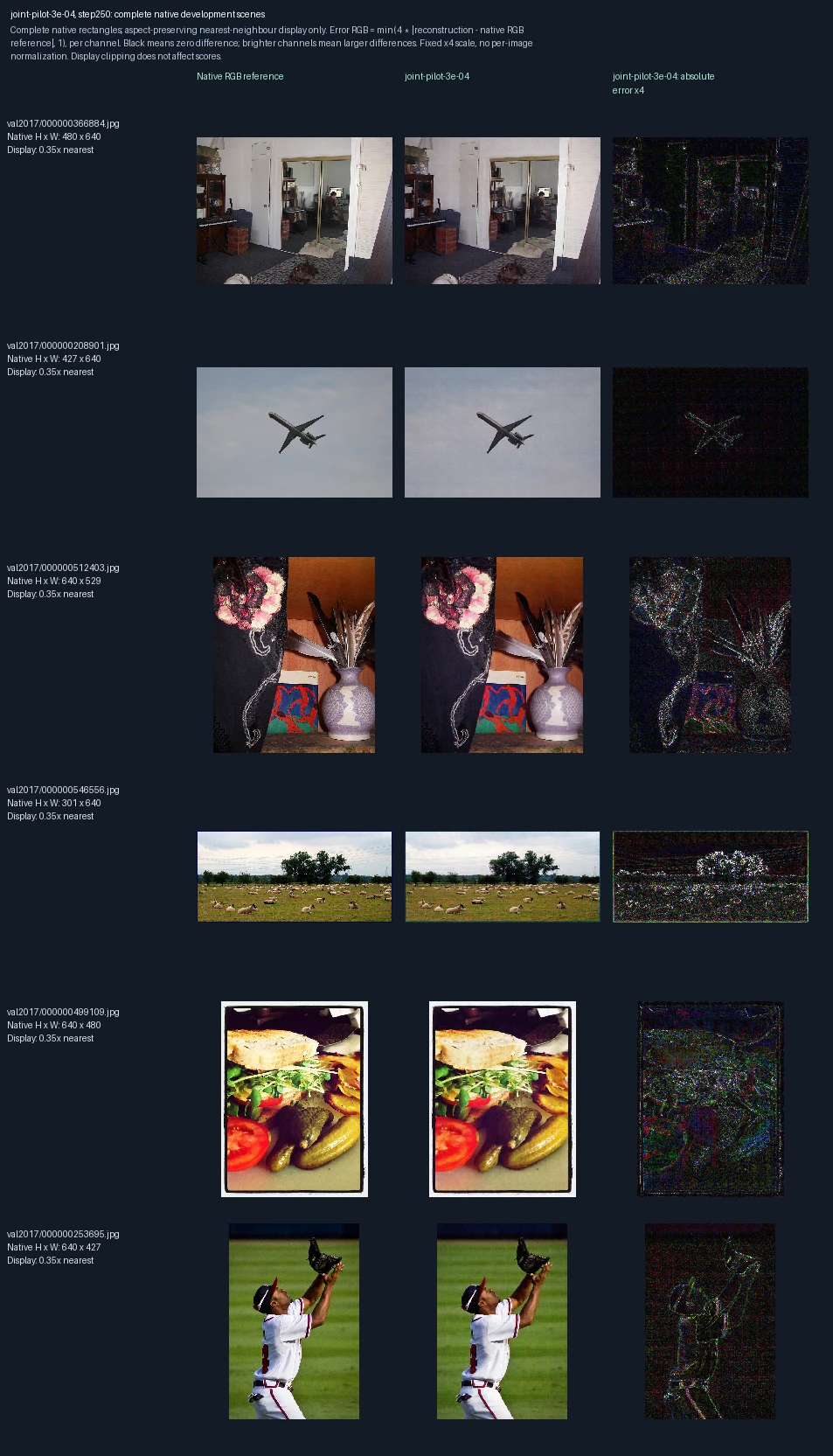
The same six development photographs appear in each progress figure. Left to right: original image, reconstruction at this training point, and its pixel error. Both encoder and decoder learn. This short trial uses learning rate 3e-04, a setting that controls the size of weight updates. These images are used to monitor and select models, not as final test evidence. Error panels show four times the absolute RGB difference from the reference, separately for each color channel, clipped at full brightness. Darker pixels mean smaller errors; black is zero or below the display’s precision. The scale is fixed across examples, not adjusted to make each image look better.
Encoder-only training, training repetition 1: 0 weight updates
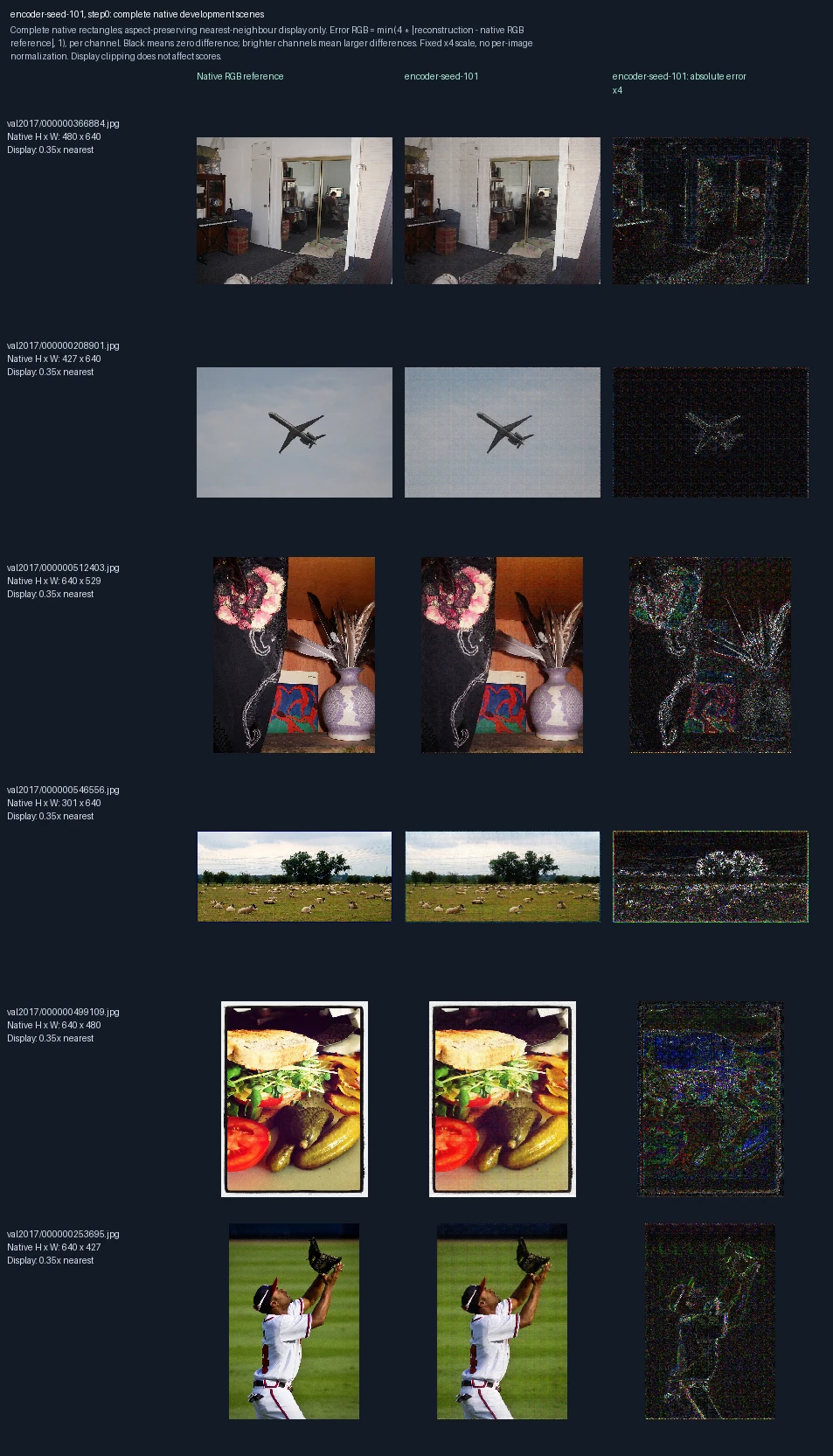
The same six development photographs appear in each progress figure. Left to right: original image, reconstruction at this training point, and its pixel error. Only the encoder learns; the decoder stays fixed. This is training repetition 1; the image label “seed-101” identifies its randomization setting. These images are used to monitor and select models, not as final test evidence. Error panels show four times the absolute RGB difference from the reference, separately for each color channel, clipped at full brightness. Darker pixels mean smaller errors; black is zero or below the display’s precision. The scale is fixed across examples, not adjusted to make each image look better. Zero updates shows the starting state before this fit.
Encoder-only training, training repetition 1: 500 weight updates
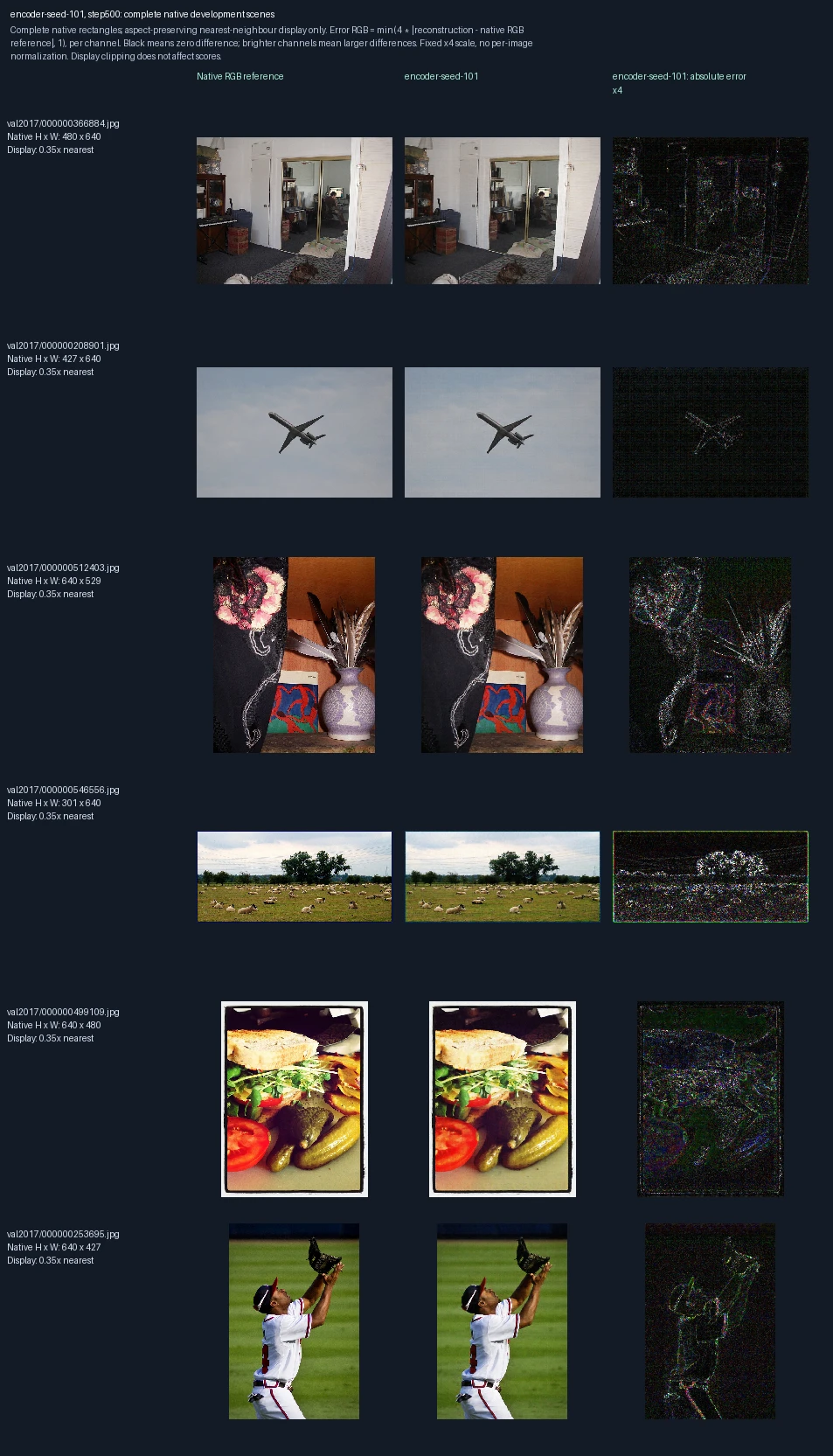
The same six development photographs appear in each progress figure. Left to right: original image, reconstruction at this training point, and its pixel error. Only the encoder learns; the decoder stays fixed. This is training repetition 1; the image label “seed-101” identifies its randomization setting. These images are used to monitor and select models, not as final test evidence. Error panels show four times the absolute RGB difference from the reference, separately for each color channel, clipped at full brightness. Darker pixels mean smaller errors; black is zero or below the display’s precision. The scale is fixed across examples, not adjusted to make each image look better.
Encoder-only training, training repetition 1: 1,000 weight updates
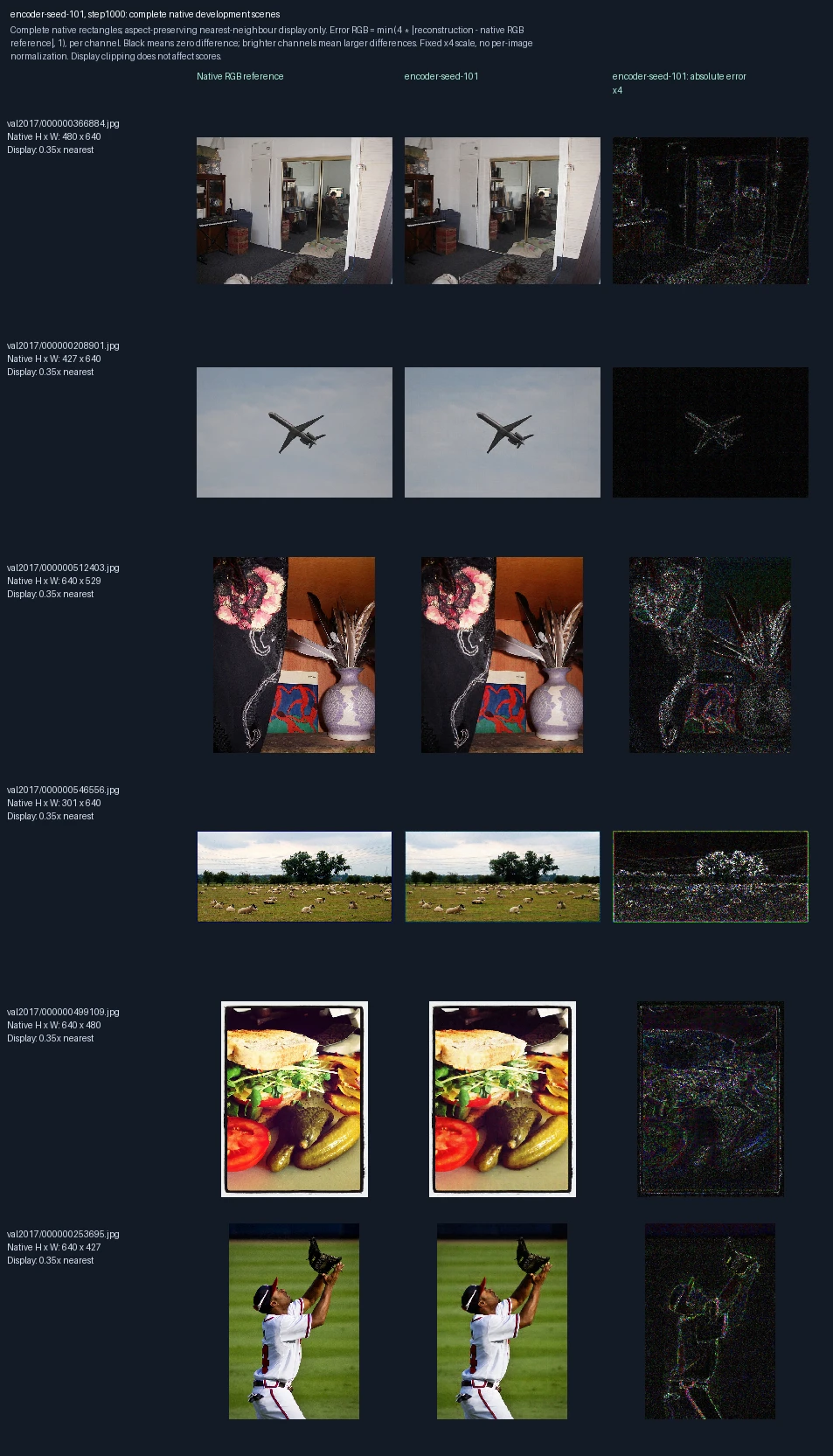
The same six development photographs appear in each progress figure. Left to right: original image, reconstruction at this training point, and its pixel error. Only the encoder learns; the decoder stays fixed. This is training repetition 1; the image label “seed-101” identifies its randomization setting. These images are used to monitor and select models, not as final test evidence. Error panels show four times the absolute RGB difference from the reference, separately for each color channel, clipped at full brightness. Darker pixels mean smaller errors; black is zero or below the display’s precision. The scale is fixed across examples, not adjusted to make each image look better.
Encoder-only training, training repetition 1: 1,500 weight updates
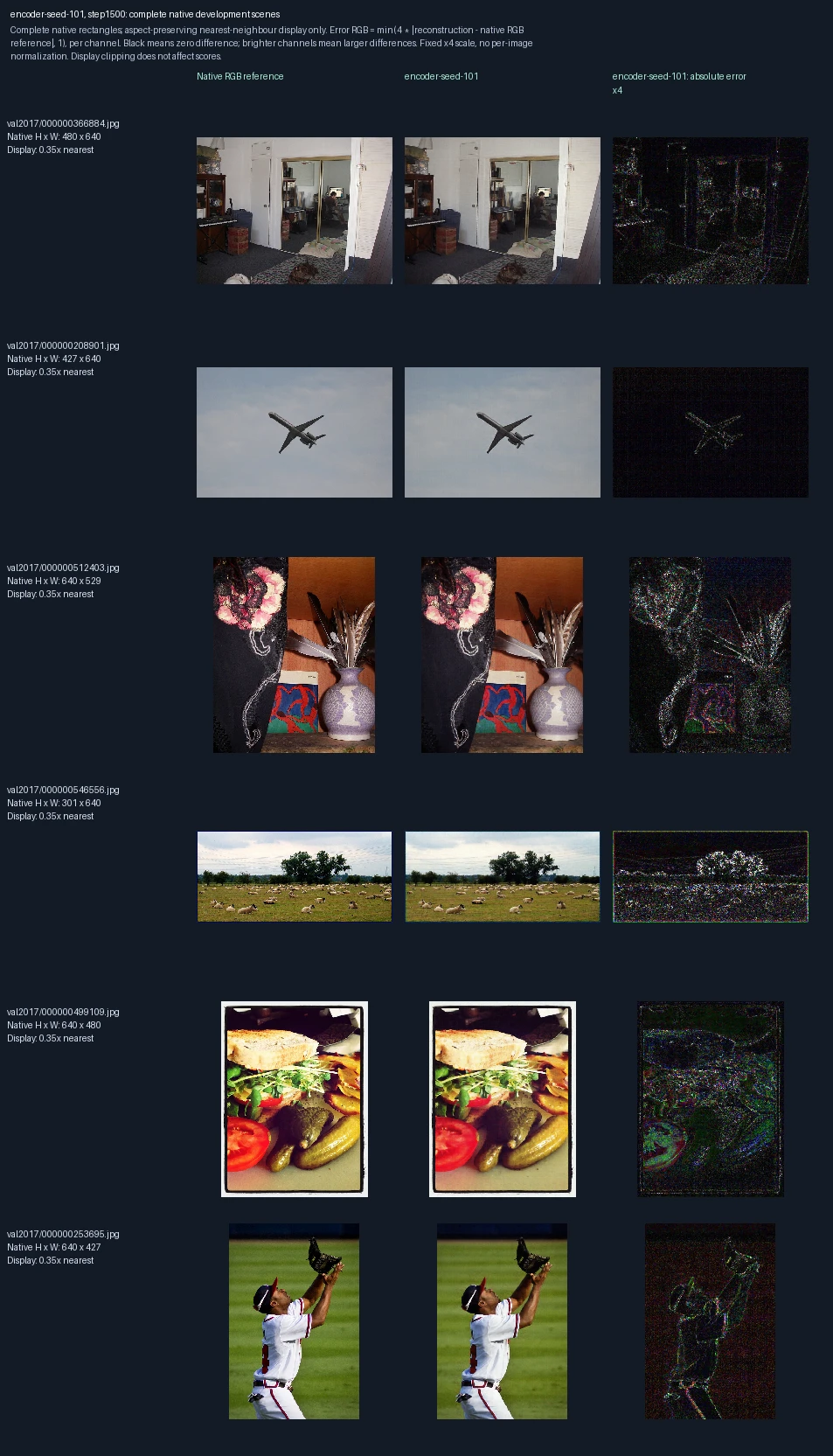
The same six development photographs appear in each progress figure. Left to right: original image, reconstruction at this training point, and its pixel error. Only the encoder learns; the decoder stays fixed. This is training repetition 1; the image label “seed-101” identifies its randomization setting. These images are used to monitor and select models, not as final test evidence. Error panels show four times the absolute RGB difference from the reference, separately for each color channel, clipped at full brightness. Darker pixels mean smaller errors; black is zero or below the display’s precision. The scale is fixed across examples, not adjusted to make each image look better.
Encoder-only training, training repetition 1: 2,000 weight updates
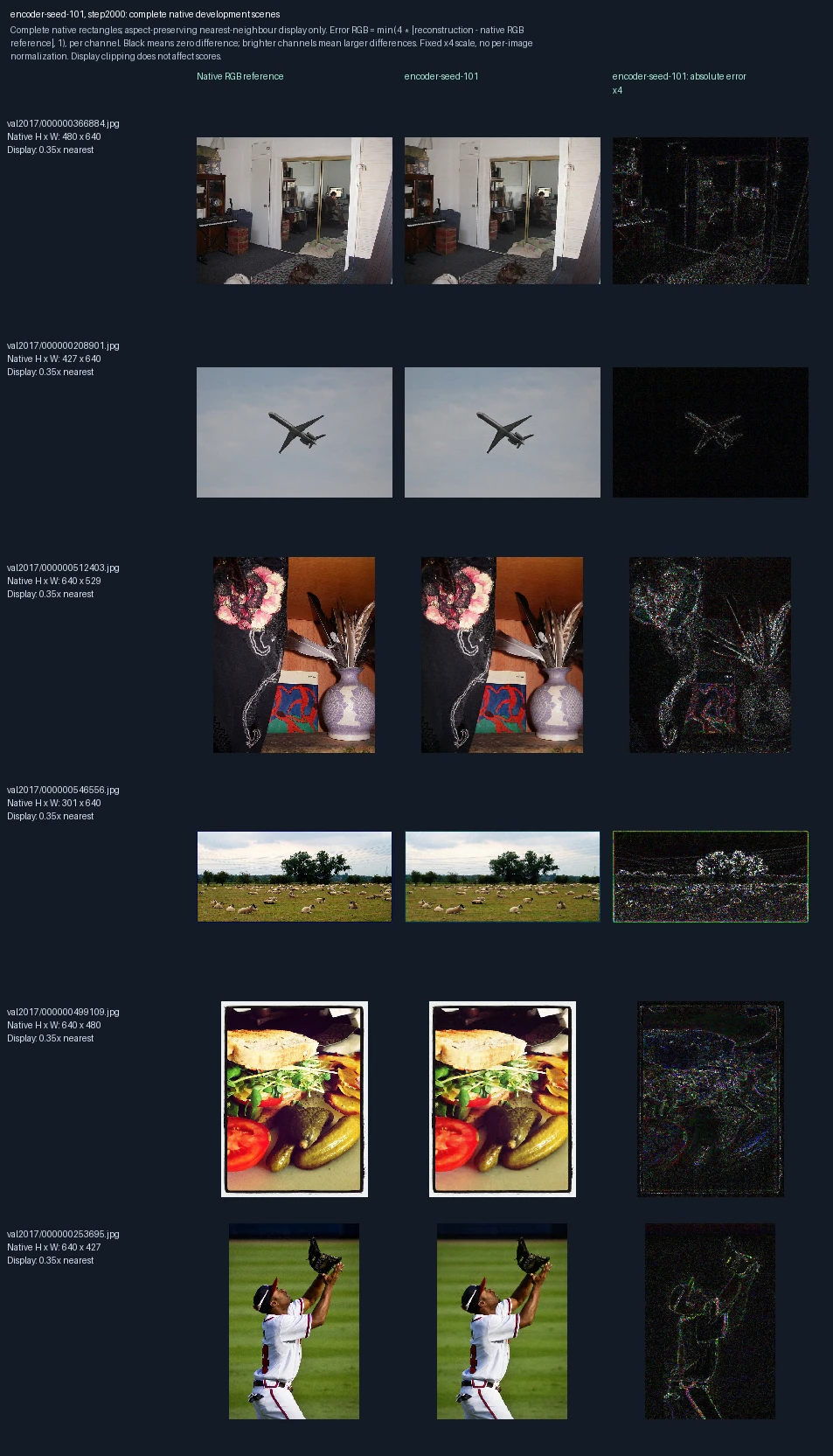
The same six development photographs appear in each progress figure. Left to right: original image, reconstruction at this training point, and its pixel error. Only the encoder learns; the decoder stays fixed. This is training repetition 1; the image label “seed-101” identifies its randomization setting. These images are used to monitor and select models, not as final test evidence. Error panels show four times the absolute RGB difference from the reference, separately for each color channel, clipped at full brightness. Darker pixels mean smaller errors; black is zero or below the display’s precision. The scale is fixed across examples, not adjusted to make each image look better.
Encoder-only training, training repetition 2: 0 weight updates
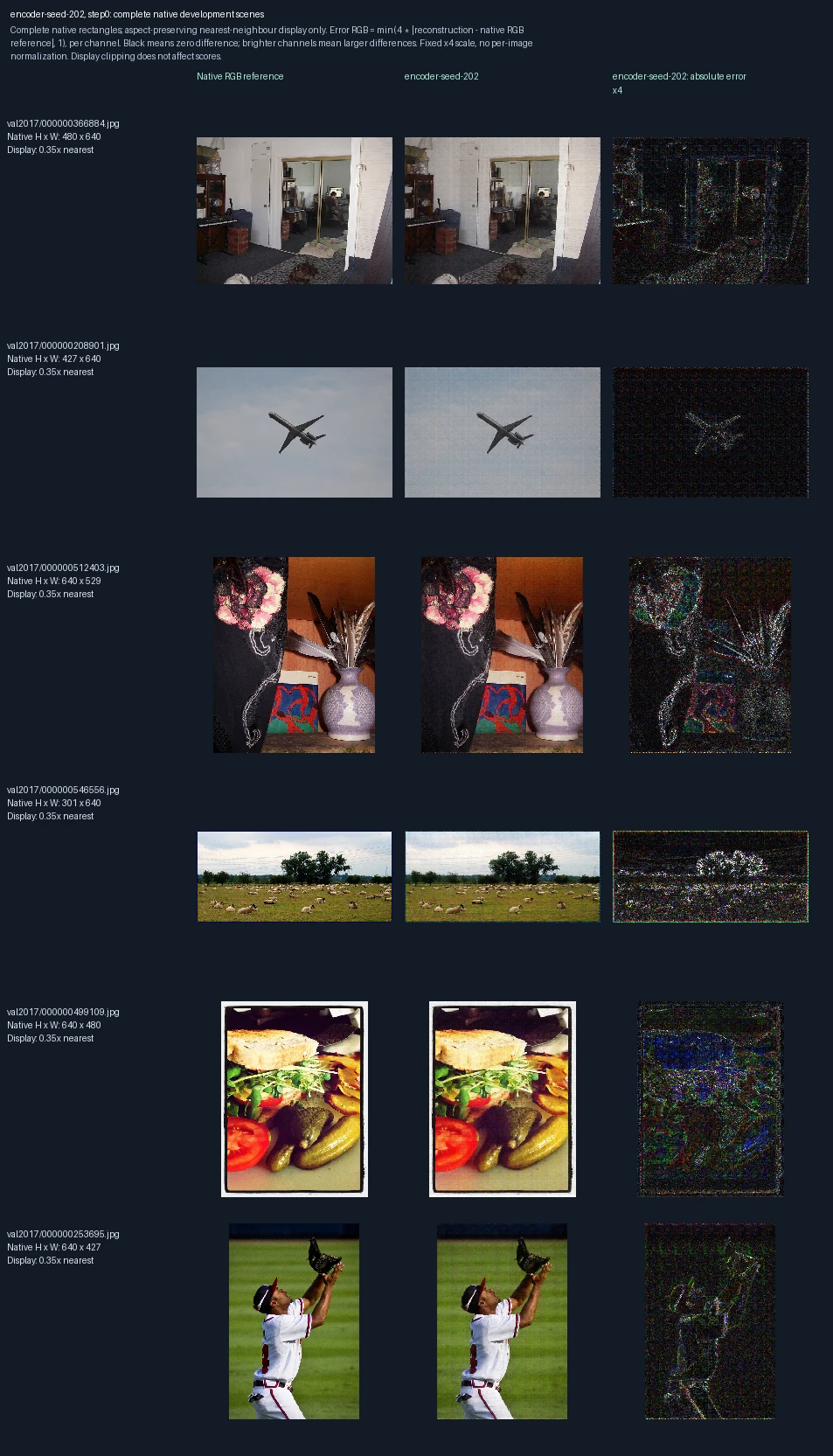
The same six development photographs appear in each progress figure. Left to right: original image, reconstruction at this training point, and its pixel error. Only the encoder learns; the decoder stays fixed. This is training repetition 2; the image label “seed-202” identifies its randomization setting. These images are used to monitor and select models, not as final test evidence. Error panels show four times the absolute RGB difference from the reference, separately for each color channel, clipped at full brightness. Darker pixels mean smaller errors; black is zero or below the display’s precision. The scale is fixed across examples, not adjusted to make each image look better. Zero updates shows the starting state before this fit.
Encoder-only training, training repetition 2: 500 weight updates
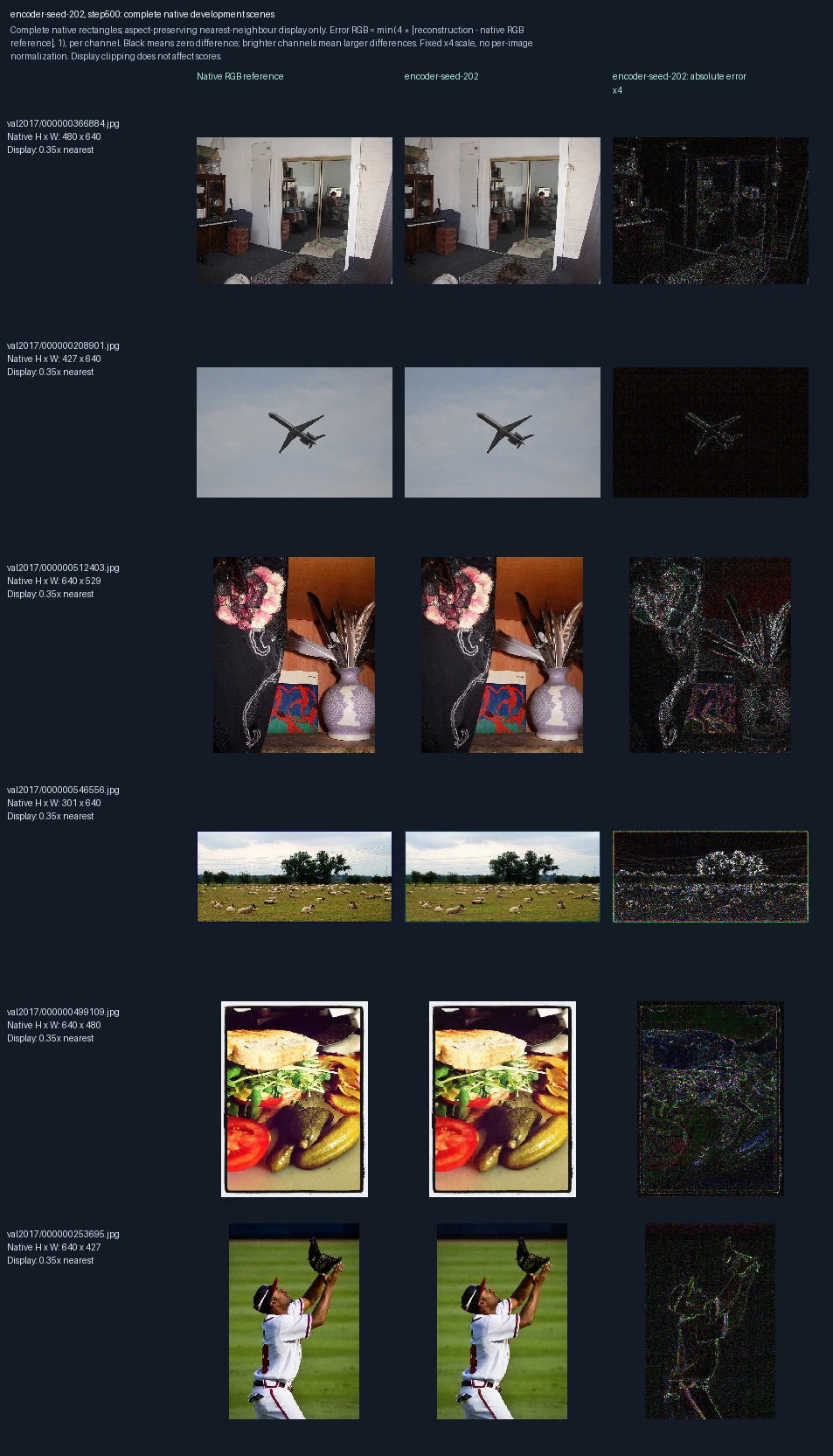
The same six development photographs appear in each progress figure. Left to right: original image, reconstruction at this training point, and its pixel error. Only the encoder learns; the decoder stays fixed. This is training repetition 2; the image label “seed-202” identifies its randomization setting. These images are used to monitor and select models, not as final test evidence. Error panels show four times the absolute RGB difference from the reference, separately for each color channel, clipped at full brightness. Darker pixels mean smaller errors; black is zero or below the display’s precision. The scale is fixed across examples, not adjusted to make each image look better.
Encoder-only training, training repetition 2: 1,000 weight updates
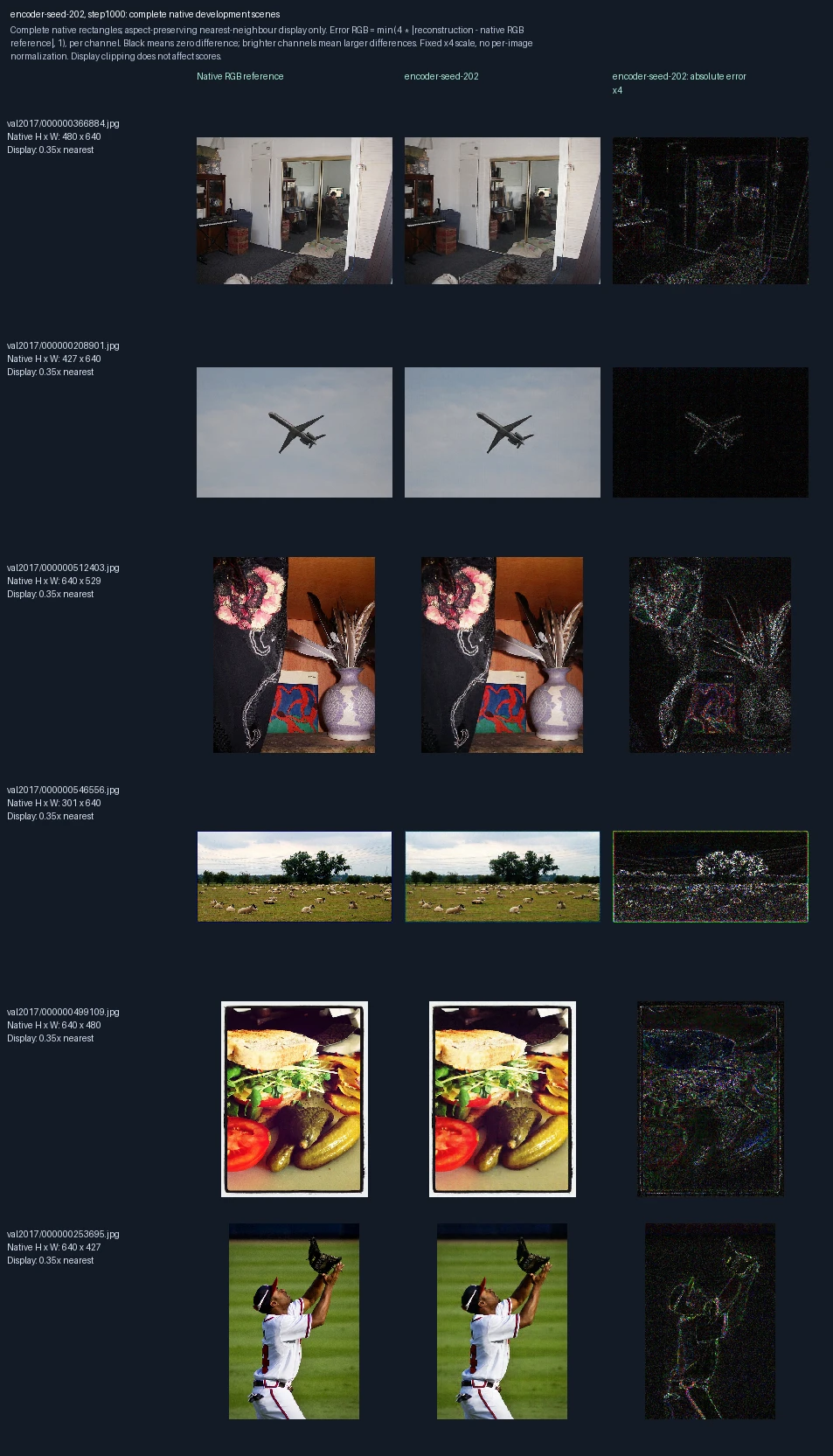
The same six development photographs appear in each progress figure. Left to right: original image, reconstruction at this training point, and its pixel error. Only the encoder learns; the decoder stays fixed. This is training repetition 2; the image label “seed-202” identifies its randomization setting. These images are used to monitor and select models, not as final test evidence. Error panels show four times the absolute RGB difference from the reference, separately for each color channel, clipped at full brightness. Darker pixels mean smaller errors; black is zero or below the display’s precision. The scale is fixed across examples, not adjusted to make each image look better.
Encoder-only training, training repetition 2: 1,500 weight updates
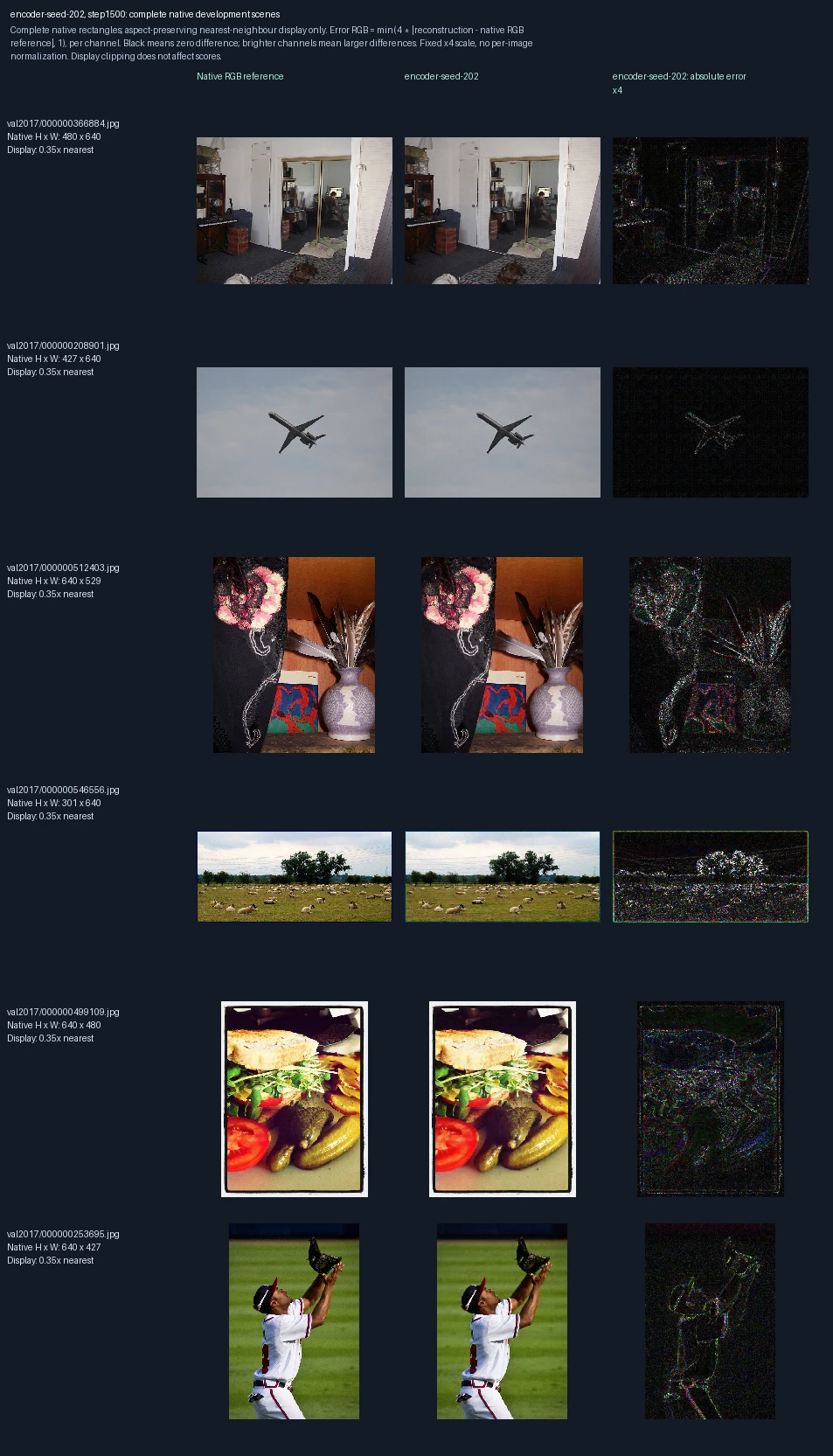
The same six development photographs appear in each progress figure. Left to right: original image, reconstruction at this training point, and its pixel error. Only the encoder learns; the decoder stays fixed. This is training repetition 2; the image label “seed-202” identifies its randomization setting. These images are used to monitor and select models, not as final test evidence. Error panels show four times the absolute RGB difference from the reference, separately for each color channel, clipped at full brightness. Darker pixels mean smaller errors; black is zero or below the display’s precision. The scale is fixed across examples, not adjusted to make each image look better.
Encoder-only training, training repetition 2: 2,000 weight updates
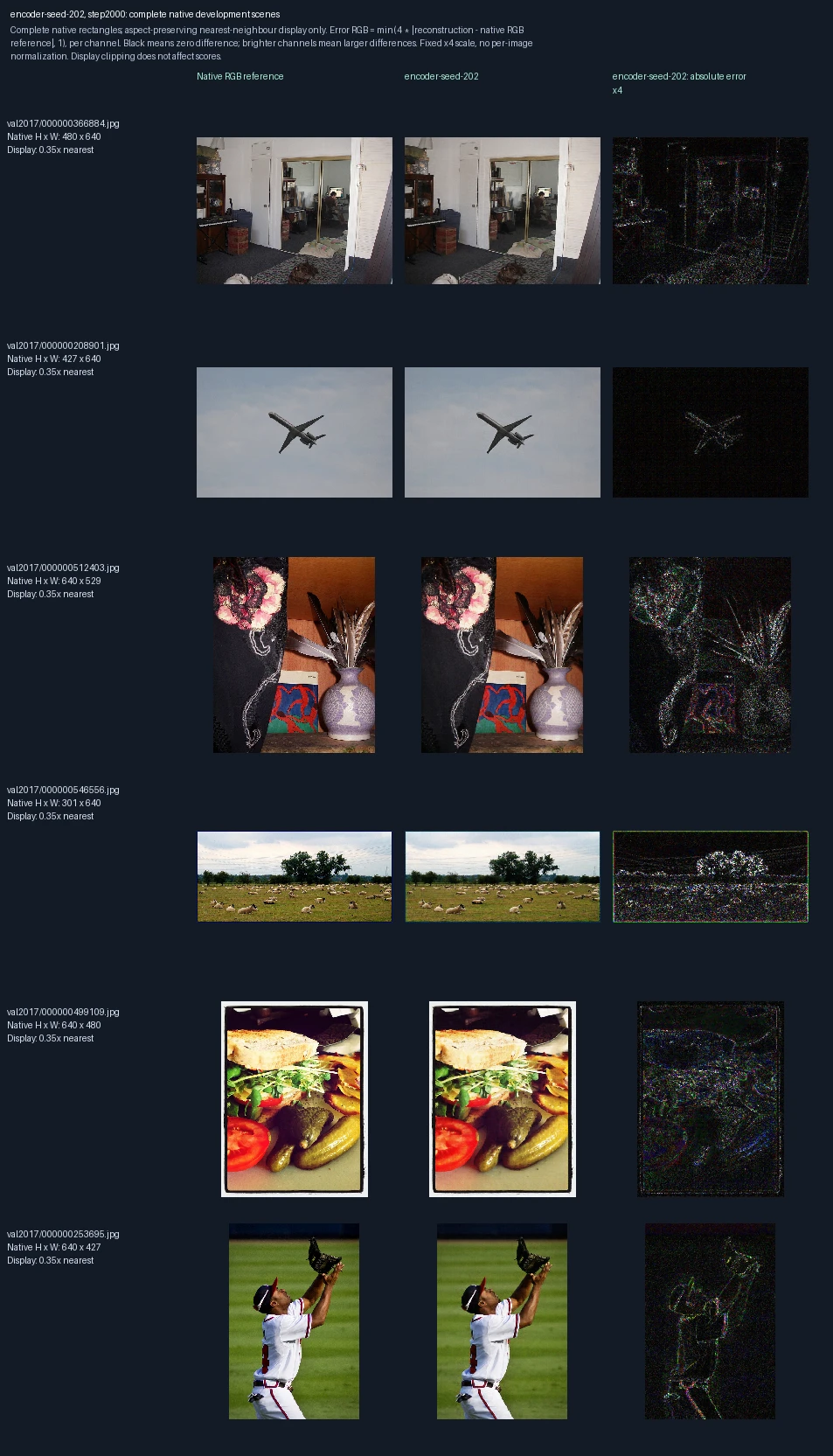
The same six development photographs appear in each progress figure. Left to right: original image, reconstruction at this training point, and its pixel error. Only the encoder learns; the decoder stays fixed. This is training repetition 2; the image label “seed-202” identifies its randomization setting. These images are used to monitor and select models, not as final test evidence. Error panels show four times the absolute RGB difference from the reference, separately for each color channel, clipped at full brightness. Darker pixels mean smaller errors; black is zero or below the display’s precision. The scale is fixed across examples, not adjusted to make each image look better.
Encoder-only training, training repetition 3: 0 weight updates
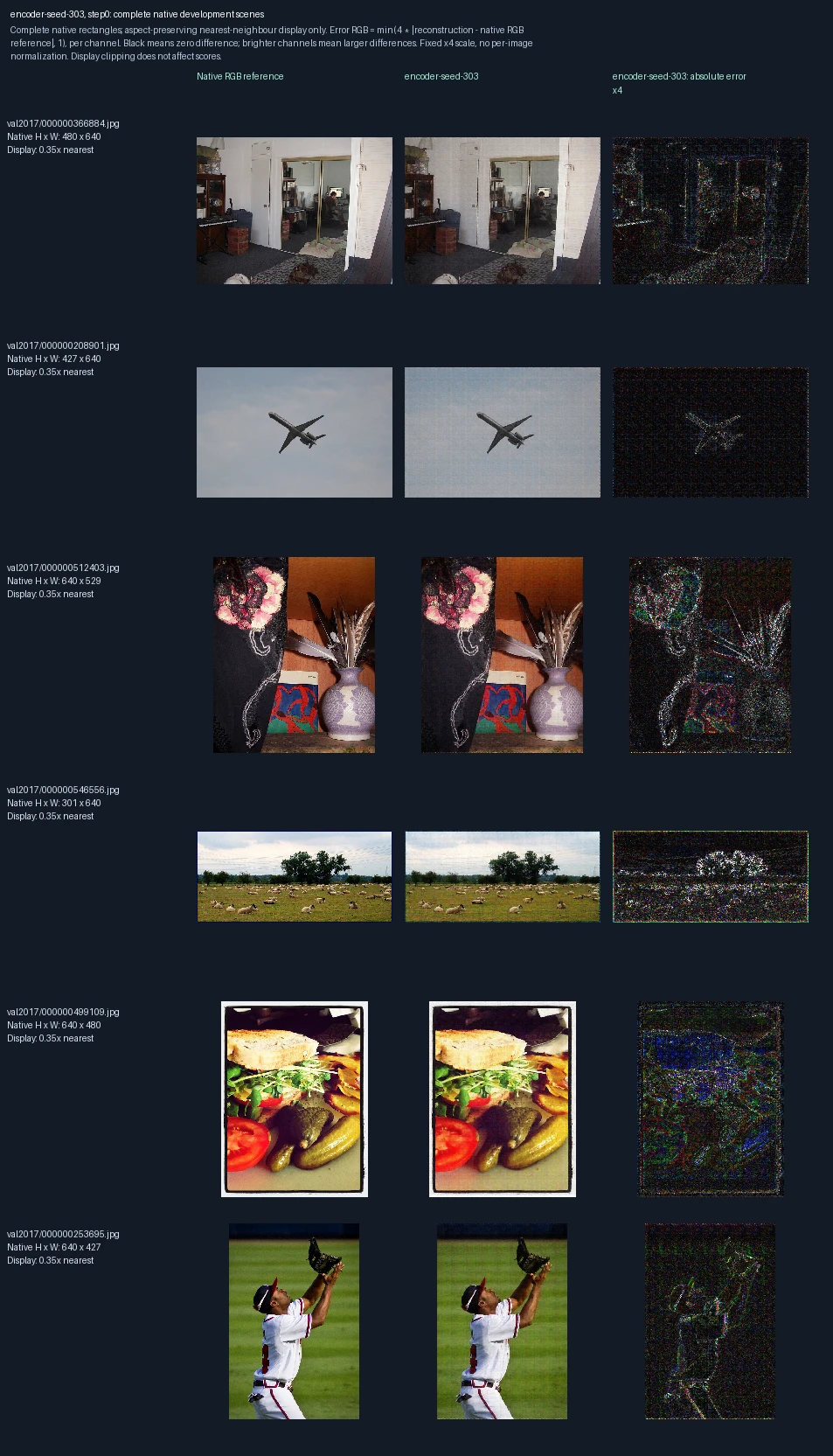
The same six development photographs appear in each progress figure. Left to right: original image, reconstruction at this training point, and its pixel error. Only the encoder learns; the decoder stays fixed. This is training repetition 3; the image label “seed-303” identifies its randomization setting. These images are used to monitor and select models, not as final test evidence. Error panels show four times the absolute RGB difference from the reference, separately for each color channel, clipped at full brightness. Darker pixels mean smaller errors; black is zero or below the display’s precision. The scale is fixed across examples, not adjusted to make each image look better. Zero updates shows the starting state before this fit.
Encoder-only training, training repetition 3: 500 weight updates
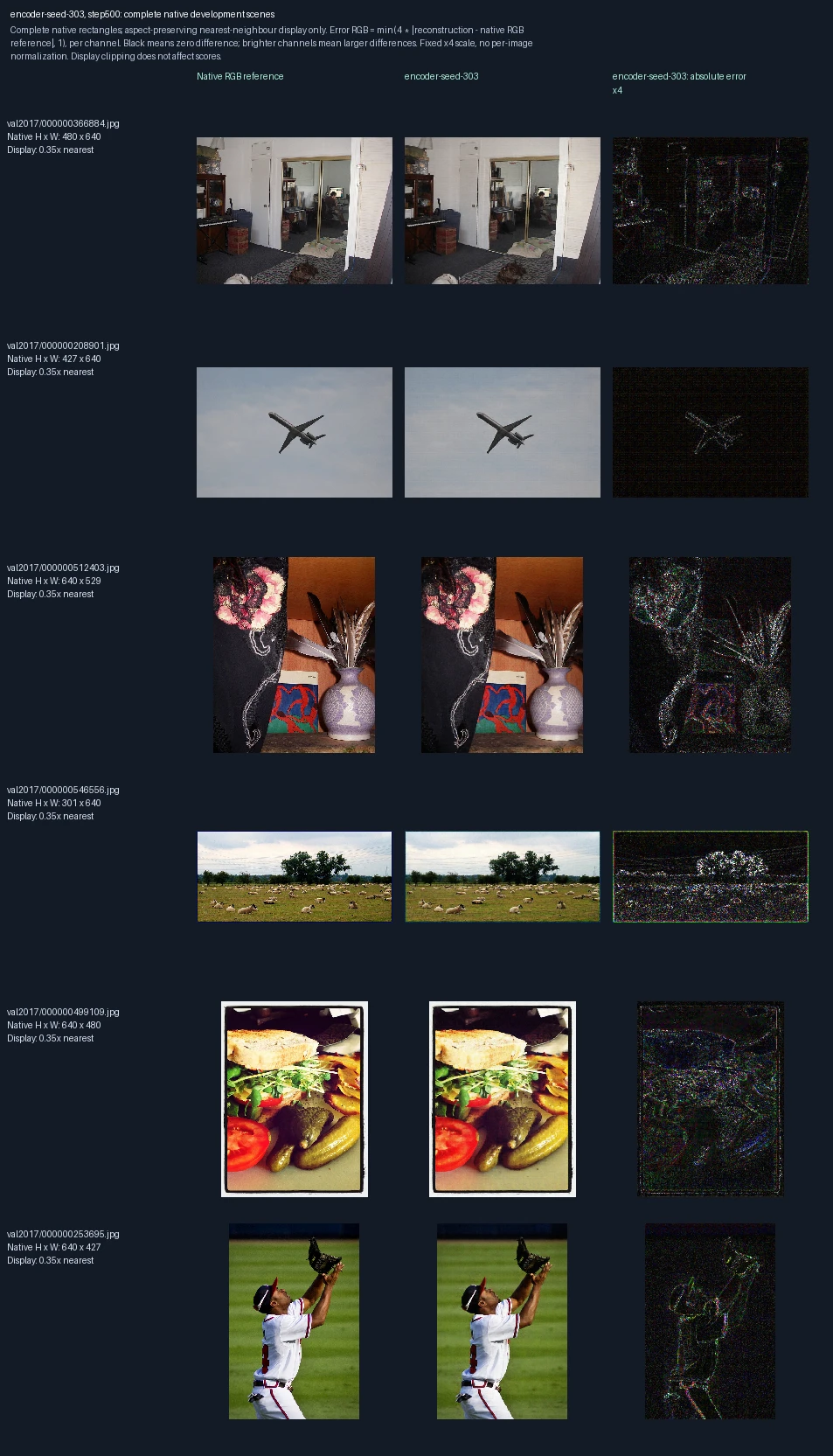
The same six development photographs appear in each progress figure. Left to right: original image, reconstruction at this training point, and its pixel error. Only the encoder learns; the decoder stays fixed. This is training repetition 3; the image label “seed-303” identifies its randomization setting. These images are used to monitor and select models, not as final test evidence. Error panels show four times the absolute RGB difference from the reference, separately for each color channel, clipped at full brightness. Darker pixels mean smaller errors; black is zero or below the display’s precision. The scale is fixed across examples, not adjusted to make each image look better.
Encoder-only training, training repetition 3: 1,000 weight updates
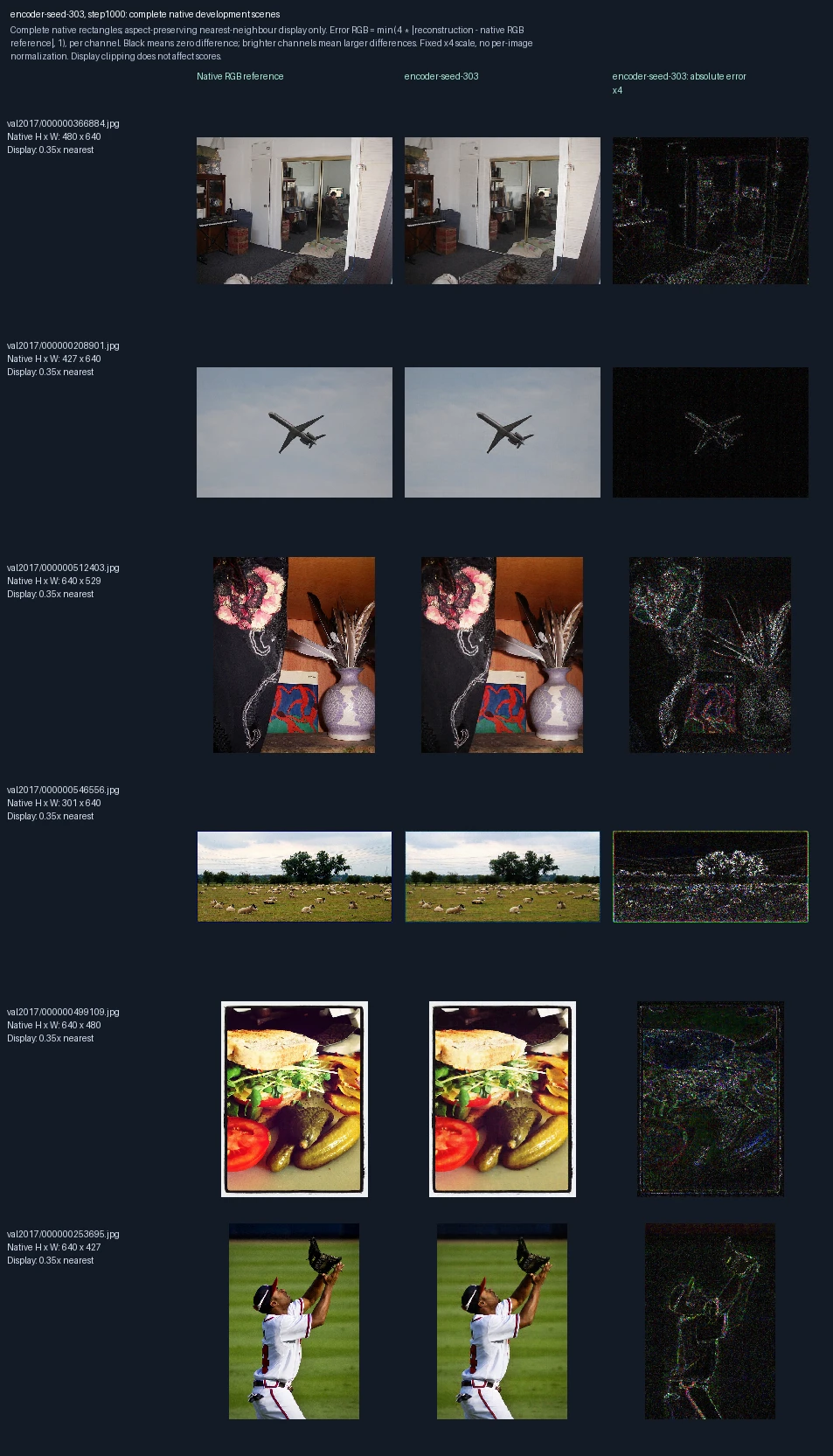
The same six development photographs appear in each progress figure. Left to right: original image, reconstruction at this training point, and its pixel error. Only the encoder learns; the decoder stays fixed. This is training repetition 3; the image label “seed-303” identifies its randomization setting. These images are used to monitor and select models, not as final test evidence. Error panels show four times the absolute RGB difference from the reference, separately for each color channel, clipped at full brightness. Darker pixels mean smaller errors; black is zero or below the display’s precision. The scale is fixed across examples, not adjusted to make each image look better.
Encoder-only training, training repetition 3: 1,500 weight updates
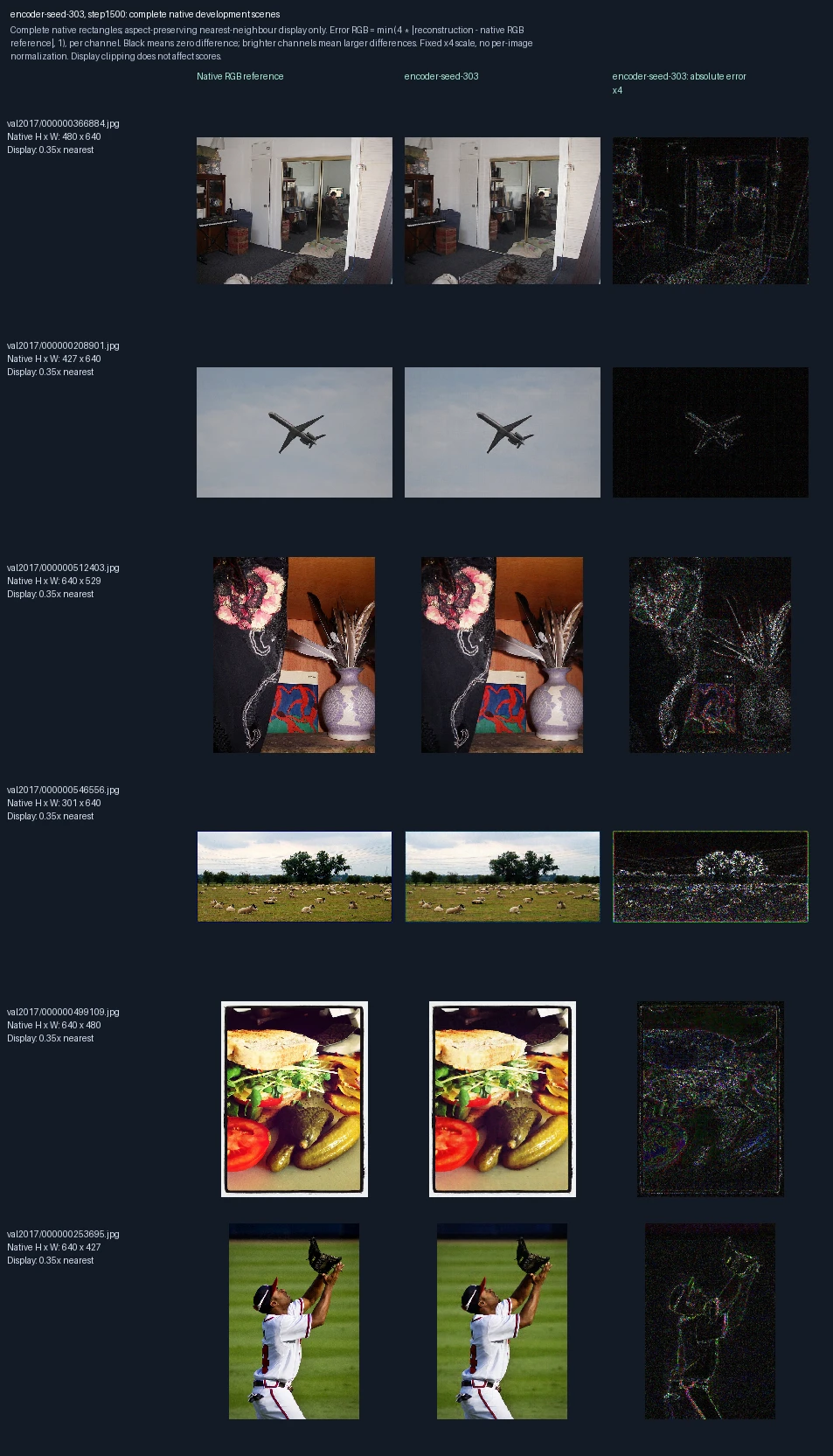
The same six development photographs appear in each progress figure. Left to right: original image, reconstruction at this training point, and its pixel error. Only the encoder learns; the decoder stays fixed. This is training repetition 3; the image label “seed-303” identifies its randomization setting. These images are used to monitor and select models, not as final test evidence. Error panels show four times the absolute RGB difference from the reference, separately for each color channel, clipped at full brightness. Darker pixels mean smaller errors; black is zero or below the display’s precision. The scale is fixed across examples, not adjusted to make each image look better.
Encoder-only training, training repetition 3: 2,000 weight updates
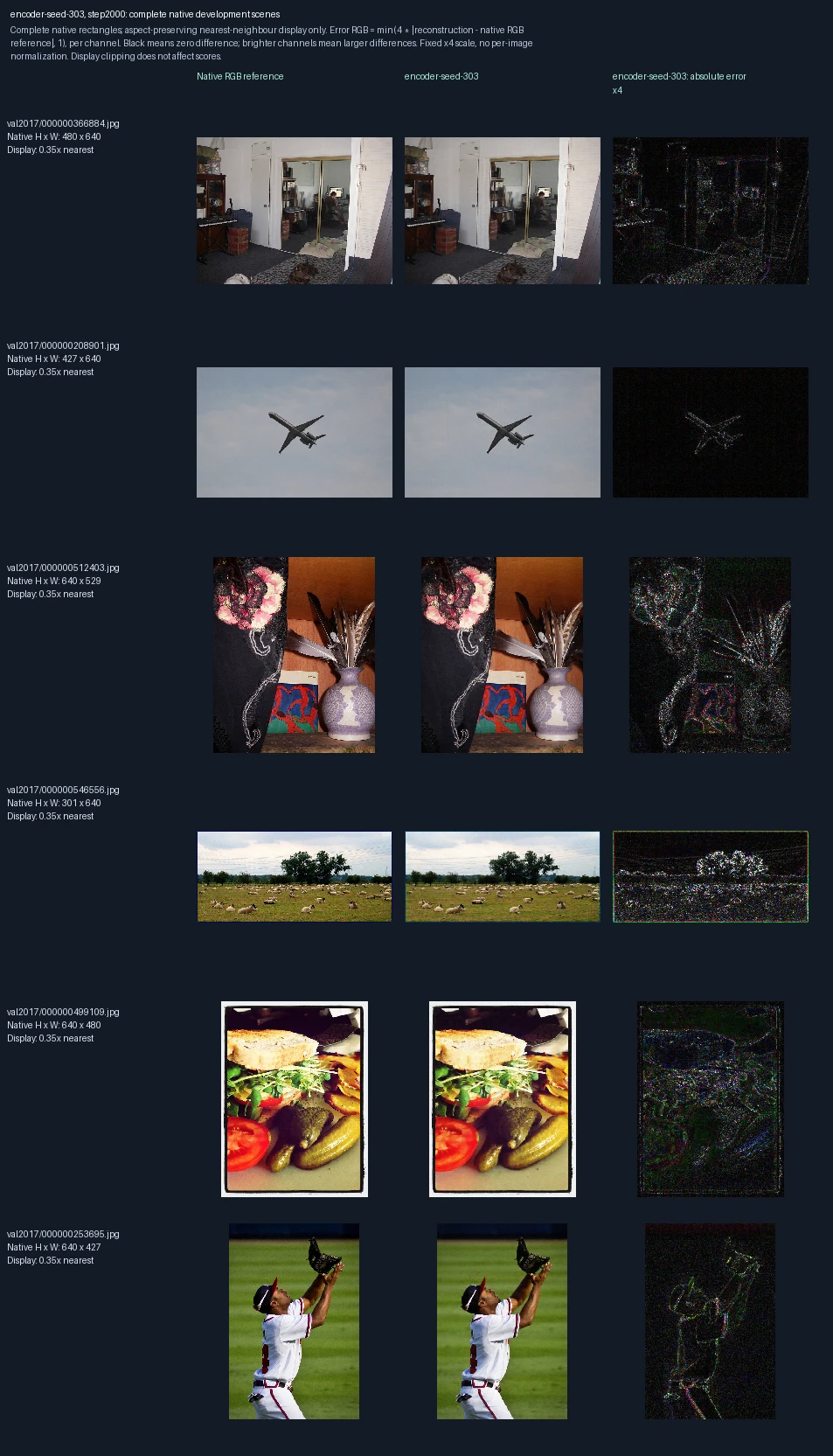
The same six development photographs appear in each progress figure. Left to right: original image, reconstruction at this training point, and its pixel error. Only the encoder learns; the decoder stays fixed. This is training repetition 3; the image label “seed-303” identifies its randomization setting. These images are used to monitor and select models, not as final test evidence. Error panels show four times the absolute RGB difference from the reference, separately for each color channel, clipped at full brightness. Darker pixels mean smaller errors; black is zero or below the display’s precision. The scale is fixed across examples, not adjusted to make each image look better.
Decoder-only training, training repetition 1: 0 weight updates
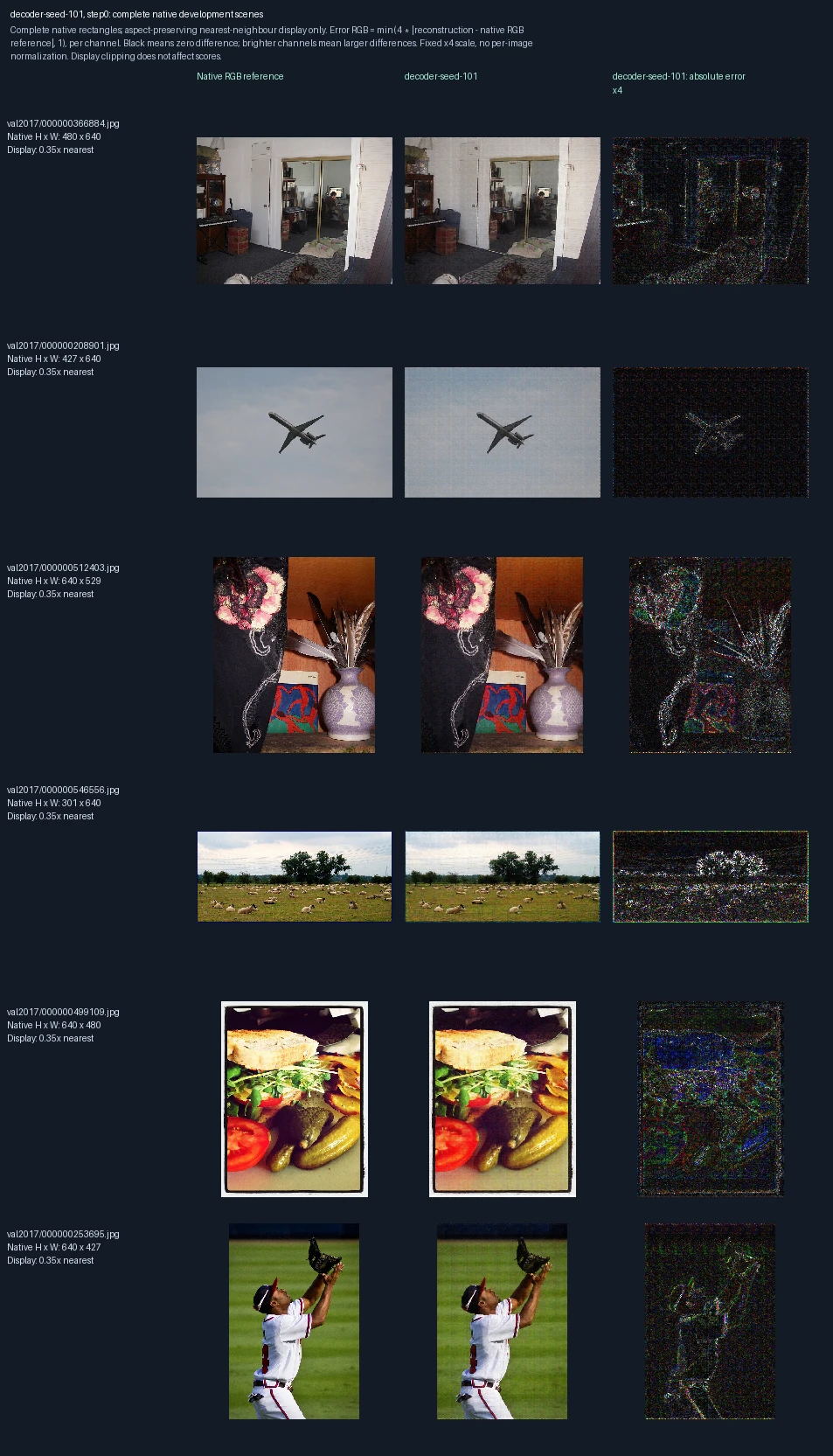
The same six development photographs appear in each progress figure. Left to right: original image, reconstruction at this training point, and its pixel error. Only the decoder learns; the encoder stays fixed. This is training repetition 1; the image label “seed-101” identifies its randomization setting. These images are used to monitor and select models, not as final test evidence. Error panels show four times the absolute RGB difference from the reference, separately for each color channel, clipped at full brightness. Darker pixels mean smaller errors; black is zero or below the display’s precision. The scale is fixed across examples, not adjusted to make each image look better. Zero updates shows the starting state before this fit.
Decoder-only training, training repetition 1: 500 weight updates
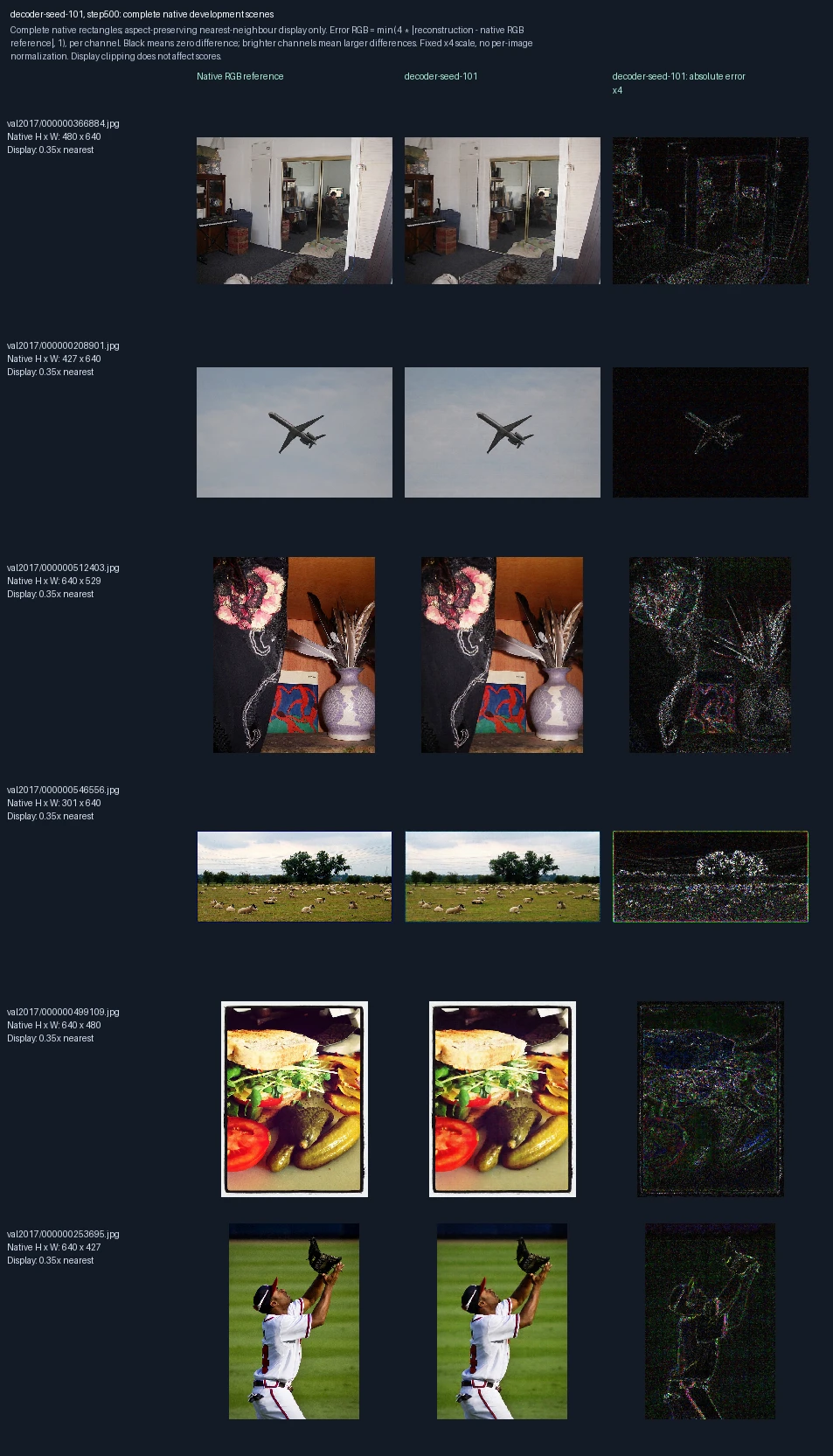
The same six development photographs appear in each progress figure. Left to right: original image, reconstruction at this training point, and its pixel error. Only the decoder learns; the encoder stays fixed. This is training repetition 1; the image label “seed-101” identifies its randomization setting. These images are used to monitor and select models, not as final test evidence. Error panels show four times the absolute RGB difference from the reference, separately for each color channel, clipped at full brightness. Darker pixels mean smaller errors; black is zero or below the display’s precision. The scale is fixed across examples, not adjusted to make each image look better.
Decoder-only training, training repetition 1: 1,000 weight updates
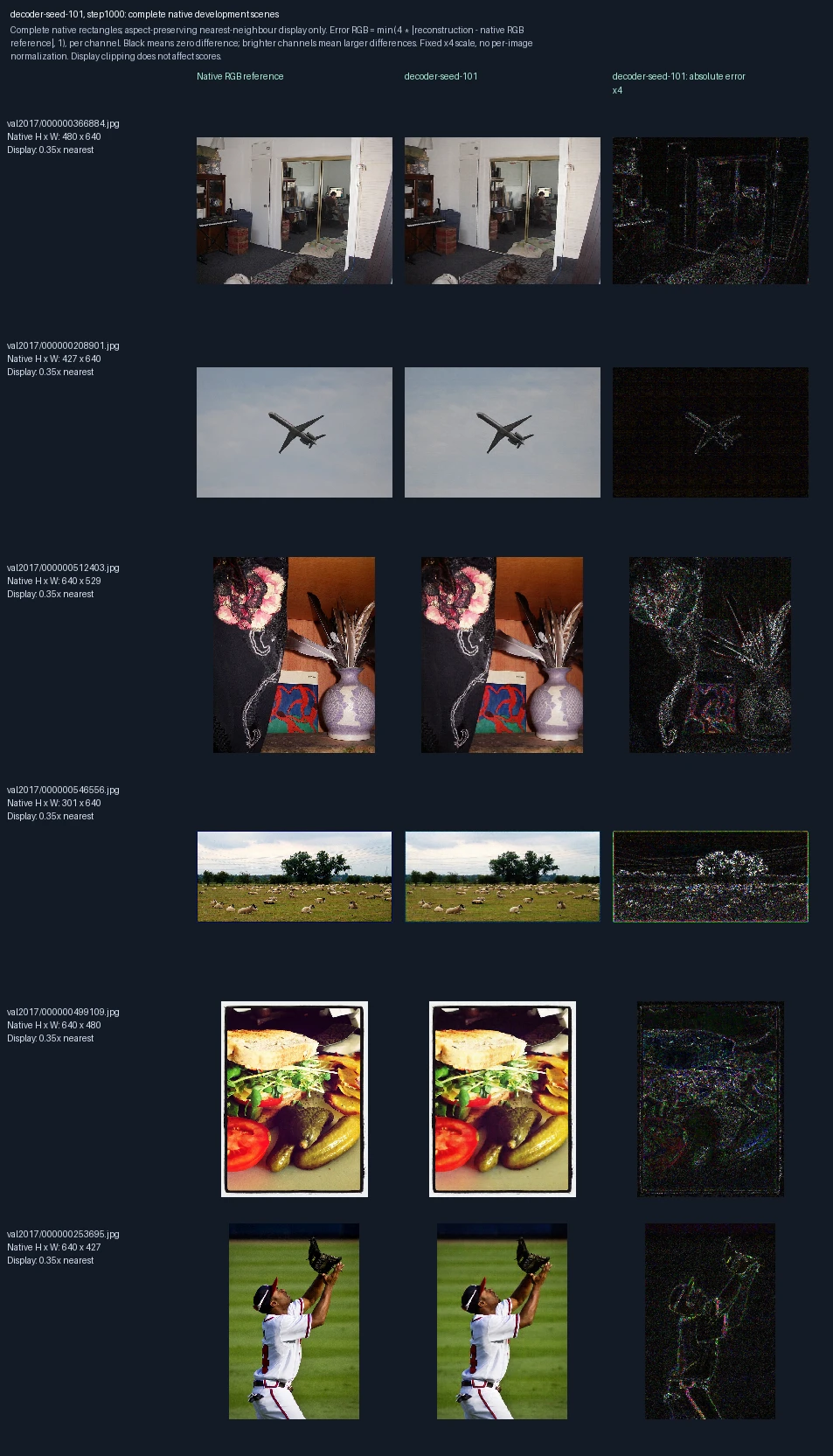
The same six development photographs appear in each progress figure. Left to right: original image, reconstruction at this training point, and its pixel error. Only the decoder learns; the encoder stays fixed. This is training repetition 1; the image label “seed-101” identifies its randomization setting. These images are used to monitor and select models, not as final test evidence. Error panels show four times the absolute RGB difference from the reference, separately for each color channel, clipped at full brightness. Darker pixels mean smaller errors; black is zero or below the display’s precision. The scale is fixed across examples, not adjusted to make each image look better.
Decoder-only training, training repetition 1: 1,500 weight updates
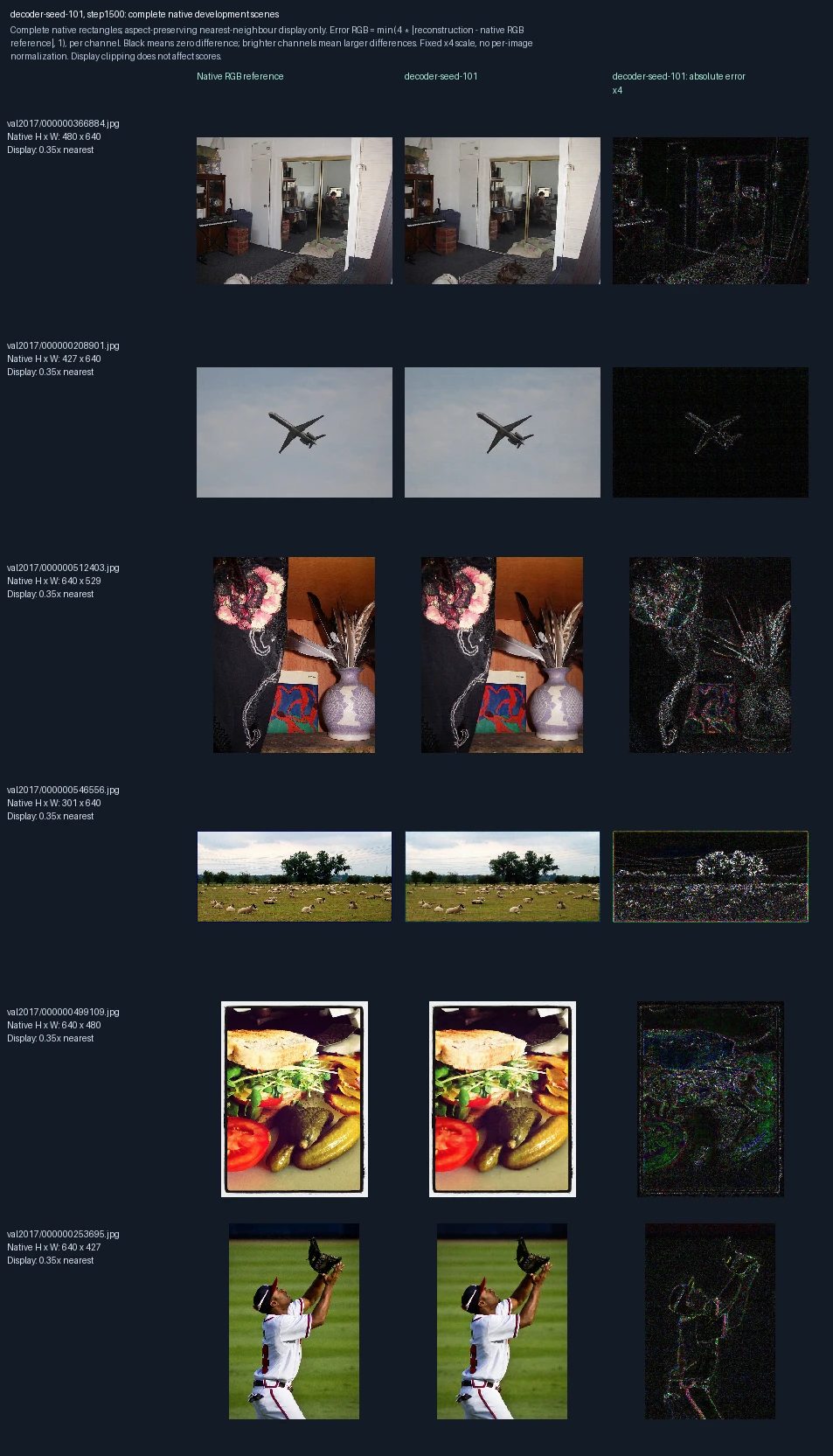
The same six development photographs appear in each progress figure. Left to right: original image, reconstruction at this training point, and its pixel error. Only the decoder learns; the encoder stays fixed. This is training repetition 1; the image label “seed-101” identifies its randomization setting. These images are used to monitor and select models, not as final test evidence. Error panels show four times the absolute RGB difference from the reference, separately for each color channel, clipped at full brightness. Darker pixels mean smaller errors; black is zero or below the display’s precision. The scale is fixed across examples, not adjusted to make each image look better.
Decoder-only training, training repetition 1: 2,000 weight updates
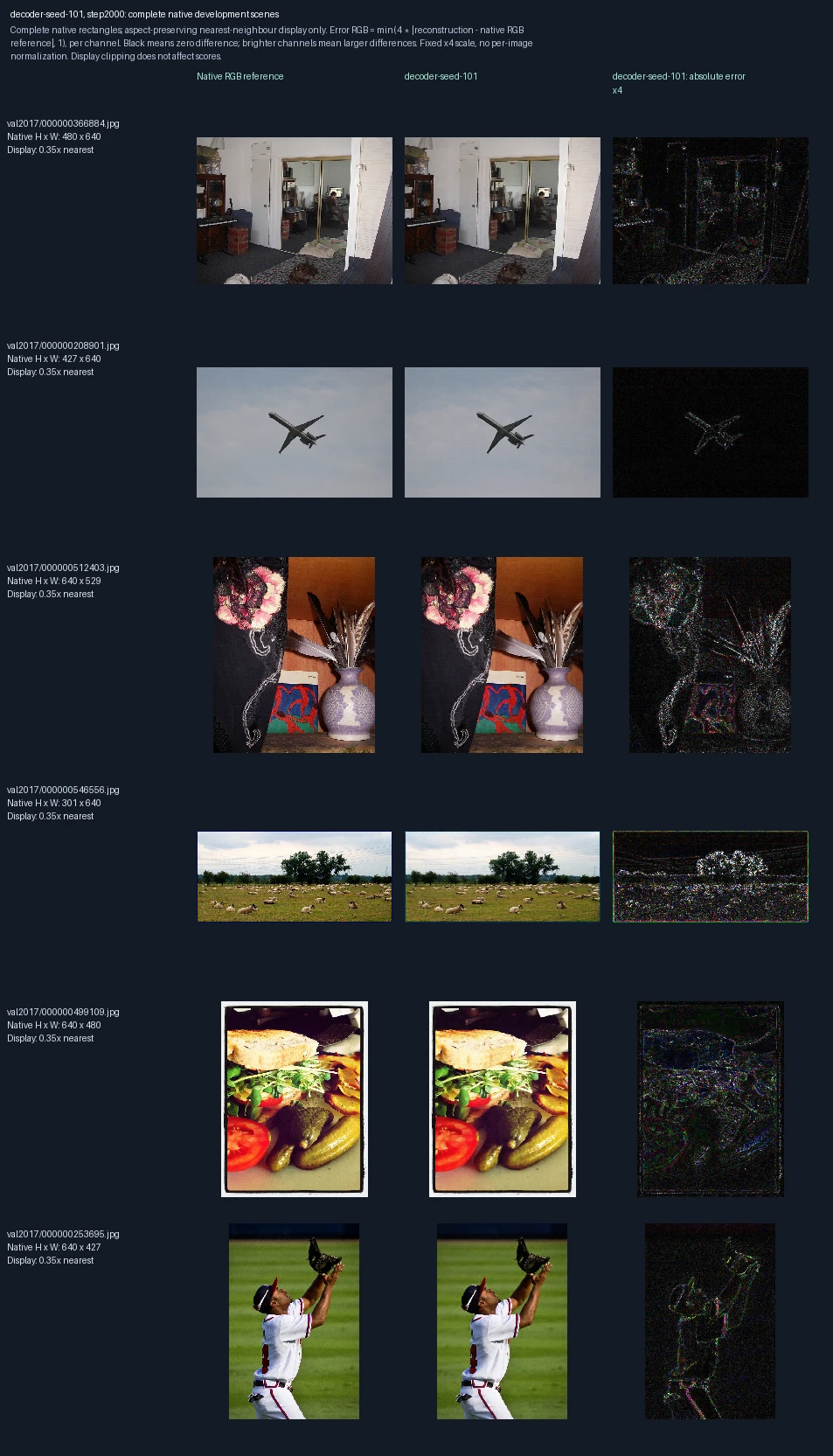
The same six development photographs appear in each progress figure. Left to right: original image, reconstruction at this training point, and its pixel error. Only the decoder learns; the encoder stays fixed. This is training repetition 1; the image label “seed-101” identifies its randomization setting. These images are used to monitor and select models, not as final test evidence. Error panels show four times the absolute RGB difference from the reference, separately for each color channel, clipped at full brightness. Darker pixels mean smaller errors; black is zero or below the display’s precision. The scale is fixed across examples, not adjusted to make each image look better.
Decoder-only training, training repetition 2: 0 weight updates
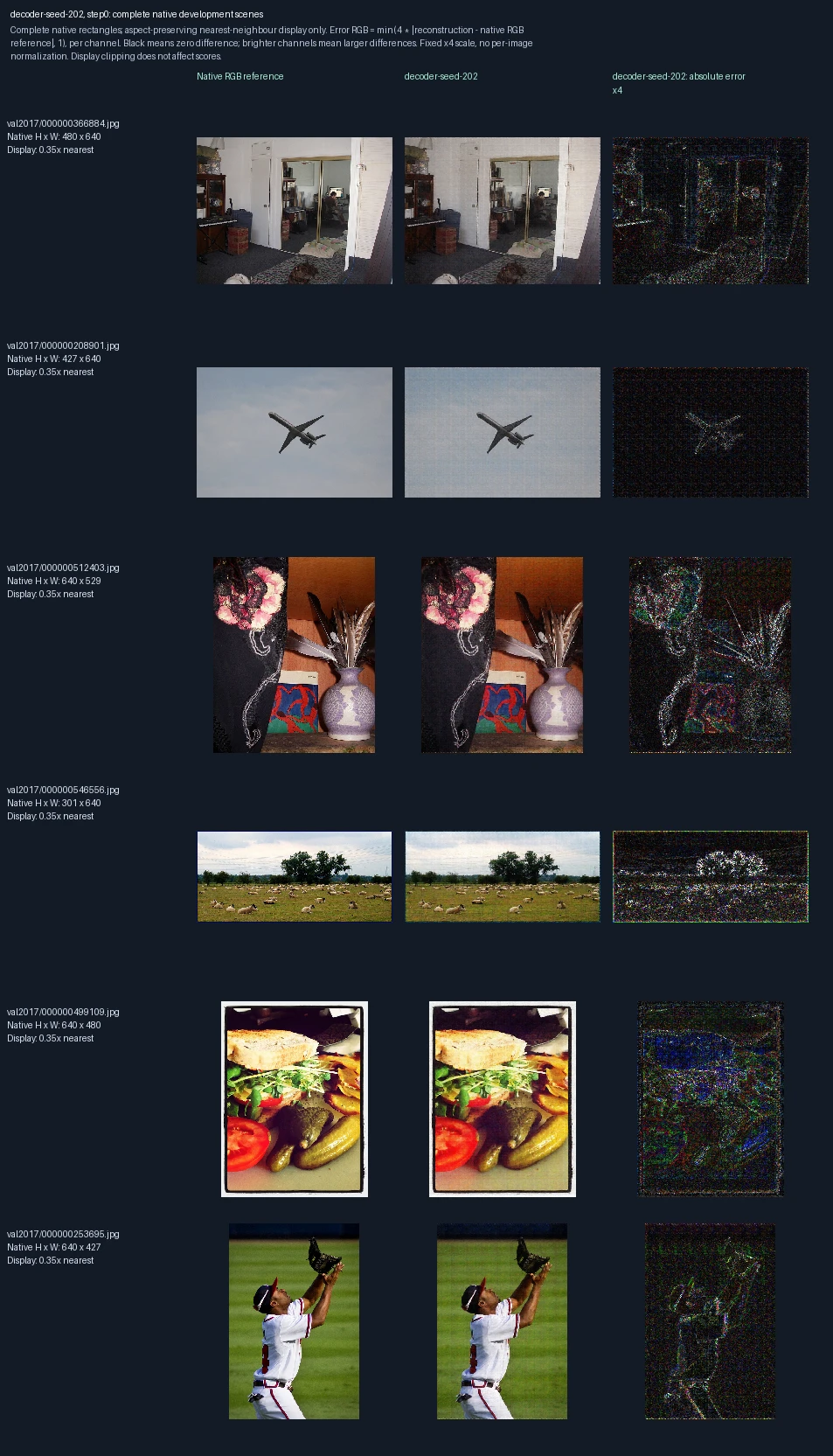
The same six development photographs appear in each progress figure. Left to right: original image, reconstruction at this training point, and its pixel error. Only the decoder learns; the encoder stays fixed. This is training repetition 2; the image label “seed-202” identifies its randomization setting. These images are used to monitor and select models, not as final test evidence. Error panels show four times the absolute RGB difference from the reference, separately for each color channel, clipped at full brightness. Darker pixels mean smaller errors; black is zero or below the display’s precision. The scale is fixed across examples, not adjusted to make each image look better. Zero updates shows the starting state before this fit.
Decoder-only training, training repetition 2: 500 weight updates
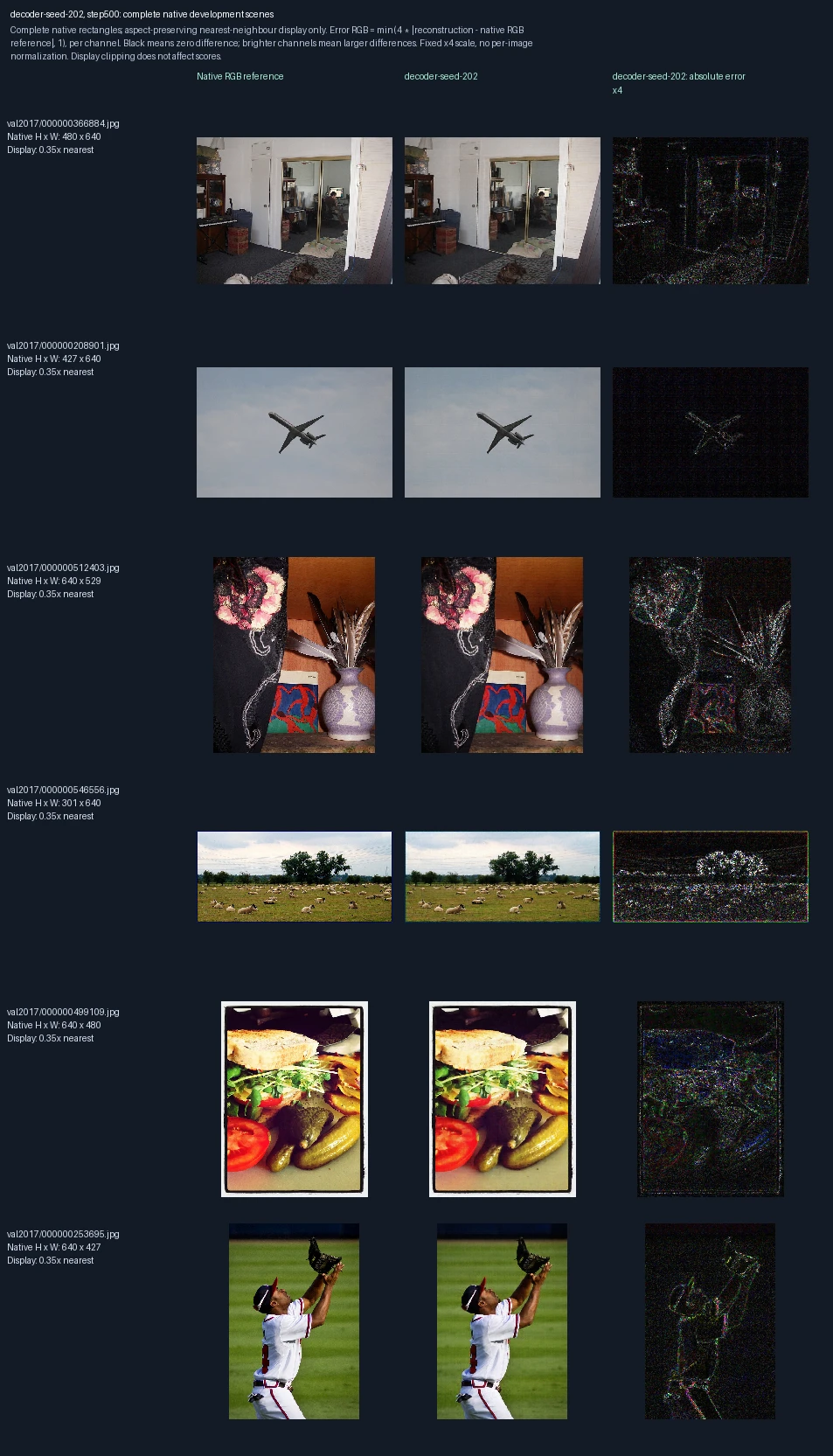
The same six development photographs appear in each progress figure. Left to right: original image, reconstruction at this training point, and its pixel error. Only the decoder learns; the encoder stays fixed. This is training repetition 2; the image label “seed-202” identifies its randomization setting. These images are used to monitor and select models, not as final test evidence. Error panels show four times the absolute RGB difference from the reference, separately for each color channel, clipped at full brightness. Darker pixels mean smaller errors; black is zero or below the display’s precision. The scale is fixed across examples, not adjusted to make each image look better.
Decoder-only training, training repetition 2: 1,000 weight updates
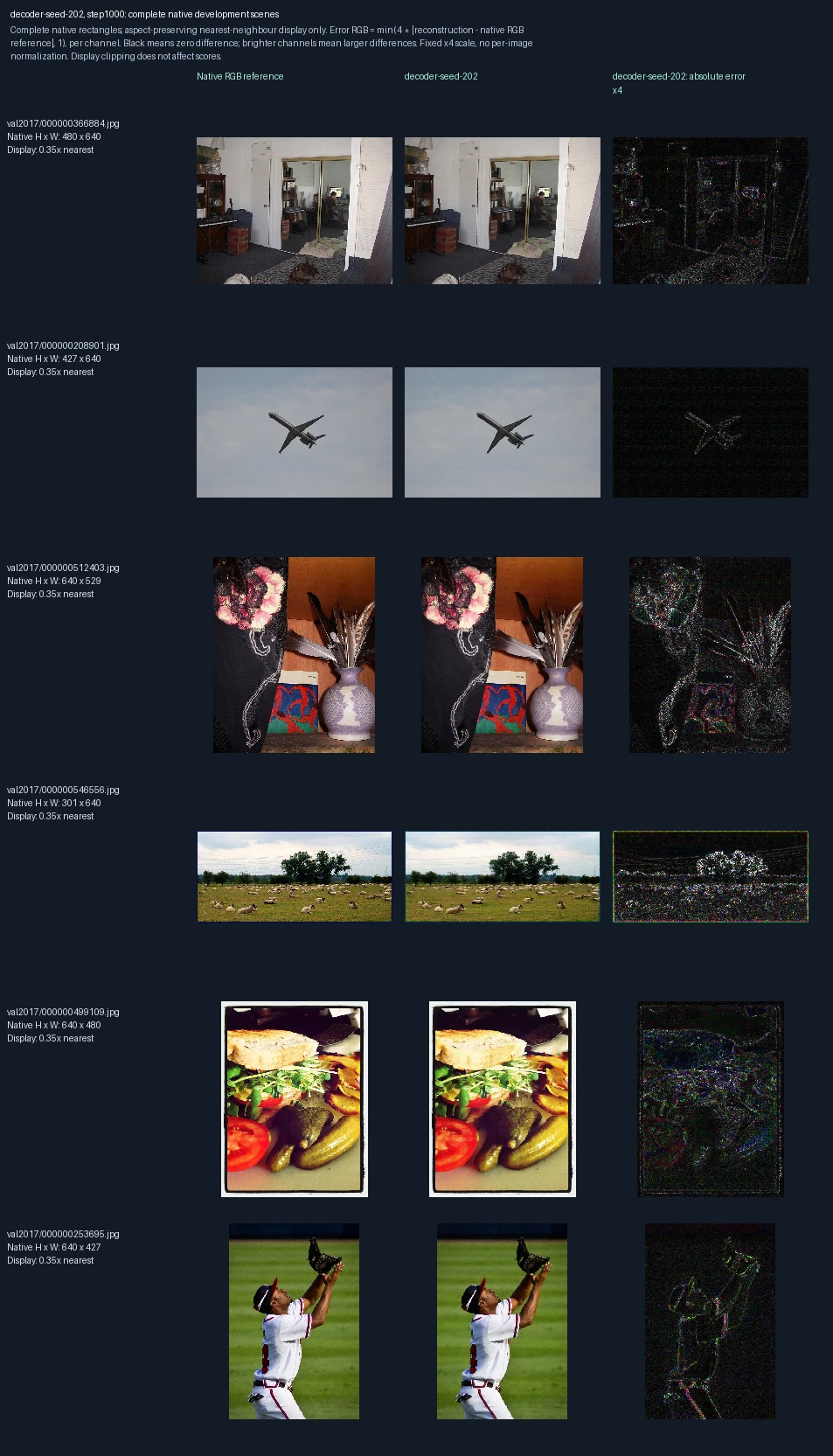
The same six development photographs appear in each progress figure. Left to right: original image, reconstruction at this training point, and its pixel error. Only the decoder learns; the encoder stays fixed. This is training repetition 2; the image label “seed-202” identifies its randomization setting. These images are used to monitor and select models, not as final test evidence. Error panels show four times the absolute RGB difference from the reference, separately for each color channel, clipped at full brightness. Darker pixels mean smaller errors; black is zero or below the display’s precision. The scale is fixed across examples, not adjusted to make each image look better.
Decoder-only training, training repetition 2: 1,500 weight updates
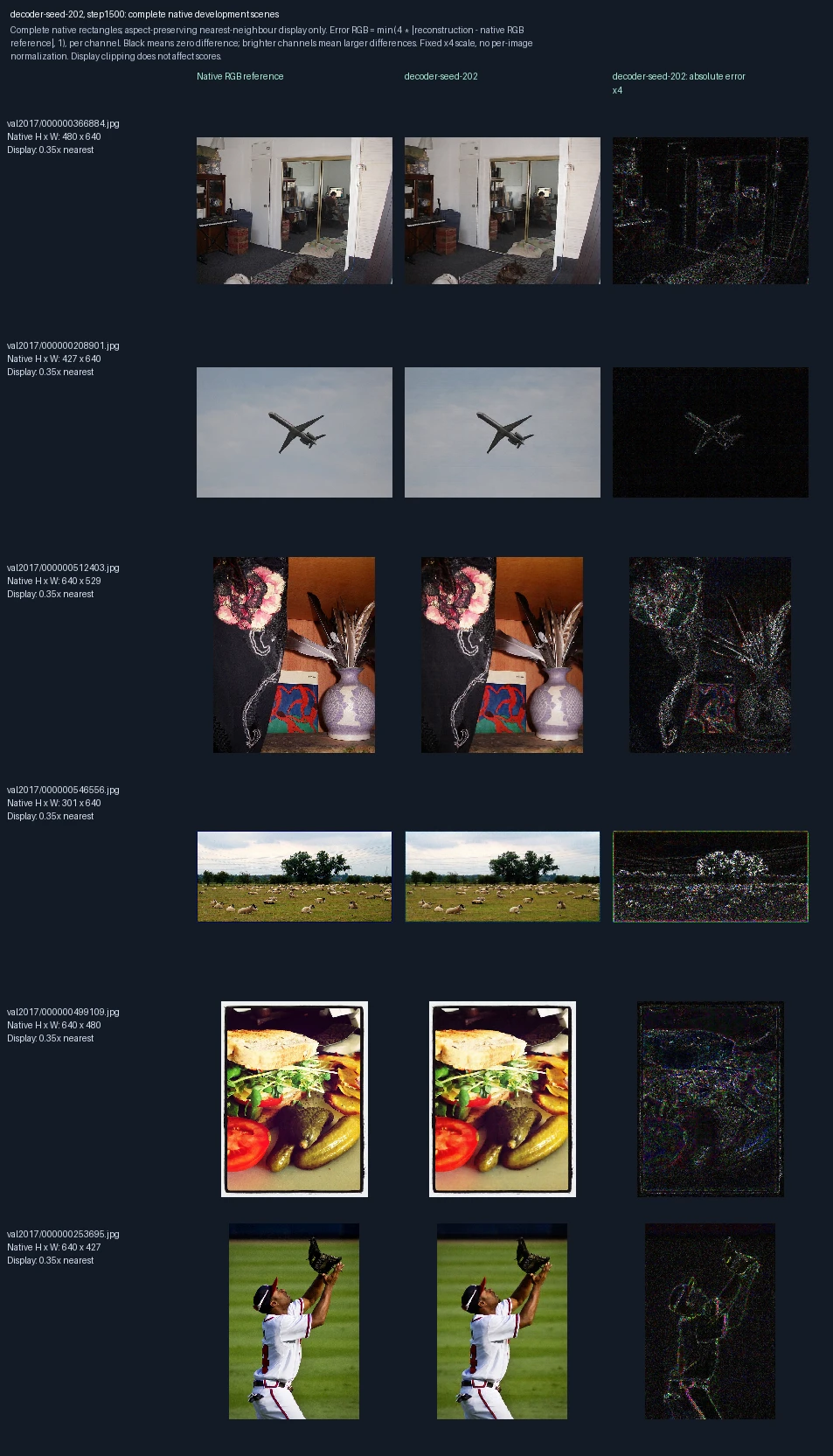
The same six development photographs appear in each progress figure. Left to right: original image, reconstruction at this training point, and its pixel error. Only the decoder learns; the encoder stays fixed. This is training repetition 2; the image label “seed-202” identifies its randomization setting. These images are used to monitor and select models, not as final test evidence. Error panels show four times the absolute RGB difference from the reference, separately for each color channel, clipped at full brightness. Darker pixels mean smaller errors; black is zero or below the display’s precision. The scale is fixed across examples, not adjusted to make each image look better.
Decoder-only training, training repetition 2: 2,000 weight updates
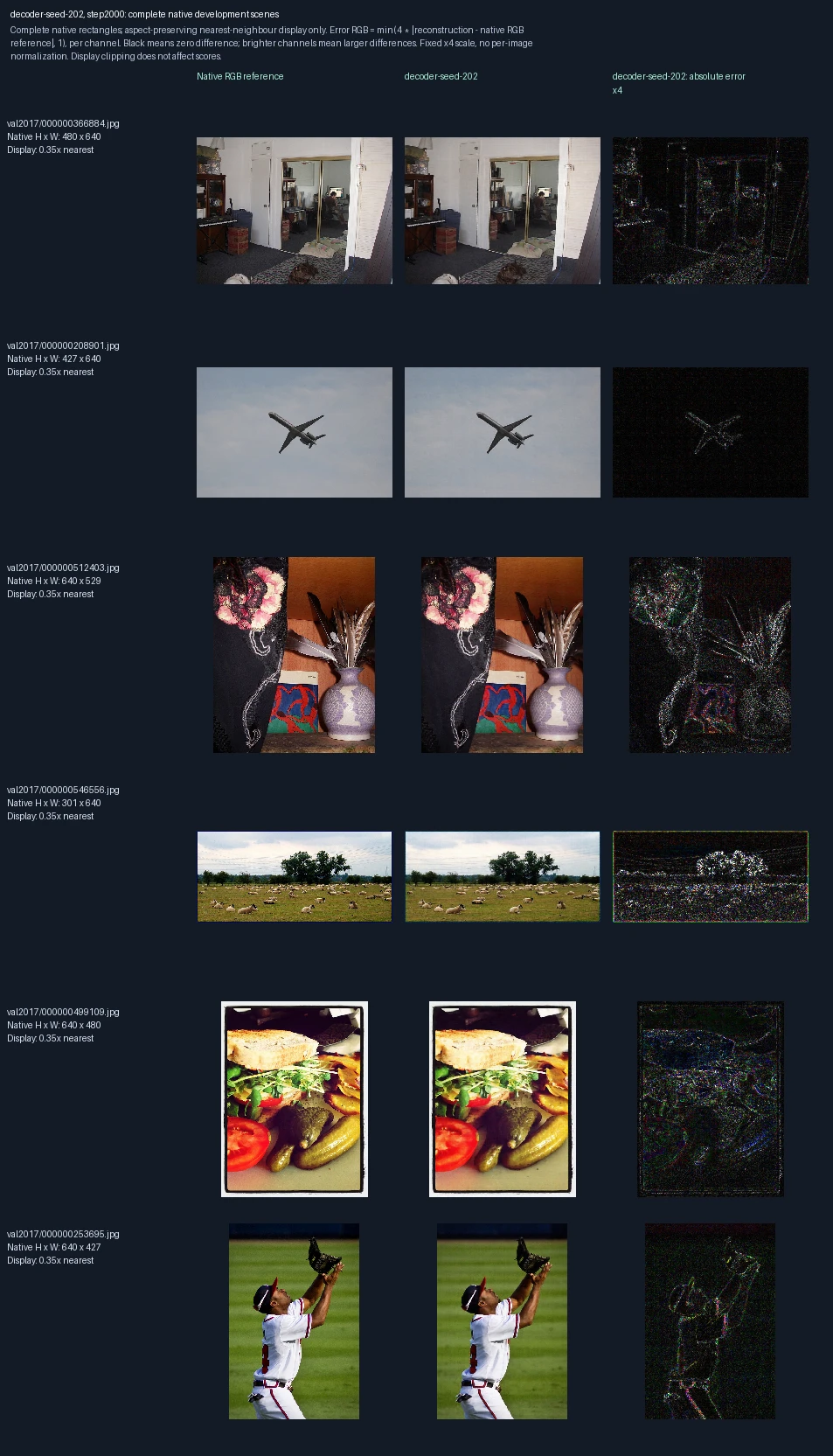
The same six development photographs appear in each progress figure. Left to right: original image, reconstruction at this training point, and its pixel error. Only the decoder learns; the encoder stays fixed. This is training repetition 2; the image label “seed-202” identifies its randomization setting. These images are used to monitor and select models, not as final test evidence. Error panels show four times the absolute RGB difference from the reference, separately for each color channel, clipped at full brightness. Darker pixels mean smaller errors; black is zero or below the display’s precision. The scale is fixed across examples, not adjusted to make each image look better.
Decoder-only training, training repetition 3: 0 weight updates
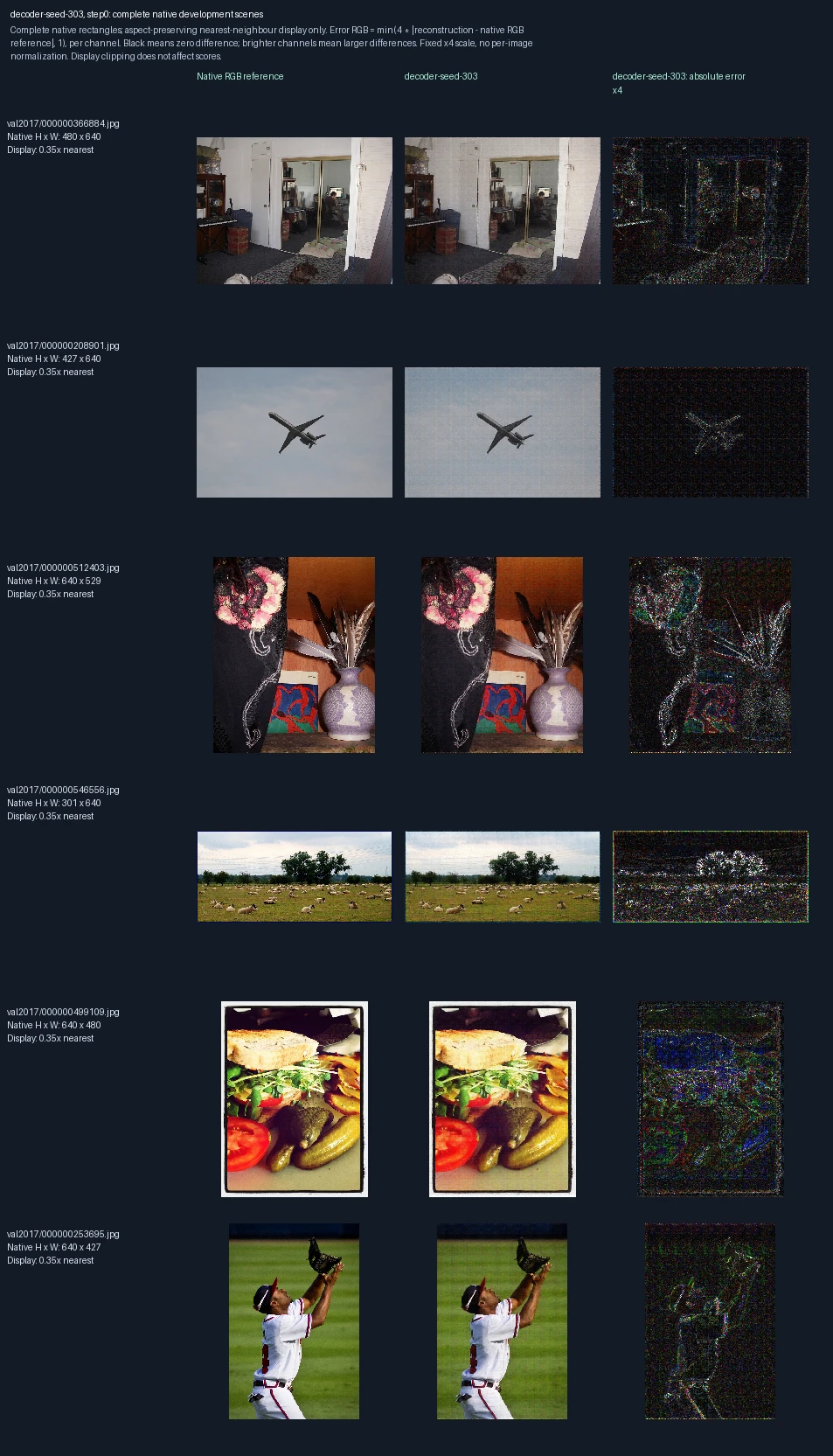
The same six development photographs appear in each progress figure. Left to right: original image, reconstruction at this training point, and its pixel error. Only the decoder learns; the encoder stays fixed. This is training repetition 3; the image label “seed-303” identifies its randomization setting. These images are used to monitor and select models, not as final test evidence. Error panels show four times the absolute RGB difference from the reference, separately for each color channel, clipped at full brightness. Darker pixels mean smaller errors; black is zero or below the display’s precision. The scale is fixed across examples, not adjusted to make each image look better. Zero updates shows the starting state before this fit.
Decoder-only training, training repetition 3: 500 weight updates
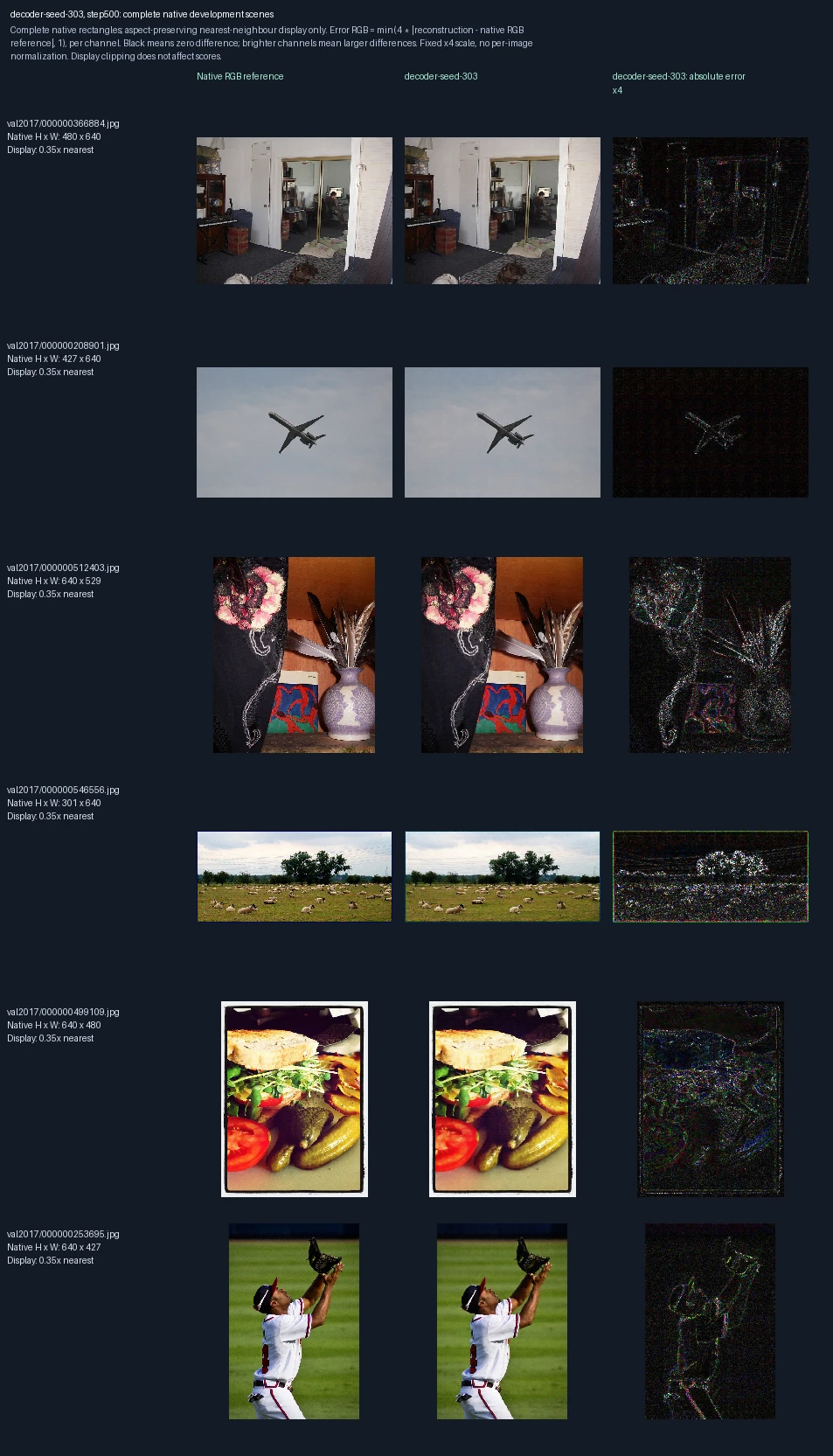
The same six development photographs appear in each progress figure. Left to right: original image, reconstruction at this training point, and its pixel error. Only the decoder learns; the encoder stays fixed. This is training repetition 3; the image label “seed-303” identifies its randomization setting. These images are used to monitor and select models, not as final test evidence. Error panels show four times the absolute RGB difference from the reference, separately for each color channel, clipped at full brightness. Darker pixels mean smaller errors; black is zero or below the display’s precision. The scale is fixed across examples, not adjusted to make each image look better.
Decoder-only training, training repetition 3: 1,000 weight updates
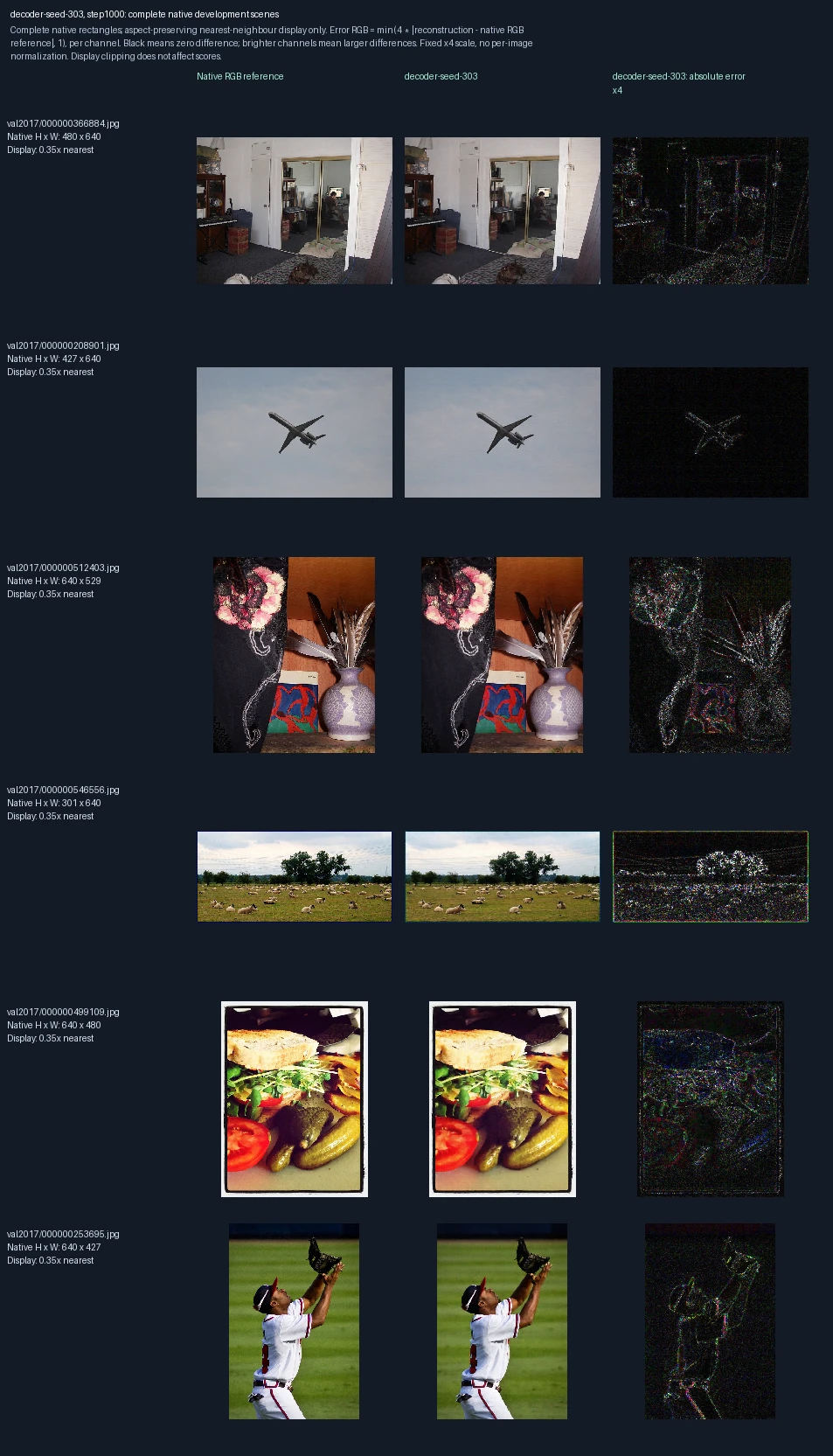
The same six development photographs appear in each progress figure. Left to right: original image, reconstruction at this training point, and its pixel error. Only the decoder learns; the encoder stays fixed. This is training repetition 3; the image label “seed-303” identifies its randomization setting. These images are used to monitor and select models, not as final test evidence. Error panels show four times the absolute RGB difference from the reference, separately for each color channel, clipped at full brightness. Darker pixels mean smaller errors; black is zero or below the display’s precision. The scale is fixed across examples, not adjusted to make each image look better.
Decoder-only training, training repetition 3: 1,500 weight updates
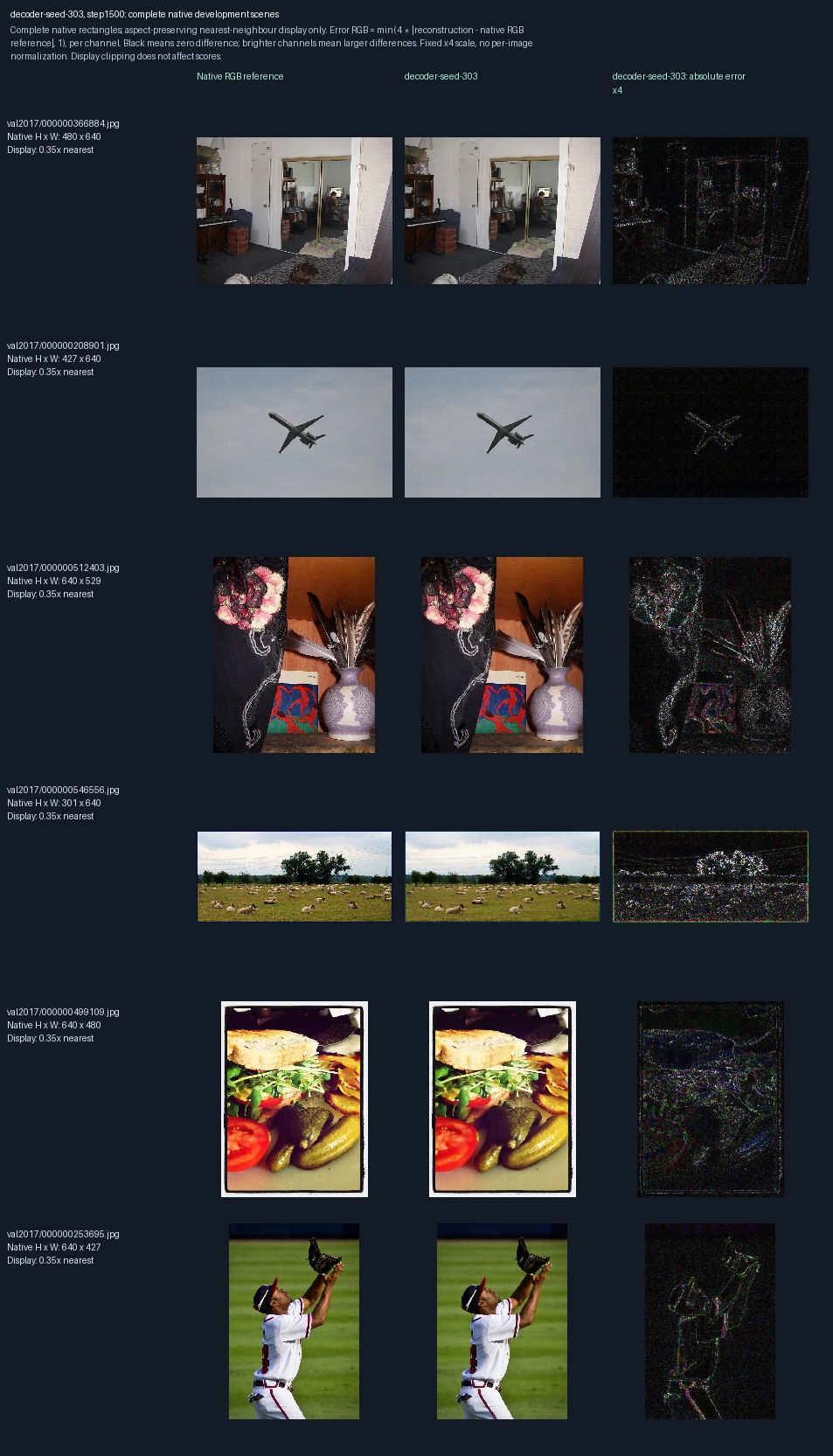
The same six development photographs appear in each progress figure. Left to right: original image, reconstruction at this training point, and its pixel error. Only the decoder learns; the encoder stays fixed. This is training repetition 3; the image label “seed-303” identifies its randomization setting. These images are used to monitor and select models, not as final test evidence. Error panels show four times the absolute RGB difference from the reference, separately for each color channel, clipped at full brightness. Darker pixels mean smaller errors; black is zero or below the display’s precision. The scale is fixed across examples, not adjusted to make each image look better.
Decoder-only training, training repetition 3: 2,000 weight updates
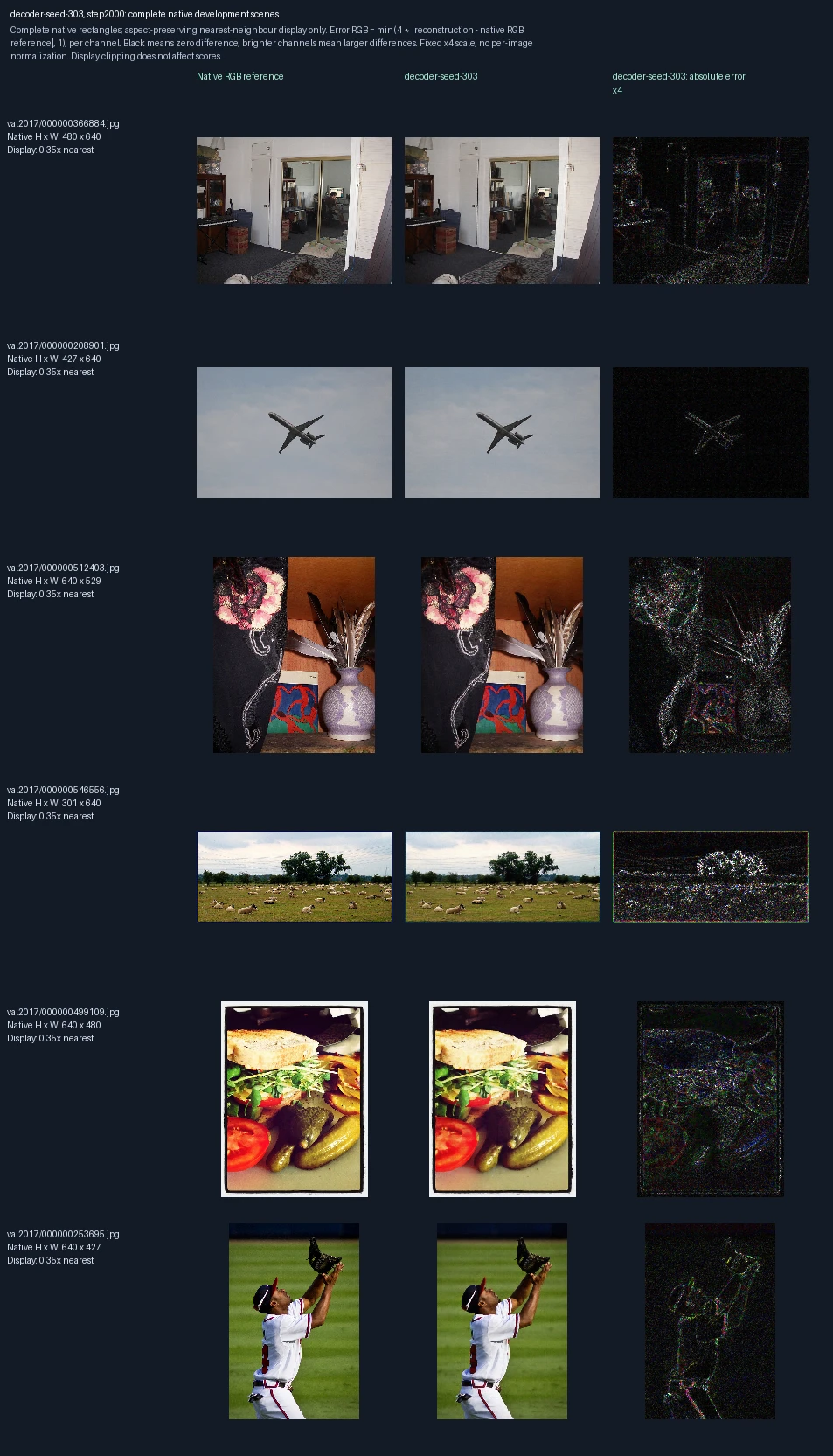
The same six development photographs appear in each progress figure. Left to right: original image, reconstruction at this training point, and its pixel error. Only the decoder learns; the encoder stays fixed. This is training repetition 3; the image label “seed-303” identifies its randomization setting. These images are used to monitor and select models, not as final test evidence. Error panels show four times the absolute RGB difference from the reference, separately for each color channel, clipped at full brightness. Darker pixels mean smaller errors; black is zero or below the display’s precision. The scale is fixed across examples, not adjusted to make each image look better.
Encoder and decoder trained together, training repetition 1: 0 weight updates
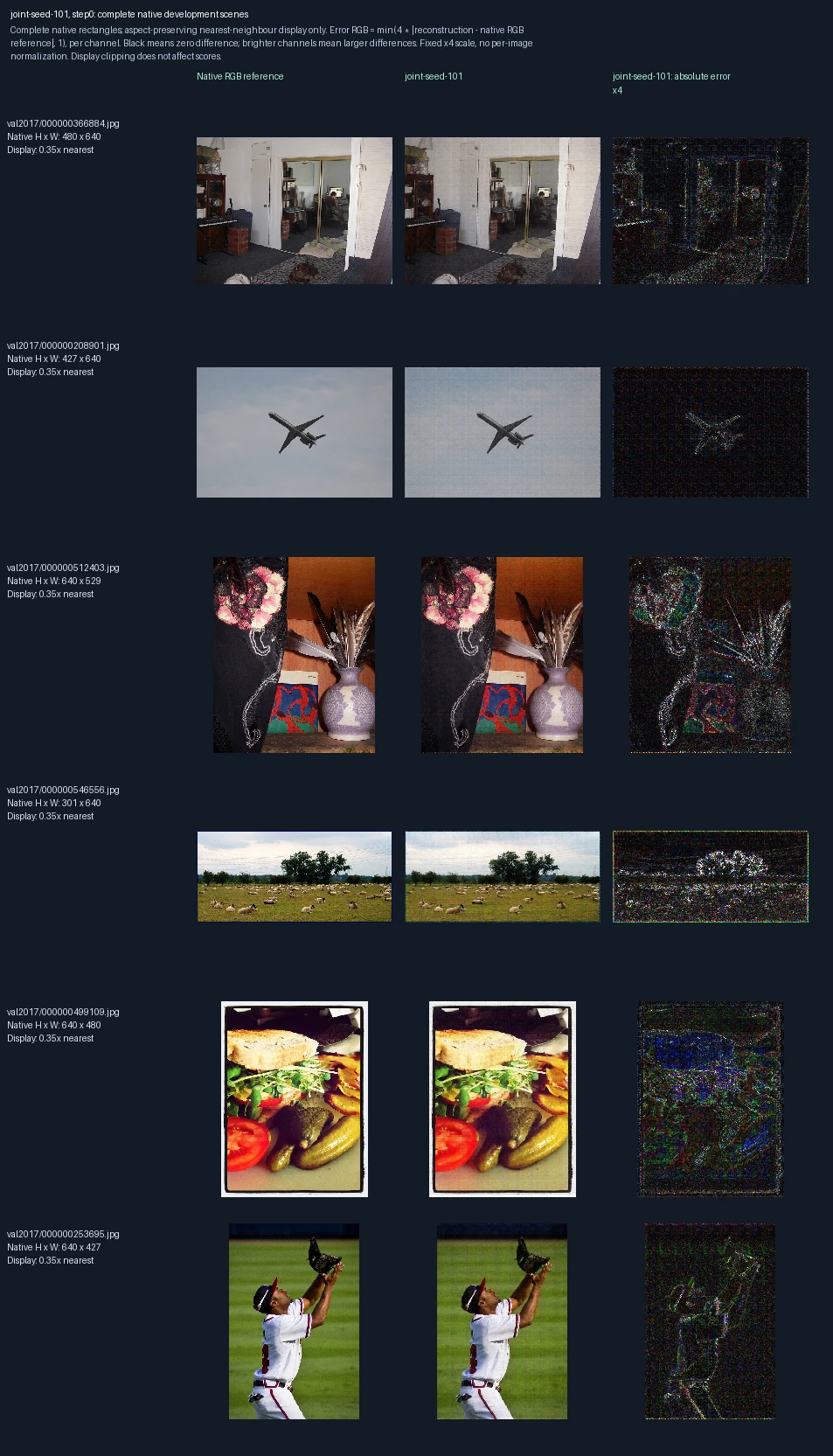
The same six development photographs appear in each progress figure. Left to right: original image, reconstruction at this training point, and its pixel error. Both encoder and decoder learn. This is training repetition 1; the image label “seed-101” identifies its randomization setting. These images are used to monitor and select models, not as final test evidence. Error panels show four times the absolute RGB difference from the reference, separately for each color channel, clipped at full brightness. Darker pixels mean smaller errors; black is zero or below the display’s precision. The scale is fixed across examples, not adjusted to make each image look better. Zero updates shows the starting state before this fit.
Encoder and decoder trained together, training repetition 1: 500 weight updates
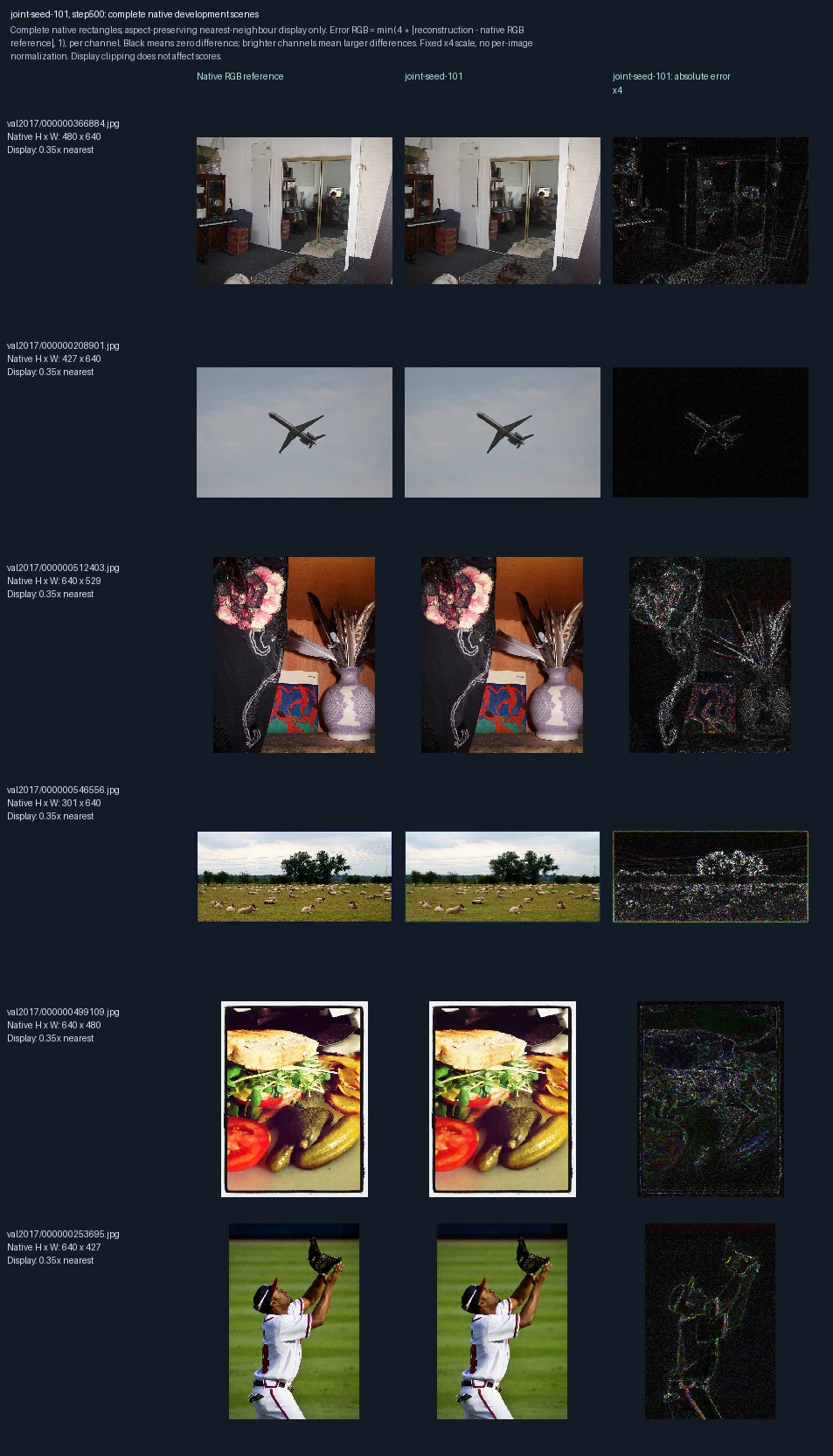
The same six development photographs appear in each progress figure. Left to right: original image, reconstruction at this training point, and its pixel error. Both encoder and decoder learn. This is training repetition 1; the image label “seed-101” identifies its randomization setting. These images are used to monitor and select models, not as final test evidence. Error panels show four times the absolute RGB difference from the reference, separately for each color channel, clipped at full brightness. Darker pixels mean smaller errors; black is zero or below the display’s precision. The scale is fixed across examples, not adjusted to make each image look better.
Encoder and decoder trained together, training repetition 1: 1,000 weight updates
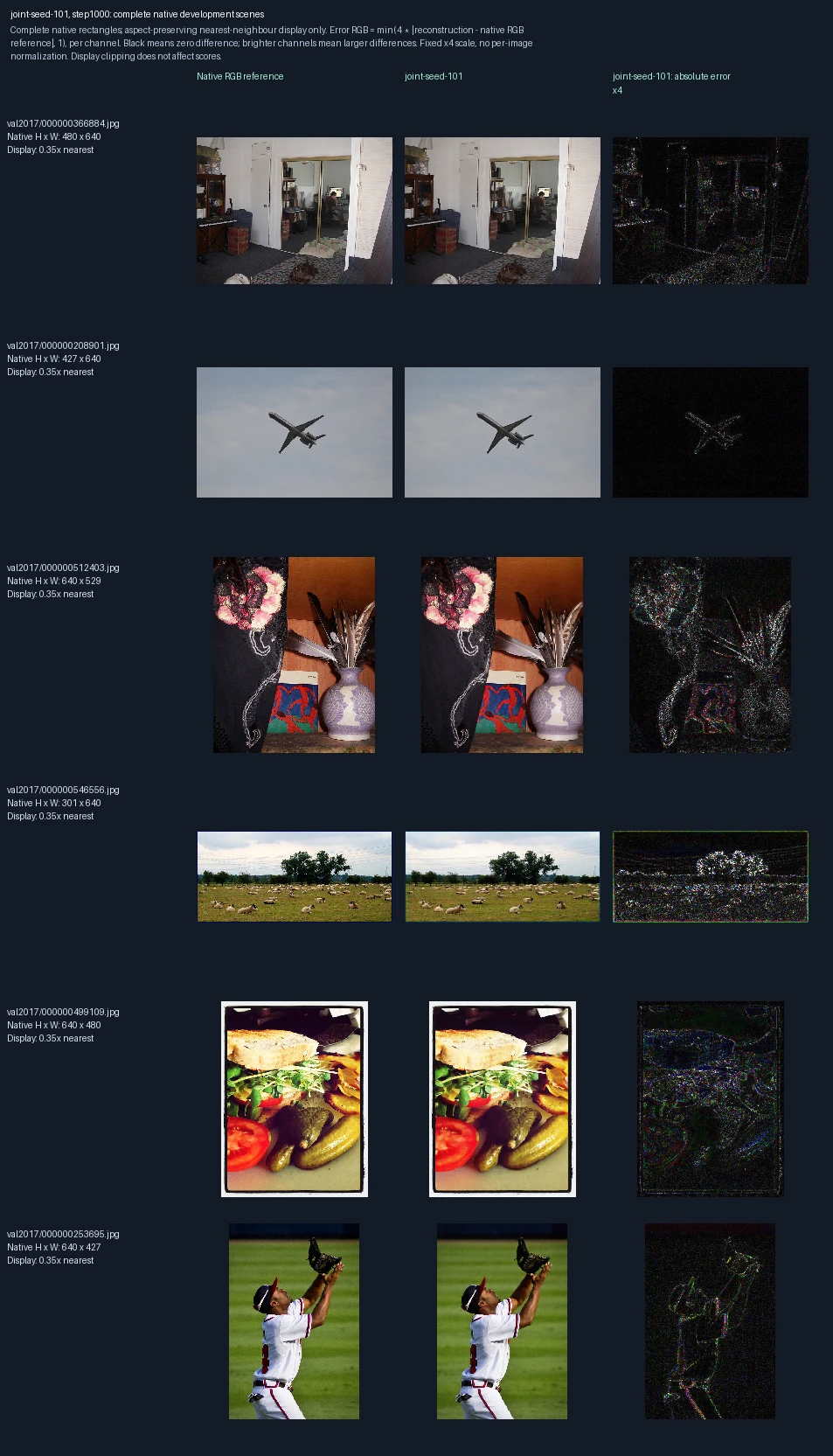
The same six development photographs appear in each progress figure. Left to right: original image, reconstruction at this training point, and its pixel error. Both encoder and decoder learn. This is training repetition 1; the image label “seed-101” identifies its randomization setting. These images are used to monitor and select models, not as final test evidence. Error panels show four times the absolute RGB difference from the reference, separately for each color channel, clipped at full brightness. Darker pixels mean smaller errors; black is zero or below the display’s precision. The scale is fixed across examples, not adjusted to make each image look better.
Encoder and decoder trained together, training repetition 1: 1,500 weight updates
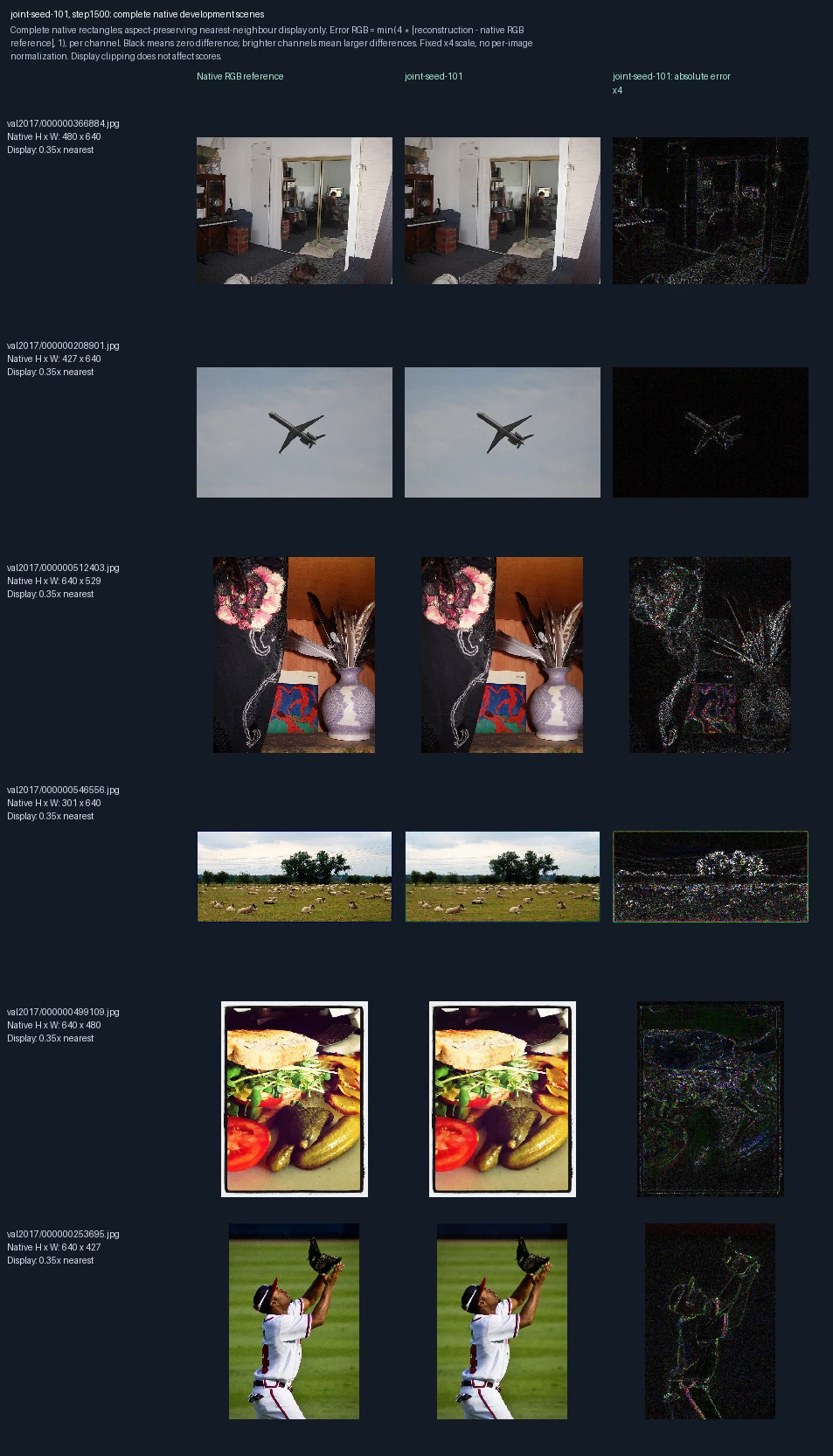
The same six development photographs appear in each progress figure. Left to right: original image, reconstruction at this training point, and its pixel error. Both encoder and decoder learn. This is training repetition 1; the image label “seed-101” identifies its randomization setting. These images are used to monitor and select models, not as final test evidence. Error panels show four times the absolute RGB difference from the reference, separately for each color channel, clipped at full brightness. Darker pixels mean smaller errors; black is zero or below the display’s precision. The scale is fixed across examples, not adjusted to make each image look better.
Encoder and decoder trained together, training repetition 1: 2,000 weight updates
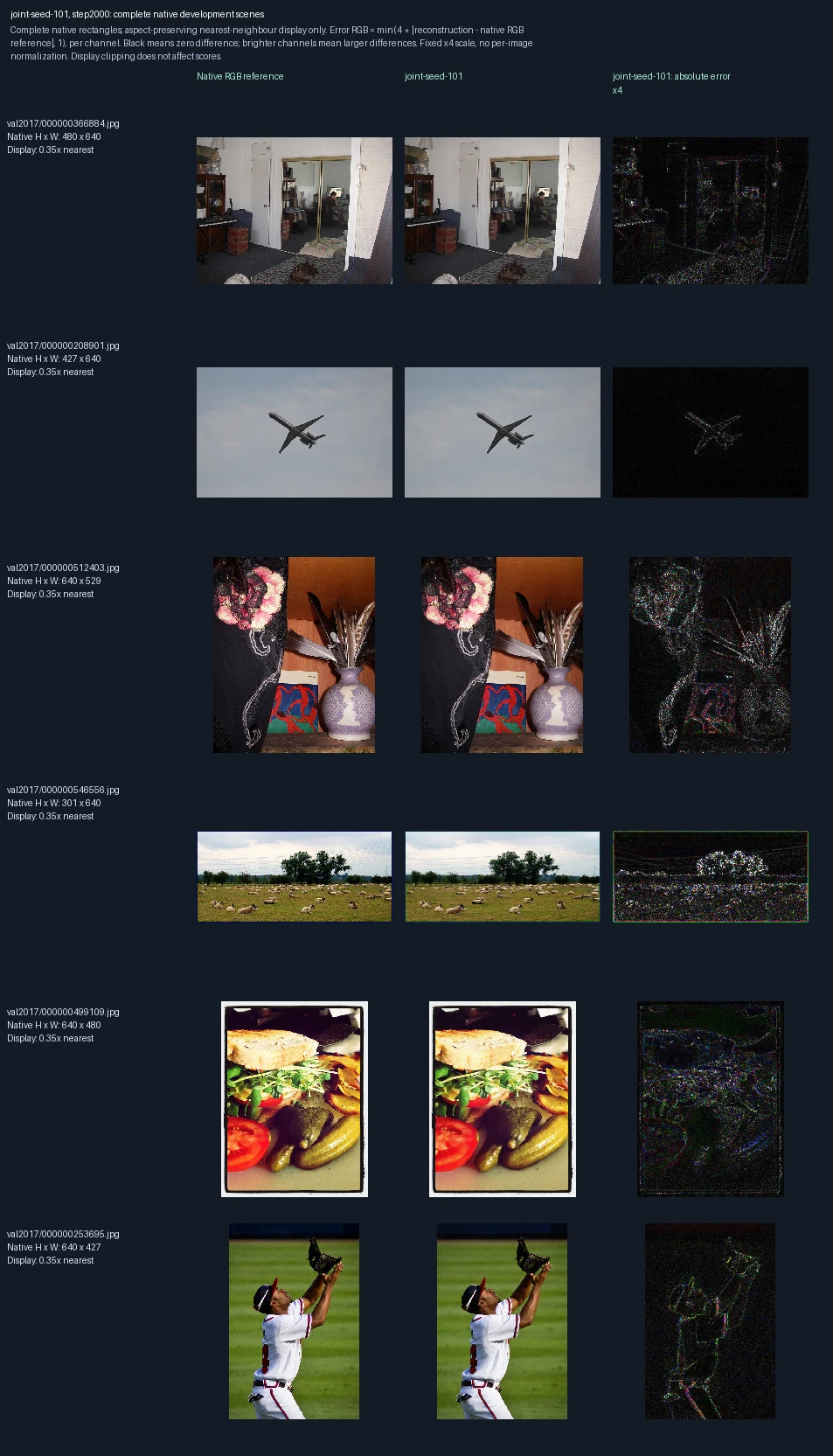
The same six development photographs appear in each progress figure. Left to right: original image, reconstruction at this training point, and its pixel error. Both encoder and decoder learn. This is training repetition 1; the image label “seed-101” identifies its randomization setting. These images are used to monitor and select models, not as final test evidence. Error panels show four times the absolute RGB difference from the reference, separately for each color channel, clipped at full brightness. Darker pixels mean smaller errors; black is zero or below the display’s precision. The scale is fixed across examples, not adjusted to make each image look better.
Encoder and decoder trained together, training repetition 2: 0 weight updates
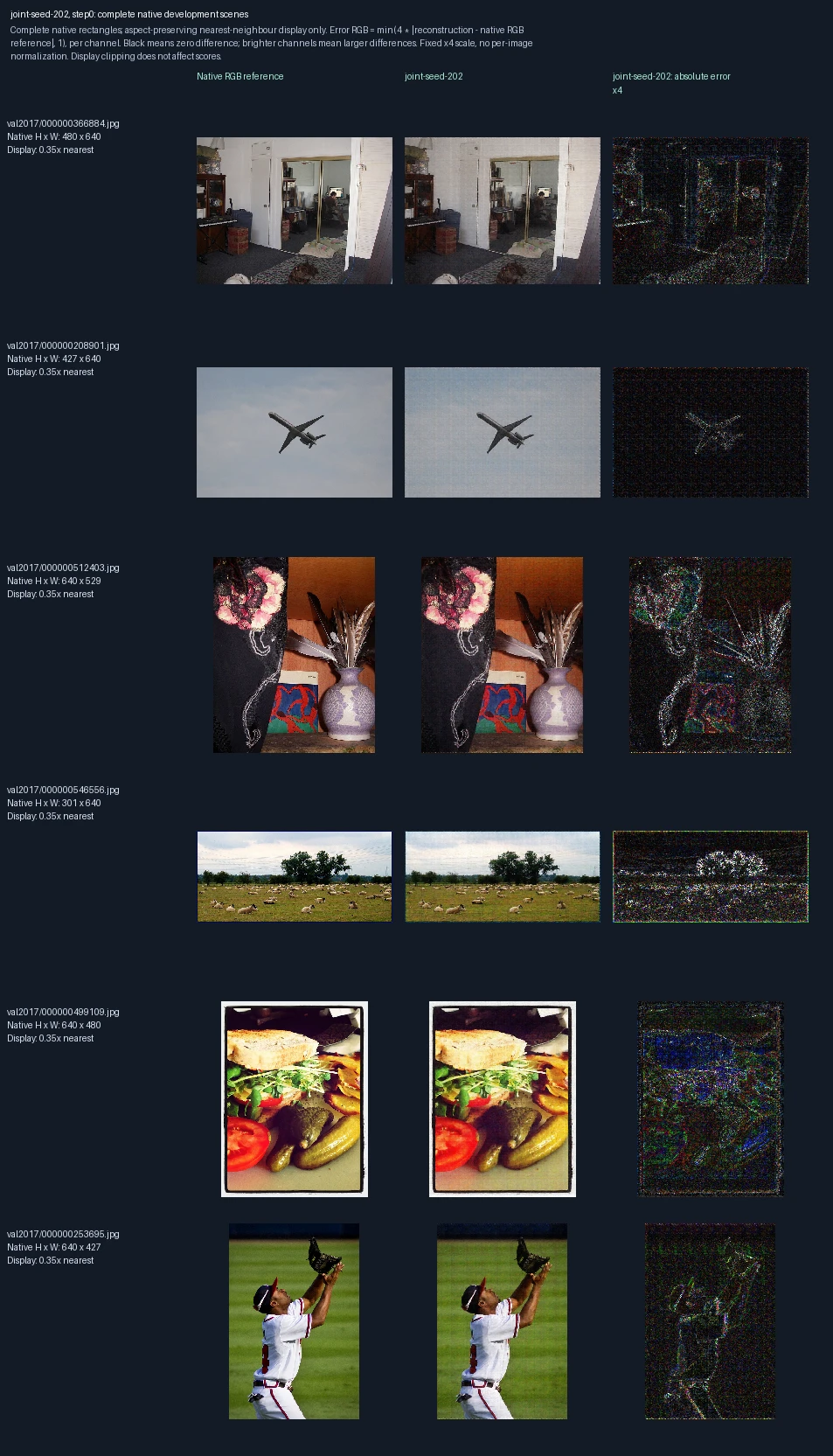
The same six development photographs appear in each progress figure. Left to right: original image, reconstruction at this training point, and its pixel error. Both encoder and decoder learn. This is training repetition 2; the image label “seed-202” identifies its randomization setting. These images are used to monitor and select models, not as final test evidence. Error panels show four times the absolute RGB difference from the reference, separately for each color channel, clipped at full brightness. Darker pixels mean smaller errors; black is zero or below the display’s precision. The scale is fixed across examples, not adjusted to make each image look better. Zero updates shows the starting state before this fit.
Encoder and decoder trained together, training repetition 2: 500 weight updates
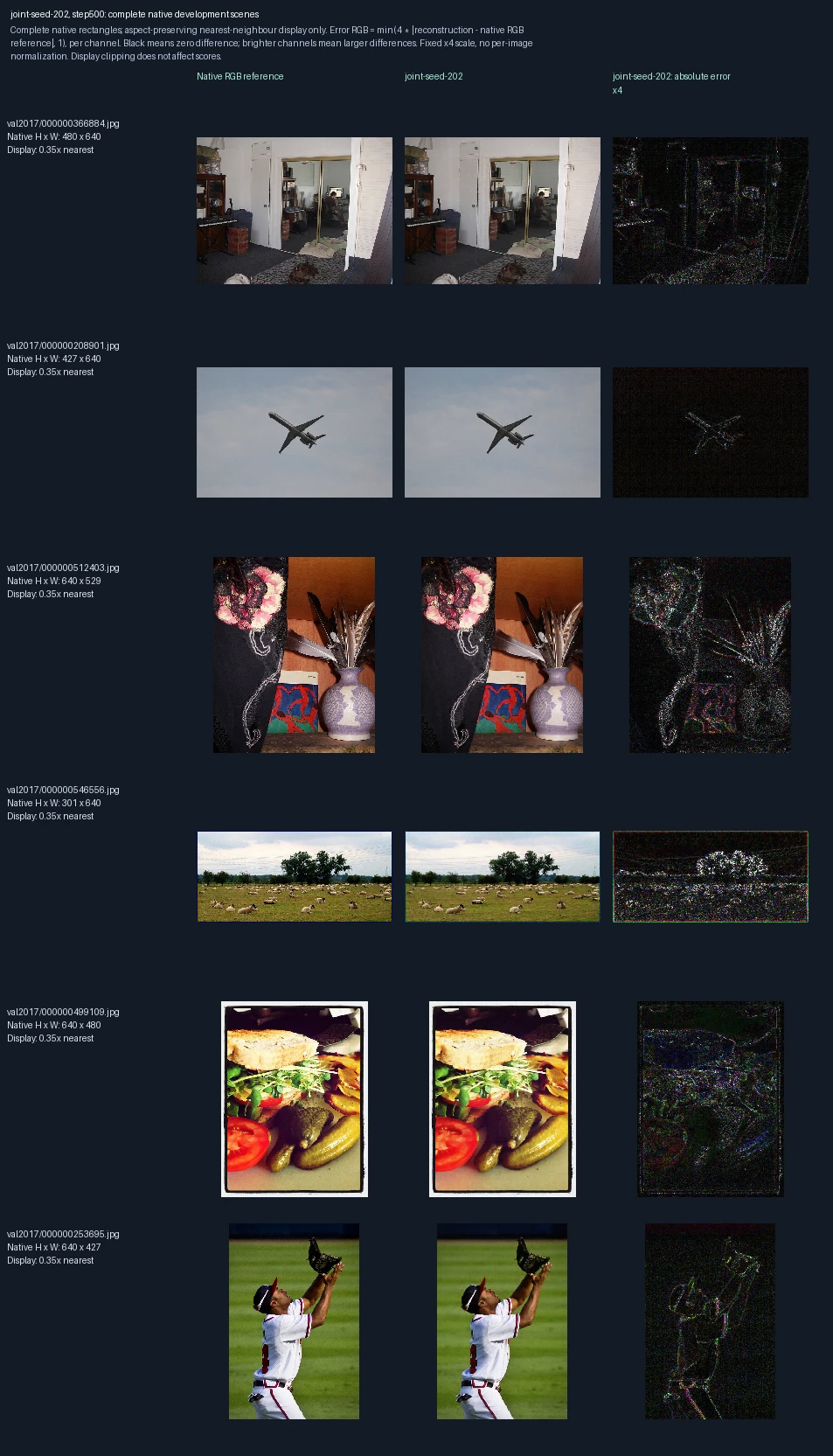
The same six development photographs appear in each progress figure. Left to right: original image, reconstruction at this training point, and its pixel error. Both encoder and decoder learn. This is training repetition 2; the image label “seed-202” identifies its randomization setting. These images are used to monitor and select models, not as final test evidence. Error panels show four times the absolute RGB difference from the reference, separately for each color channel, clipped at full brightness. Darker pixels mean smaller errors; black is zero or below the display’s precision. The scale is fixed across examples, not adjusted to make each image look better.
Encoder and decoder trained together, training repetition 2: 1,000 weight updates
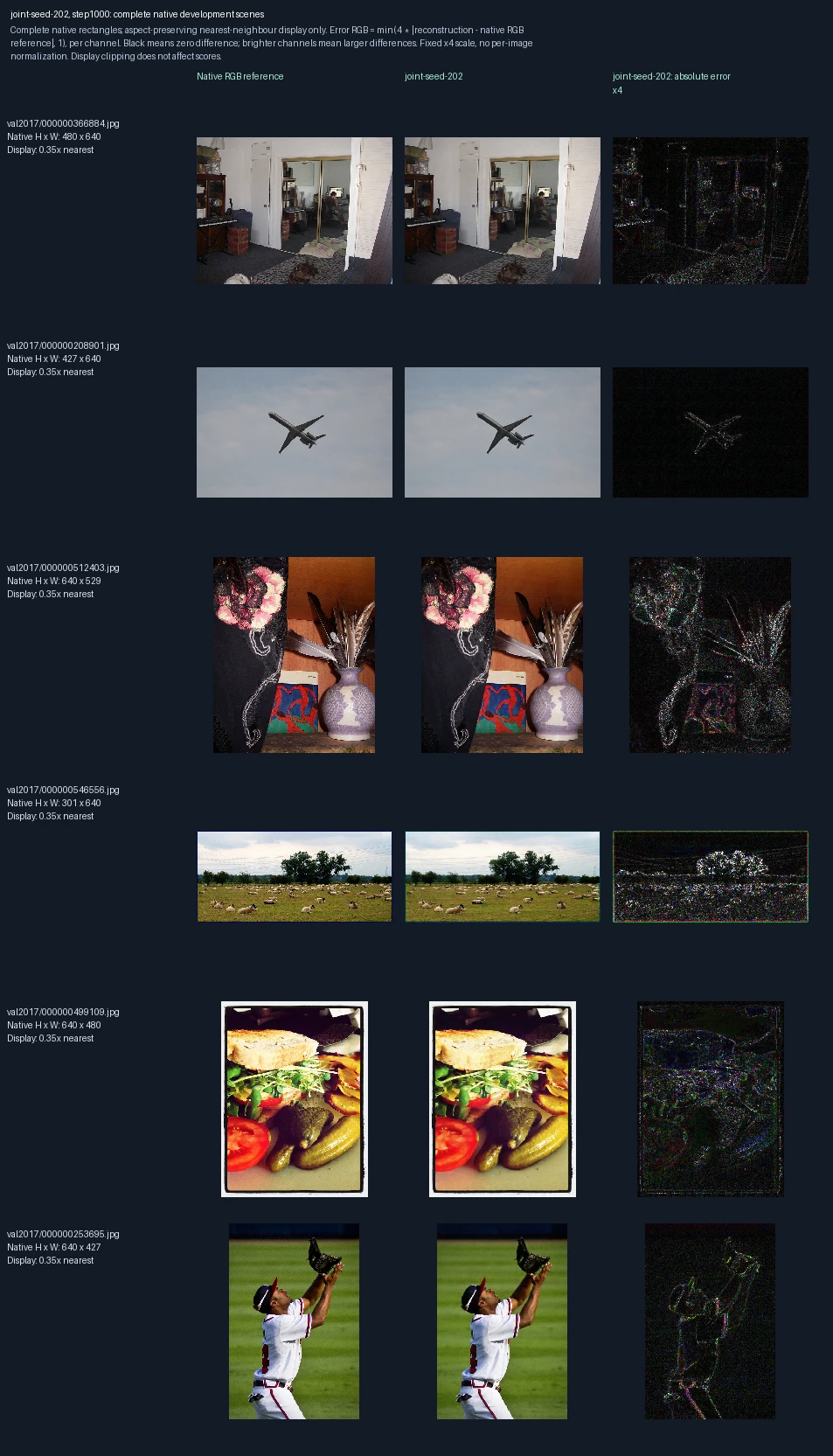
The same six development photographs appear in each progress figure. Left to right: original image, reconstruction at this training point, and its pixel error. Both encoder and decoder learn. This is training repetition 2; the image label “seed-202” identifies its randomization setting. These images are used to monitor and select models, not as final test evidence. Error panels show four times the absolute RGB difference from the reference, separately for each color channel, clipped at full brightness. Darker pixels mean smaller errors; black is zero or below the display’s precision. The scale is fixed across examples, not adjusted to make each image look better.
Encoder and decoder trained together, training repetition 2: 1,500 weight updates
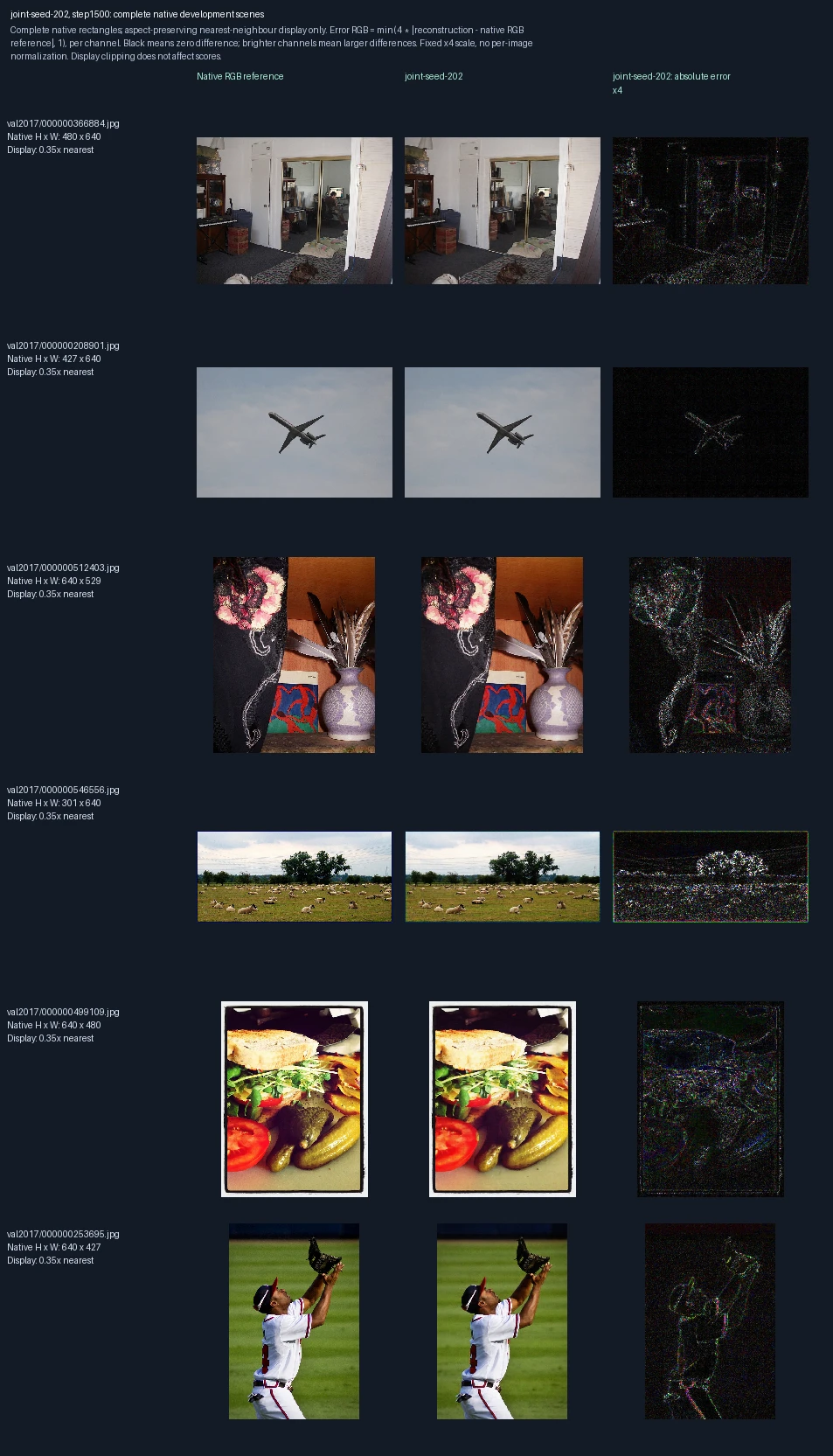
The same six development photographs appear in each progress figure. Left to right: original image, reconstruction at this training point, and its pixel error. Both encoder and decoder learn. This is training repetition 2; the image label “seed-202” identifies its randomization setting. These images are used to monitor and select models, not as final test evidence. Error panels show four times the absolute RGB difference from the reference, separately for each color channel, clipped at full brightness. Darker pixels mean smaller errors; black is zero or below the display’s precision. The scale is fixed across examples, not adjusted to make each image look better.
Encoder and decoder trained together, training repetition 2: 2,000 weight updates
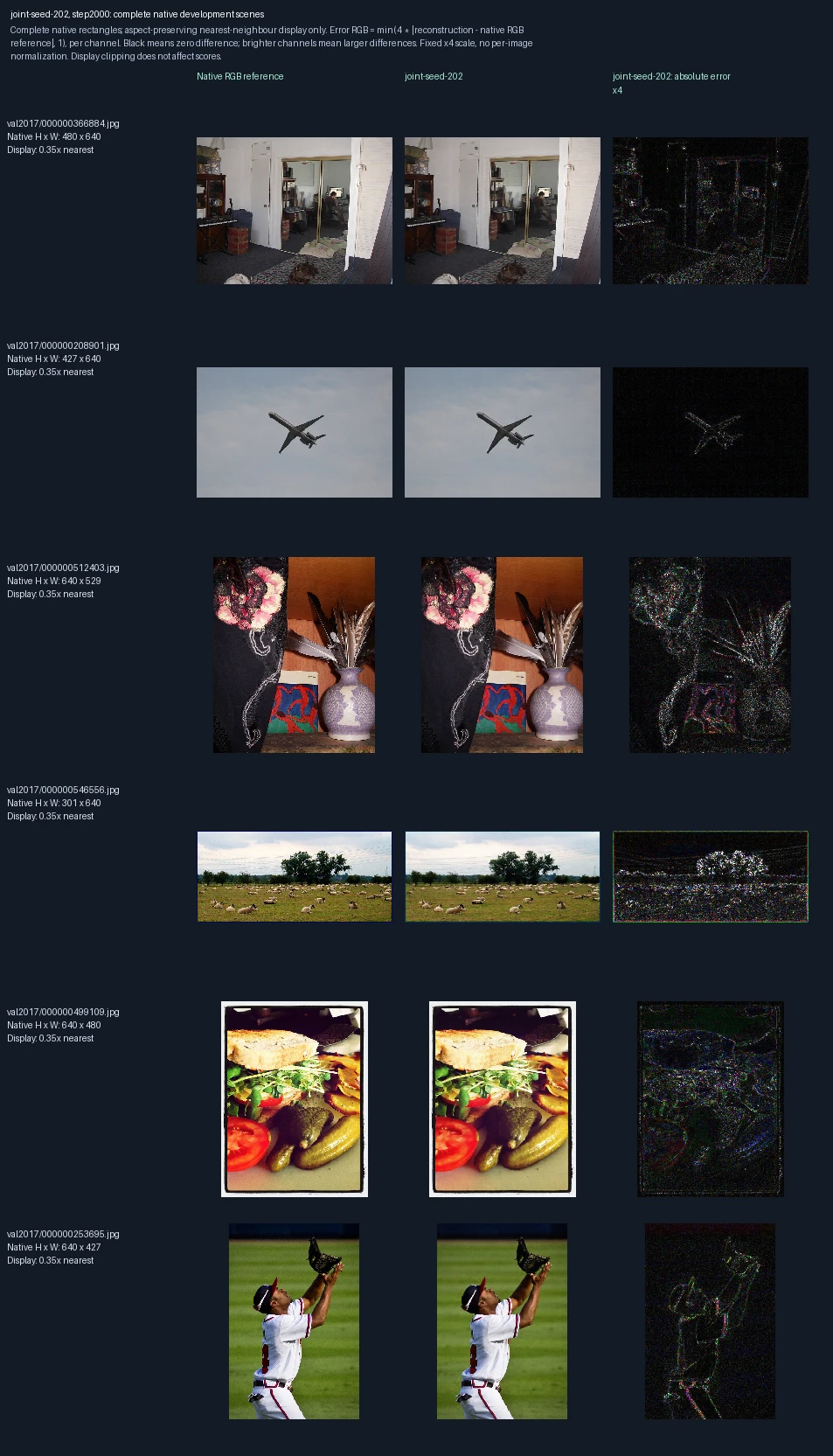
The same six development photographs appear in each progress figure. Left to right: original image, reconstruction at this training point, and its pixel error. Both encoder and decoder learn. This is training repetition 2; the image label “seed-202” identifies its randomization setting. These images are used to monitor and select models, not as final test evidence. Error panels show four times the absolute RGB difference from the reference, separately for each color channel, clipped at full brightness. Darker pixels mean smaller errors; black is zero or below the display’s precision. The scale is fixed across examples, not adjusted to make each image look better.
Encoder and decoder trained together, training repetition 3: 0 weight updates
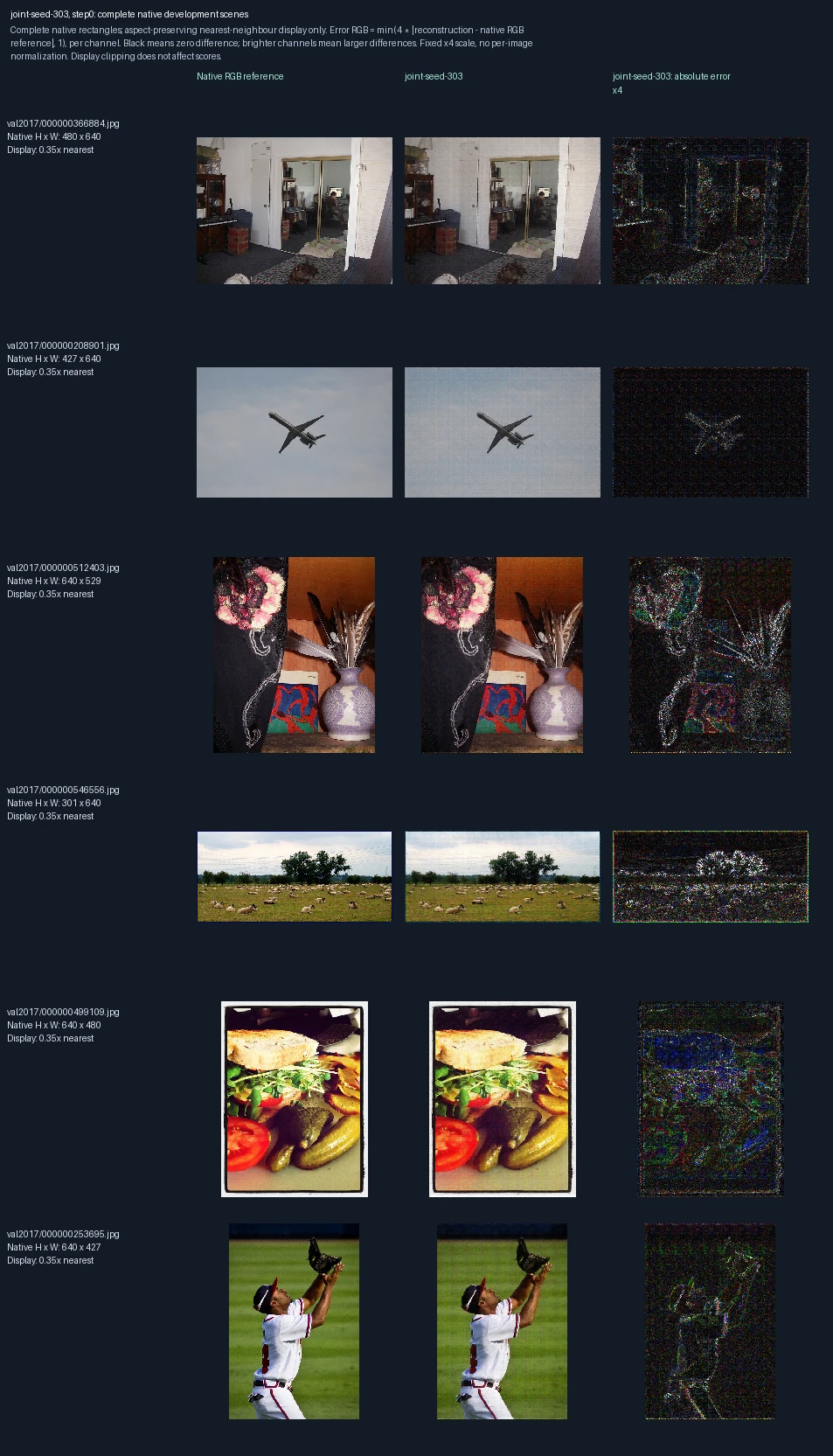
The same six development photographs appear in each progress figure. Left to right: original image, reconstruction at this training point, and its pixel error. Both encoder and decoder learn. This is training repetition 3; the image label “seed-303” identifies its randomization setting. These images are used to monitor and select models, not as final test evidence. Error panels show four times the absolute RGB difference from the reference, separately for each color channel, clipped at full brightness. Darker pixels mean smaller errors; black is zero or below the display’s precision. The scale is fixed across examples, not adjusted to make each image look better. Zero updates shows the starting state before this fit.
Encoder and decoder trained together, training repetition 3: 500 weight updates
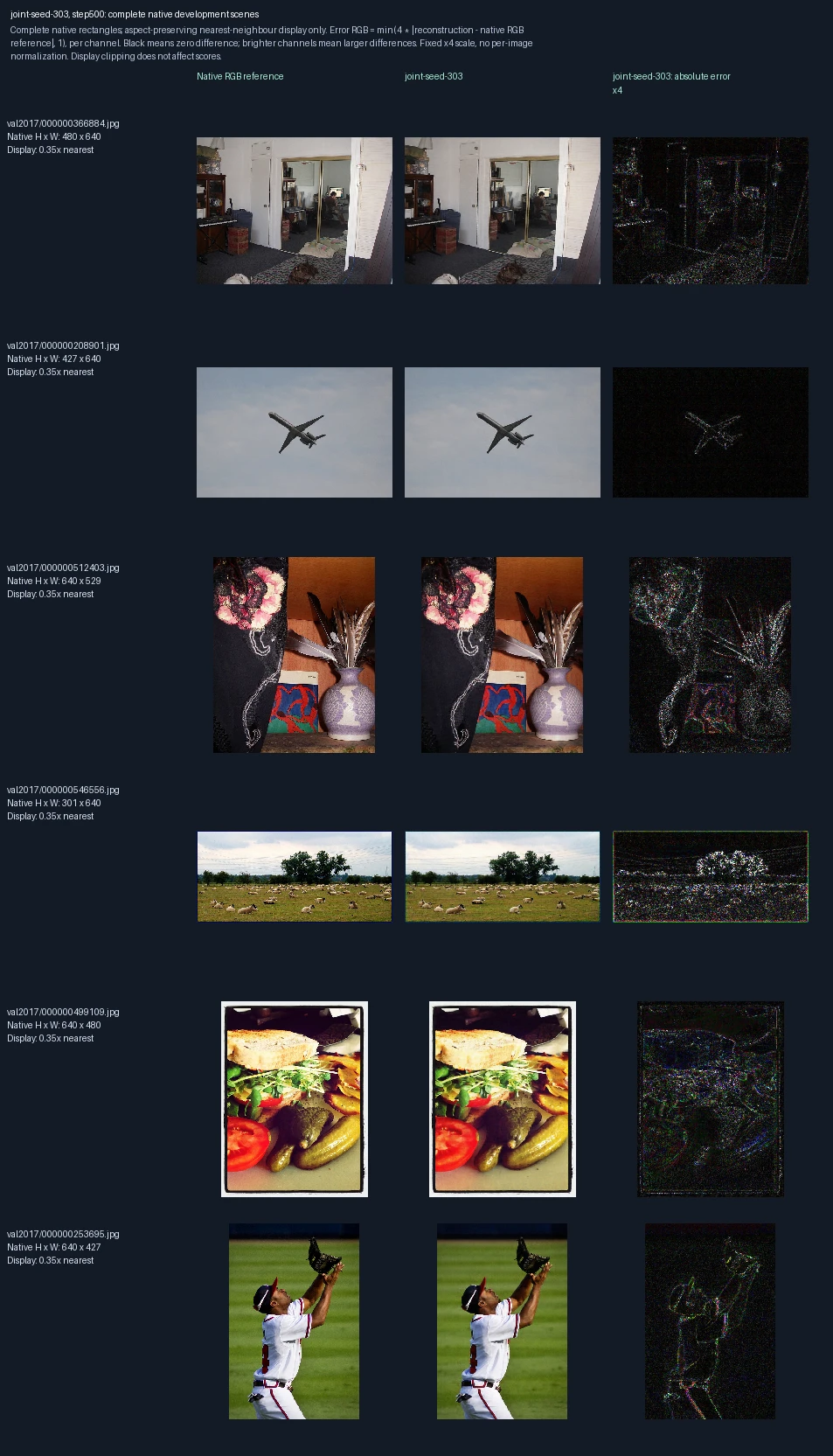
The same six development photographs appear in each progress figure. Left to right: original image, reconstruction at this training point, and its pixel error. Both encoder and decoder learn. This is training repetition 3; the image label “seed-303” identifies its randomization setting. These images are used to monitor and select models, not as final test evidence. Error panels show four times the absolute RGB difference from the reference, separately for each color channel, clipped at full brightness. Darker pixels mean smaller errors; black is zero or below the display’s precision. The scale is fixed across examples, not adjusted to make each image look better.
Encoder and decoder trained together, training repetition 3: 1,000 weight updates
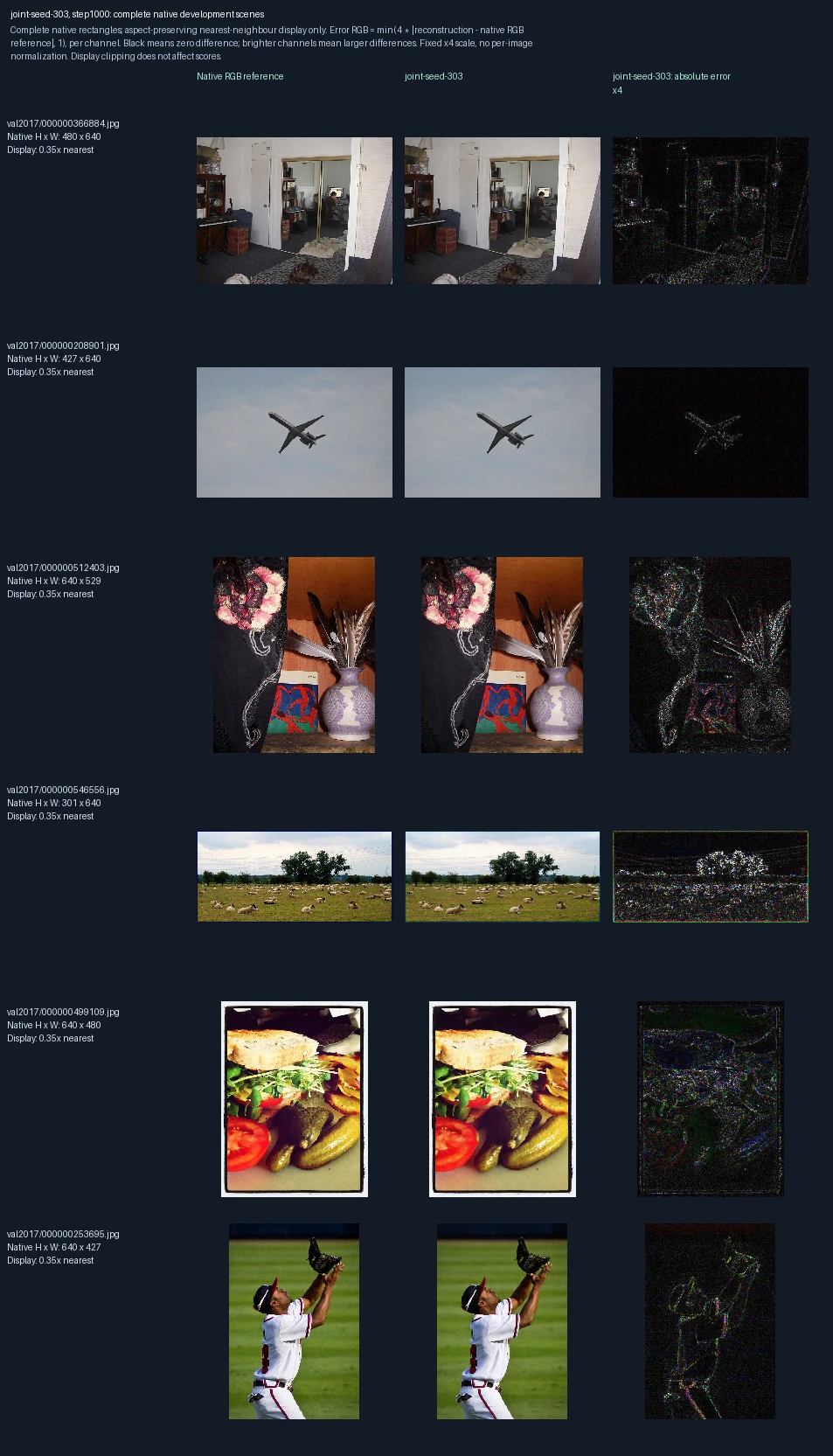
The same six development photographs appear in each progress figure. Left to right: original image, reconstruction at this training point, and its pixel error. Both encoder and decoder learn. This is training repetition 3; the image label “seed-303” identifies its randomization setting. These images are used to monitor and select models, not as final test evidence. Error panels show four times the absolute RGB difference from the reference, separately for each color channel, clipped at full brightness. Darker pixels mean smaller errors; black is zero or below the display’s precision. The scale is fixed across examples, not adjusted to make each image look better.
Encoder and decoder trained together, training repetition 3: 1,500 weight updates
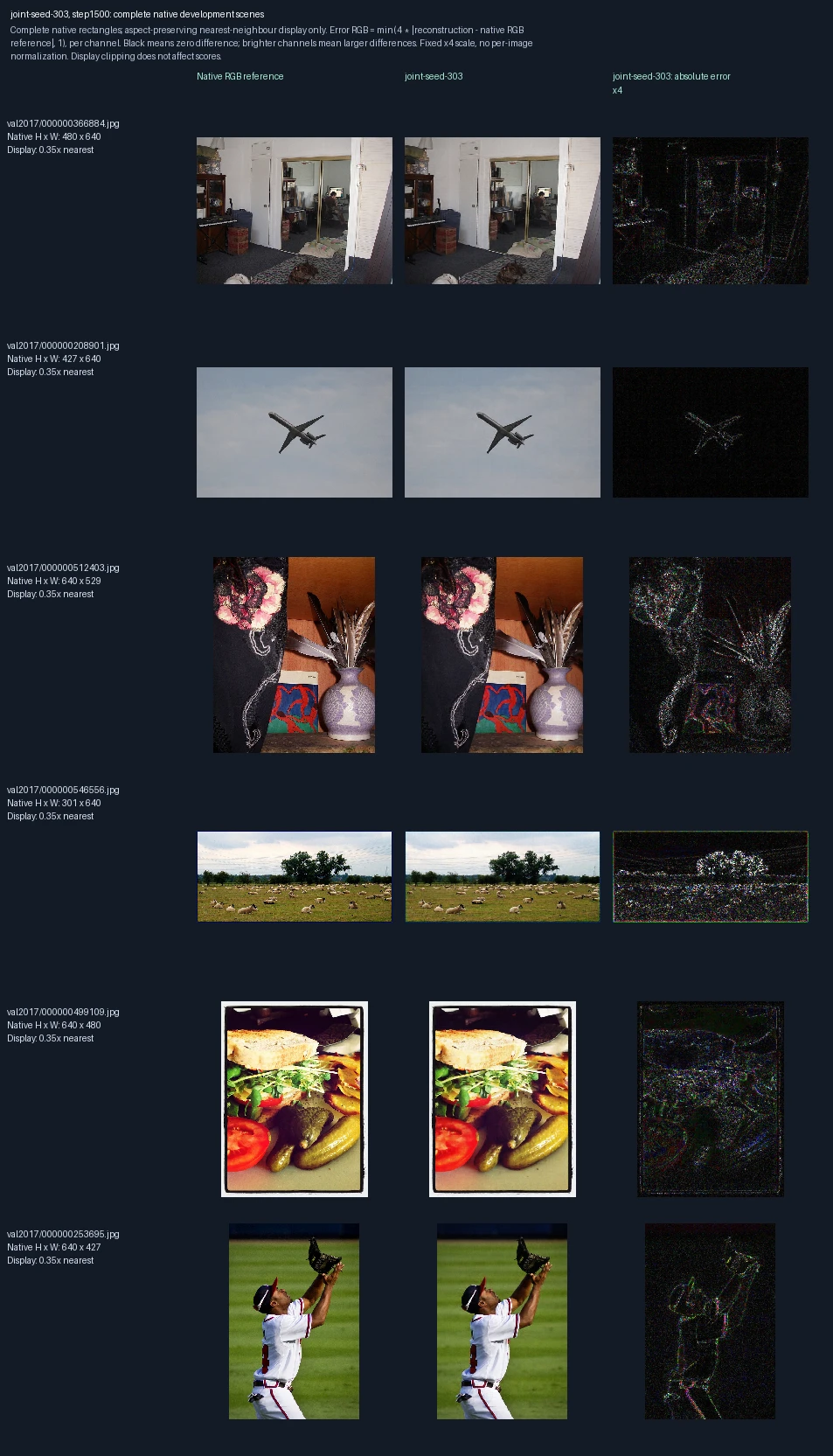
The same six development photographs appear in each progress figure. Left to right: original image, reconstruction at this training point, and its pixel error. Both encoder and decoder learn. This is training repetition 3; the image label “seed-303” identifies its randomization setting. These images are used to monitor and select models, not as final test evidence. Error panels show four times the absolute RGB difference from the reference, separately for each color channel, clipped at full brightness. Darker pixels mean smaller errors; black is zero or below the display’s precision. The scale is fixed across examples, not adjusted to make each image look better.
Encoder and decoder trained together, training repetition 3: 2,000 weight updates
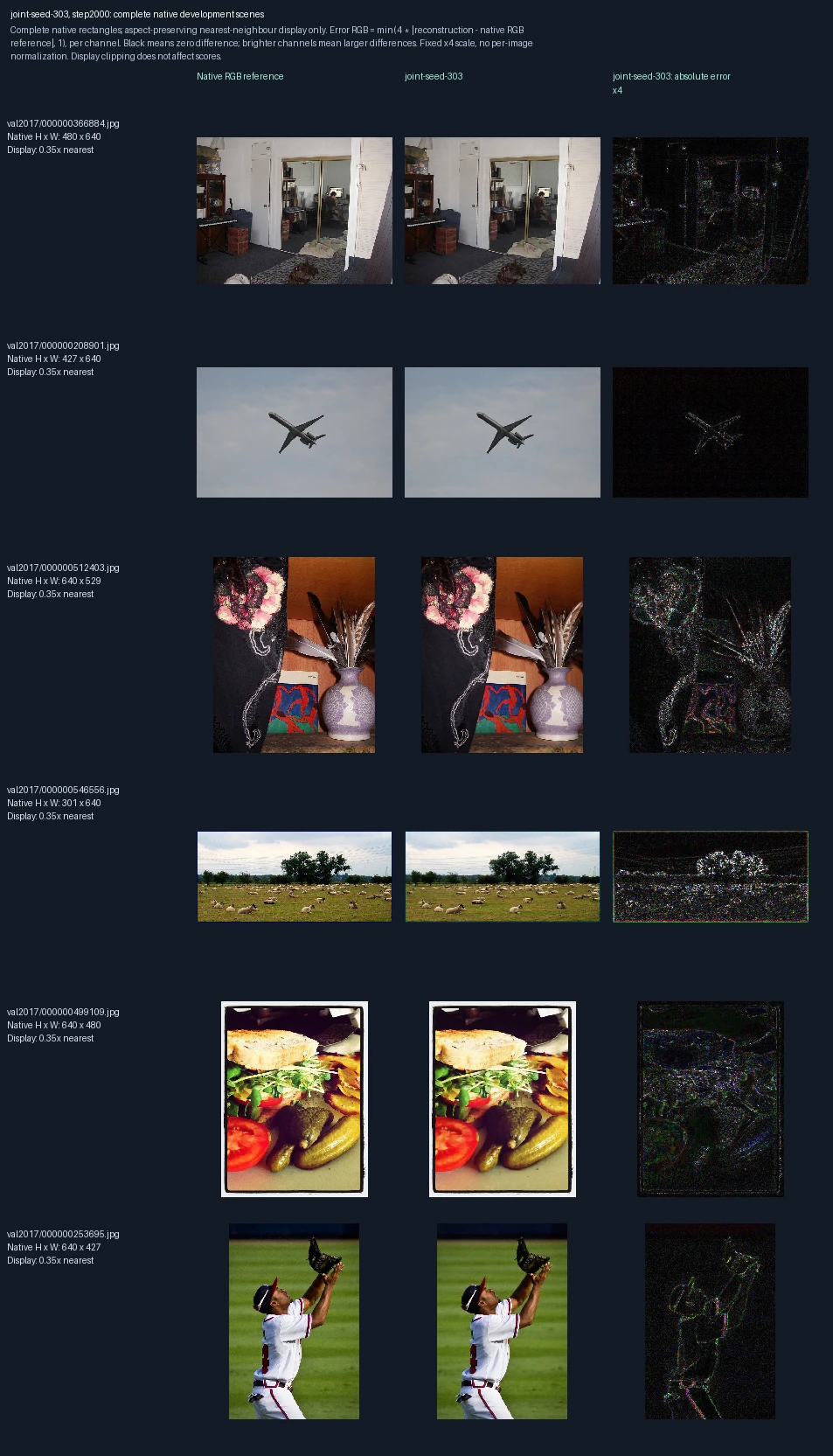
The same six development photographs appear in each progress figure. Left to right: original image, reconstruction at this training point, and its pixel error. Both encoder and decoder learn. This is training repetition 3; the image label “seed-303” identifies its randomization setting. These images are used to monitor and select models, not as final test evidence. Error panels show four times the absolute RGB difference from the reference, separately for each color channel, clipped at full brightness. Darker pixels mean smaller errors; black is zero or below the display’s precision. The scale is fixed across examples, not adjusted to make each image look better.
COCO test photographs: comparing encoder, decoder and joint refinement
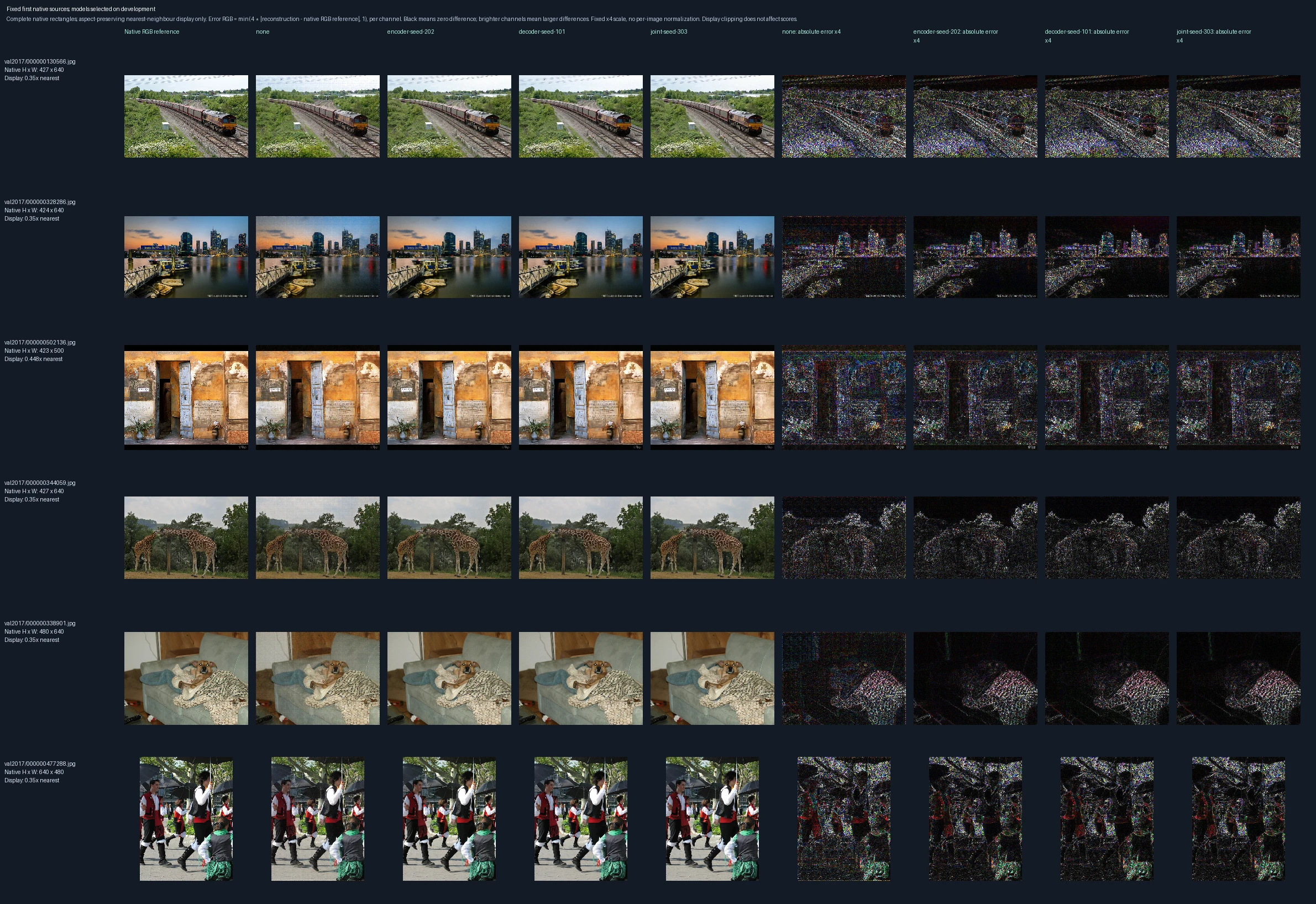
The first six test examples in predetermined order, not selected for reconstruction quality. Left to right: original reference; unchanged starting model (“none”); encoder-only, decoder-only and jointly trained models; then four matching error panels. Each trained model was chosen using development data before these test images were evaluated. Error panels show four times the absolute RGB difference from the reference, separately for each color channel, clipped at full brightness. Darker pixels mean smaller errors; black is zero or below the display’s precision. The scale is fixed across examples, not adjusted to make each image look better.
COCO test photographs: comparing fine detail across training choices

The central crop of the first test image, at most 128 × 128 source pixels, enlarged twofold. The crop was chosen by position, not reconstruction quality. Left to right: original reference; unchanged starting model (“none”); encoder-only, decoder-only and jointly trained models; then four matching error panels. Each trained model was chosen using development data before these test images were evaluated. Error panels show four times the absolute RGB difference from the reference, separately for each color channel, clipped at full brightness. Darker pixels mean smaller errors; black is zero or below the display’s precision. The scale is fixed across examples, not adjusted to make each image look better.
COCO test photographs: smallest improvements from joint training
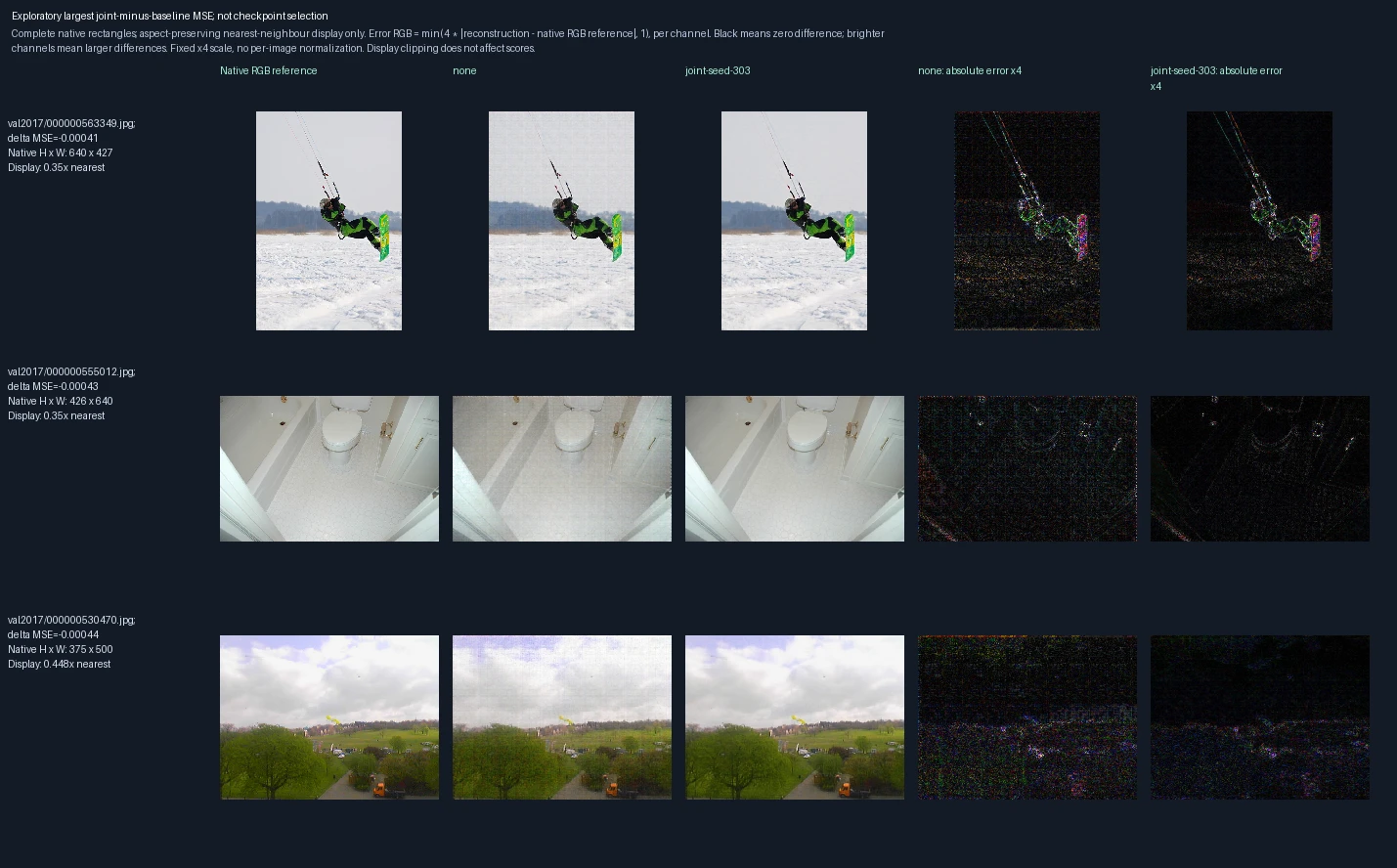
The three test images with the smallest whole-image MSE gains after joint training, selected after evaluation to show the least favorable cases. Left to right: reference, unchanged model, jointly trained model, and the corresponding two error panels. All three differences are negative, meaning error decreased; these are not regressions. The numerical difference in each row is joint-model MSE minus starting-model MSE. Error panels show four times the absolute RGB difference from the reference, separately for each color channel, clipped at full brightness. Darker pixels mean smaller errors; black is zero or below the display’s precision. The scale is fixed across examples, not adjusted to make each image look better.
Flickr test photographs: comparing encoder, decoder and joint refinement
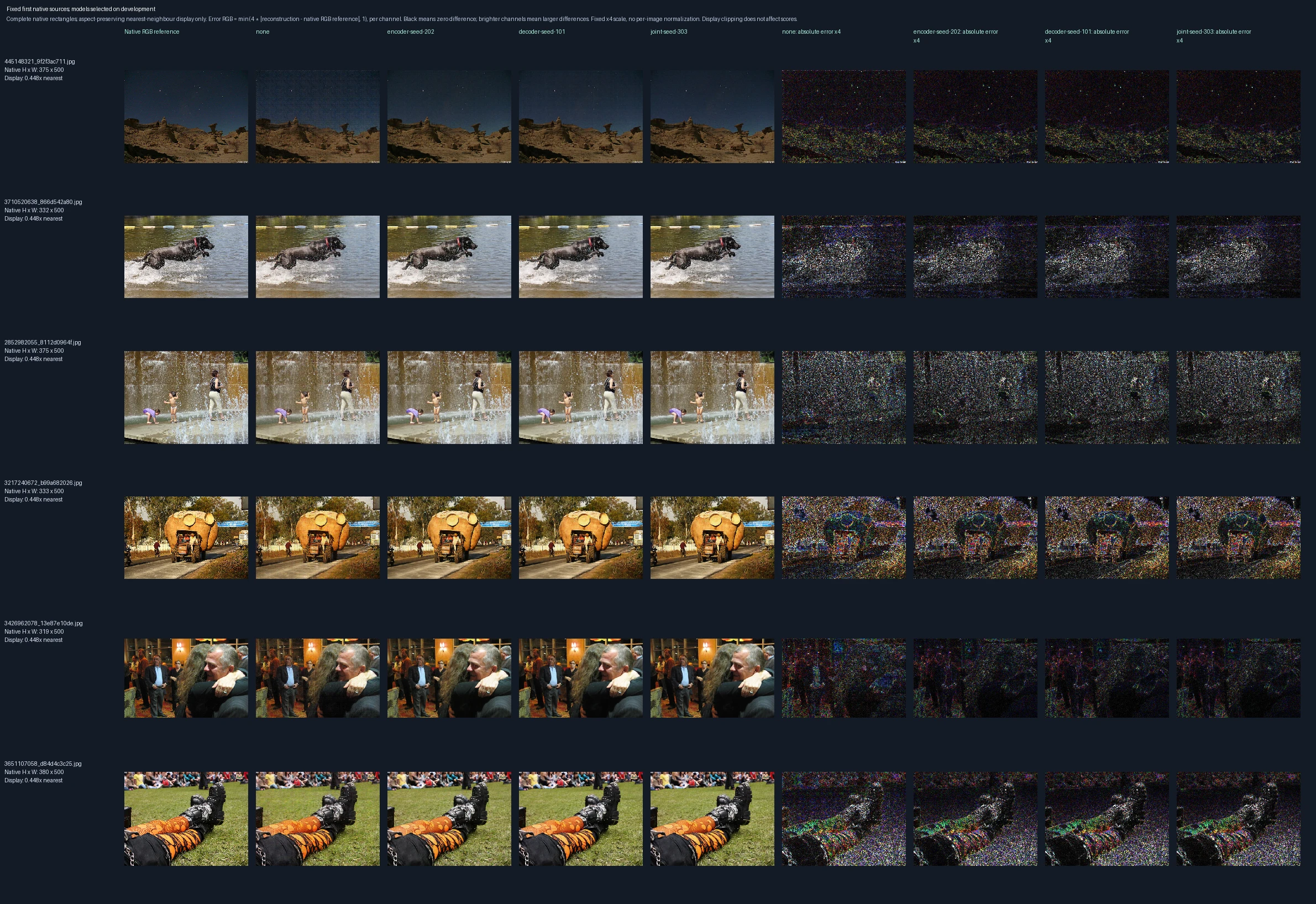
The first six test examples in predetermined order, not selected for reconstruction quality. Left to right: original reference; unchanged starting model (“none”); encoder-only, decoder-only and jointly trained models; then four matching error panels. Each trained model was chosen using development data before these test images were evaluated. Error panels show four times the absolute RGB difference from the reference, separately for each color channel, clipped at full brightness. Darker pixels mean smaller errors; black is zero or below the display’s precision. The scale is fixed across examples, not adjusted to make each image look better.
Flickr test photographs: comparing fine detail across training choices

The central crop of the first test image, at most 128 × 128 source pixels, enlarged twofold. The crop was chosen by position, not reconstruction quality. Left to right: original reference; unchanged starting model (“none”); encoder-only, decoder-only and jointly trained models; then four matching error panels. Each trained model was chosen using development data before these test images were evaluated. Error panels show four times the absolute RGB difference from the reference, separately for each color channel, clipped at full brightness. Darker pixels mean smaller errors; black is zero or below the display’s precision. The scale is fixed across examples, not adjusted to make each image look better.
Flickr test photographs: smallest improvements from joint training
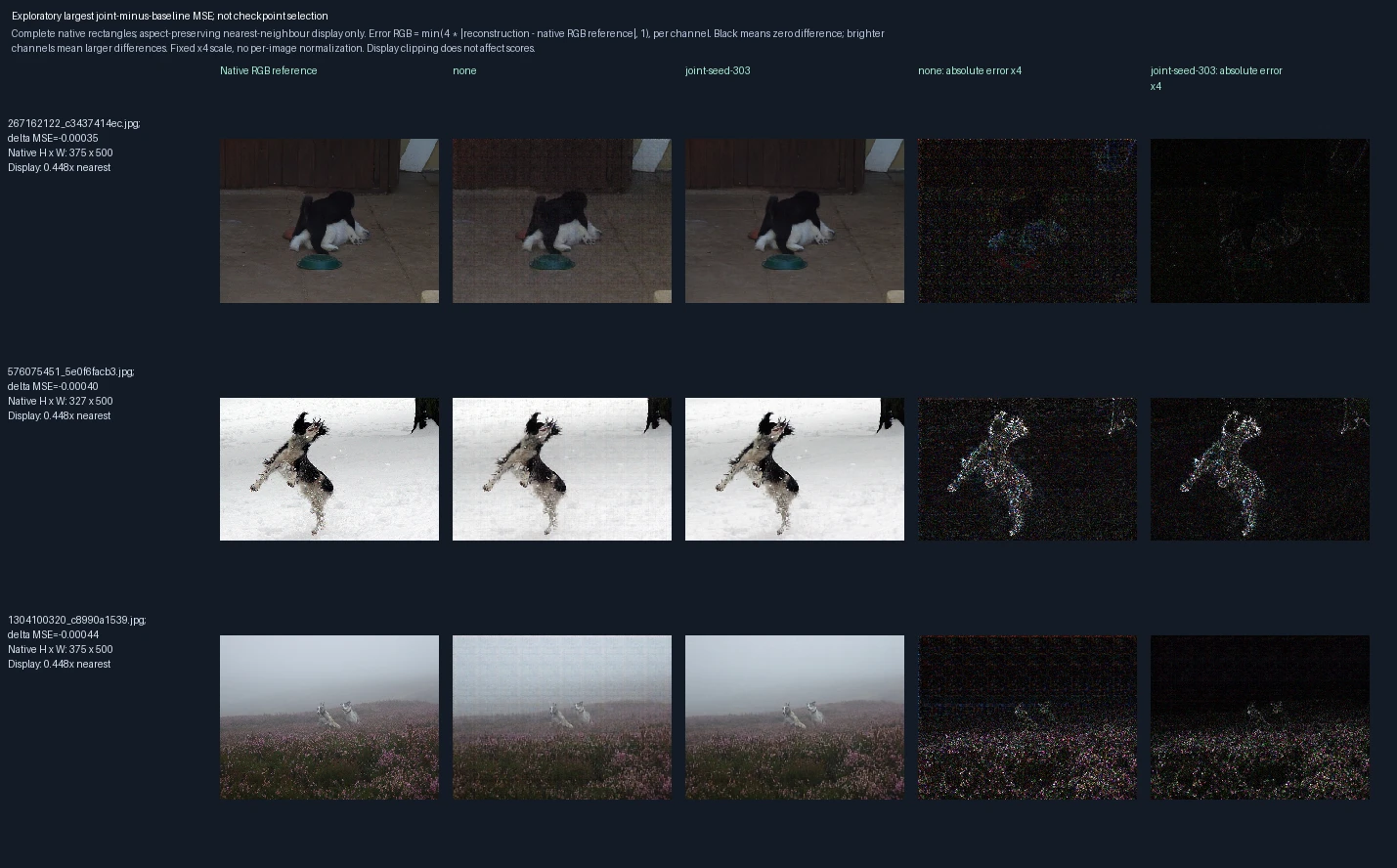
The three test images with the smallest whole-image MSE gains after joint training, selected after evaluation to show the least favorable cases. Left to right: reference, unchanged model, jointly trained model, and the corresponding two error panels. All three differences are negative, meaning error decreased; these are not regressions. The numerical difference in each row is joint-model MSE minus starting-model MSE. Error panels show four times the absolute RGB difference from the reference, separately for each color channel, clipped at full brightness. Darker pixels mean smaller errors; black is zero or below the display’s precision. The scale is fixed across examples, not adjusted to make each image look better.
Rendered writing on white backgrounds: comparing encoder, decoder and joint refinement
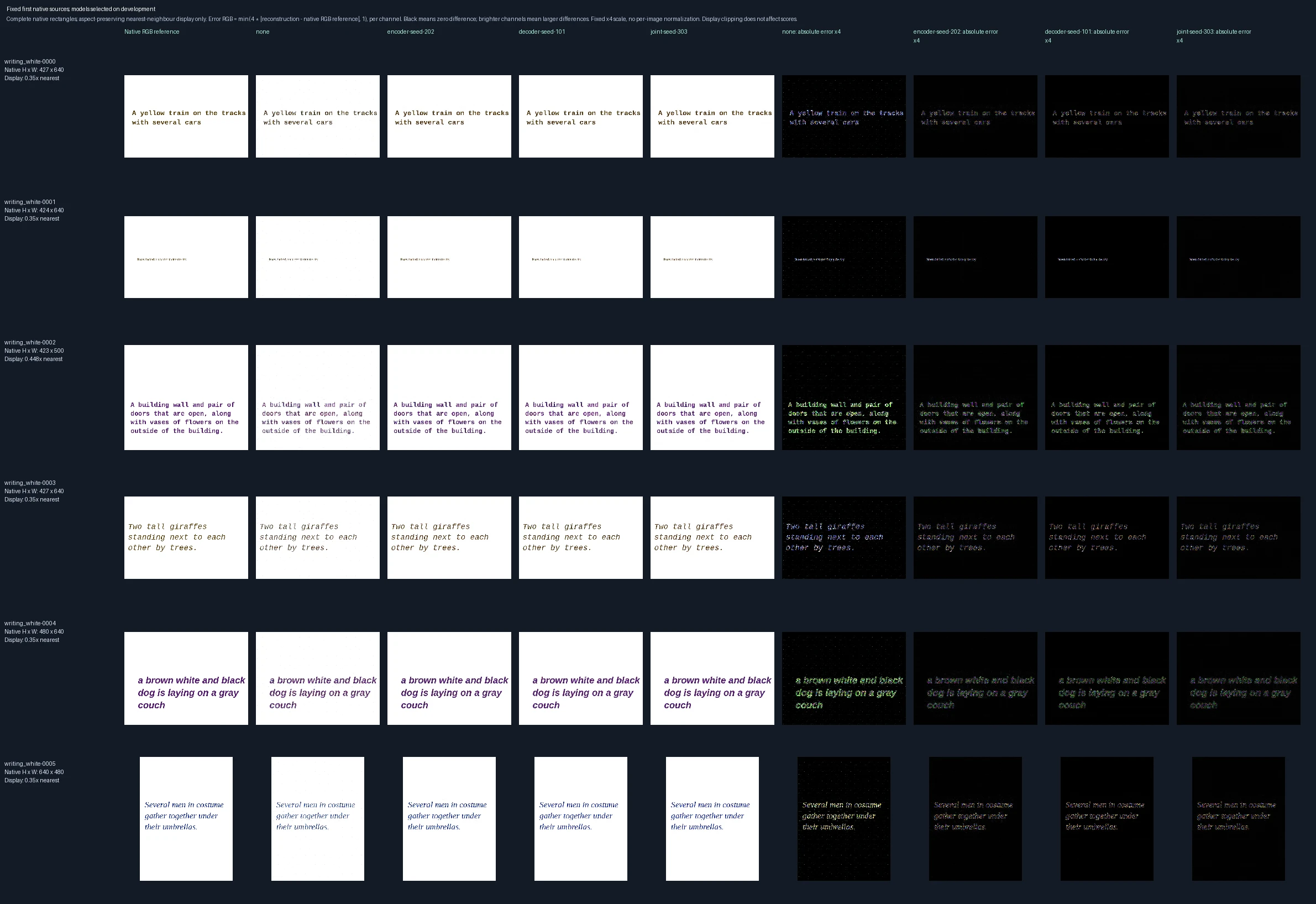
The first six test examples in predetermined order, not selected for reconstruction quality. Left to right: original reference; unchanged starting model (“none”); encoder-only, decoder-only and jointly trained models; then four matching error panels. Each trained model was chosen using development data before these test images were evaluated. Error panels show four times the absolute RGB difference from the reference, separately for each color channel, clipped at full brightness. Darker pixels mean smaller errors; black is zero or below the display’s precision. The scale is fixed across examples, not adjusted to make each image look better. The writing is supplied as image pixels; this tests visual reconstruction, not reading comprehension.
Rendered writing on white backgrounds: comparing fine detail across training choices

The central crop of the first test image, at most 128 × 128 source pixels, enlarged twofold. The crop was chosen by position, not reconstruction quality. Left to right: original reference; unchanged starting model (“none”); encoder-only, decoder-only and jointly trained models; then four matching error panels. Each trained model was chosen using development data before these test images were evaluated. Error panels show four times the absolute RGB difference from the reference, separately for each color channel, clipped at full brightness. Darker pixels mean smaller errors; black is zero or below the display’s precision. The scale is fixed across examples, not adjusted to make each image look better. The writing is supplied as image pixels; this tests visual reconstruction, not reading comprehension.
Rendered writing on white backgrounds: smallest improvements from joint training
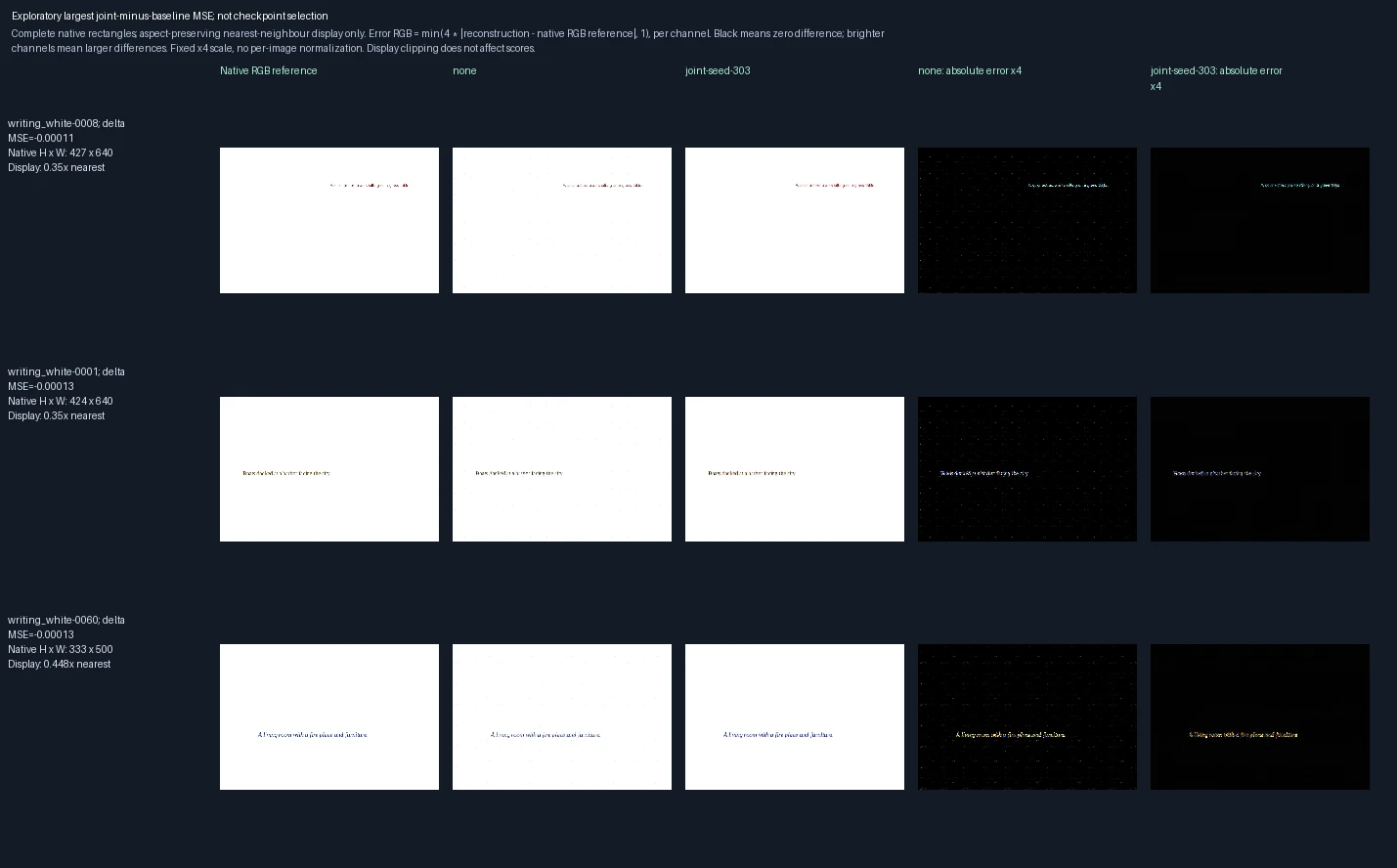
The three test images with the smallest whole-image MSE gains after joint training, selected after evaluation to show the least favorable cases. Left to right: reference, unchanged model, jointly trained model, and the corresponding two error panels. All three differences are negative, meaning error decreased; these are not regressions. The numerical difference in each row is joint-model MSE minus starting-model MSE. Error panels show four times the absolute RGB difference from the reference, separately for each color channel, clipped at full brightness. Darker pixels mean smaller errors; black is zero or below the display’s precision. The scale is fixed across examples, not adjusted to make each image look better. The writing is supplied as image pixels; this tests visual reconstruction, not reading comprehension.
Rendered writing on photographs: comparing encoder, decoder and joint refinement
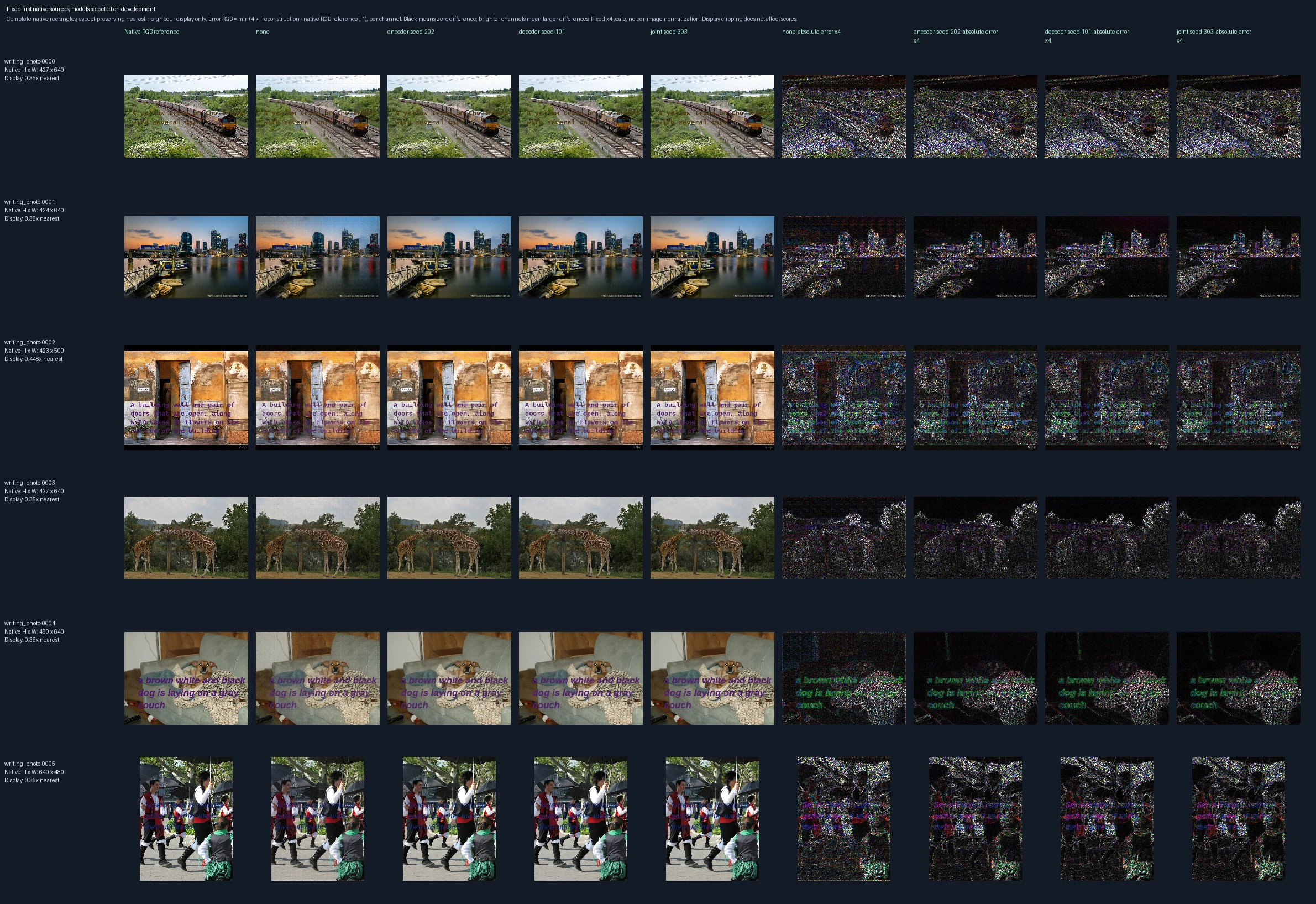
The first six test examples in predetermined order, not selected for reconstruction quality. Left to right: original reference; unchanged starting model (“none”); encoder-only, decoder-only and jointly trained models; then four matching error panels. Each trained model was chosen using development data before these test images were evaluated. Error panels show four times the absolute RGB difference from the reference, separately for each color channel, clipped at full brightness. Darker pixels mean smaller errors; black is zero or below the display’s precision. The scale is fixed across examples, not adjusted to make each image look better. The writing is supplied as image pixels; this tests visual reconstruction, not reading comprehension.
Rendered writing on photographs: comparing fine detail across training choices

The central crop of the first test image, at most 128 × 128 source pixels, enlarged twofold. The crop was chosen by position, not reconstruction quality. Left to right: original reference; unchanged starting model (“none”); encoder-only, decoder-only and jointly trained models; then four matching error panels. Each trained model was chosen using development data before these test images were evaluated. Error panels show four times the absolute RGB difference from the reference, separately for each color channel, clipped at full brightness. Darker pixels mean smaller errors; black is zero or below the display’s precision. The scale is fixed across examples, not adjusted to make each image look better. The writing is supplied as image pixels; this tests visual reconstruction, not reading comprehension.
Rendered writing on photographs: smallest improvements from joint training
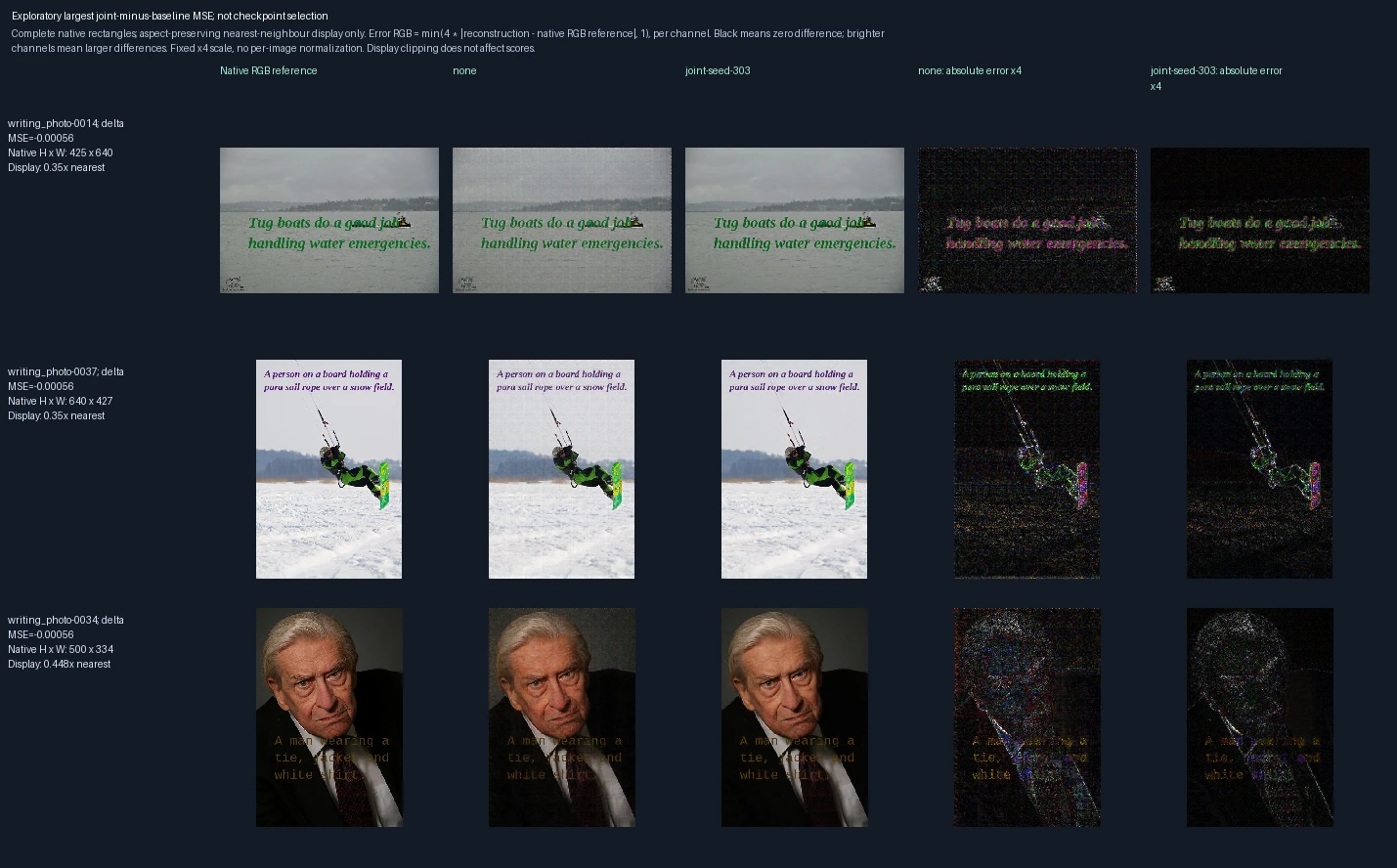
The three test images with the smallest whole-image MSE gains after joint training, selected after evaluation to show the least favorable cases. Left to right: reference, unchanged model, jointly trained model, and the corresponding two error panels. All three differences are negative, meaning error decreased; these are not regressions. The numerical difference in each row is joint-model MSE minus starting-model MSE. Error panels show four times the absolute RGB difference from the reference, separately for each color channel, clipped at full brightness. Darker pixels mean smaller errors; black is zero or below the display’s precision. The scale is fixed across examples, not adjusted to make each image look better. The writing is supplied as image pixels; this tests visual reconstruction, not reading comprehension.
Encoder-only training: can it still read earlier native-size memories?
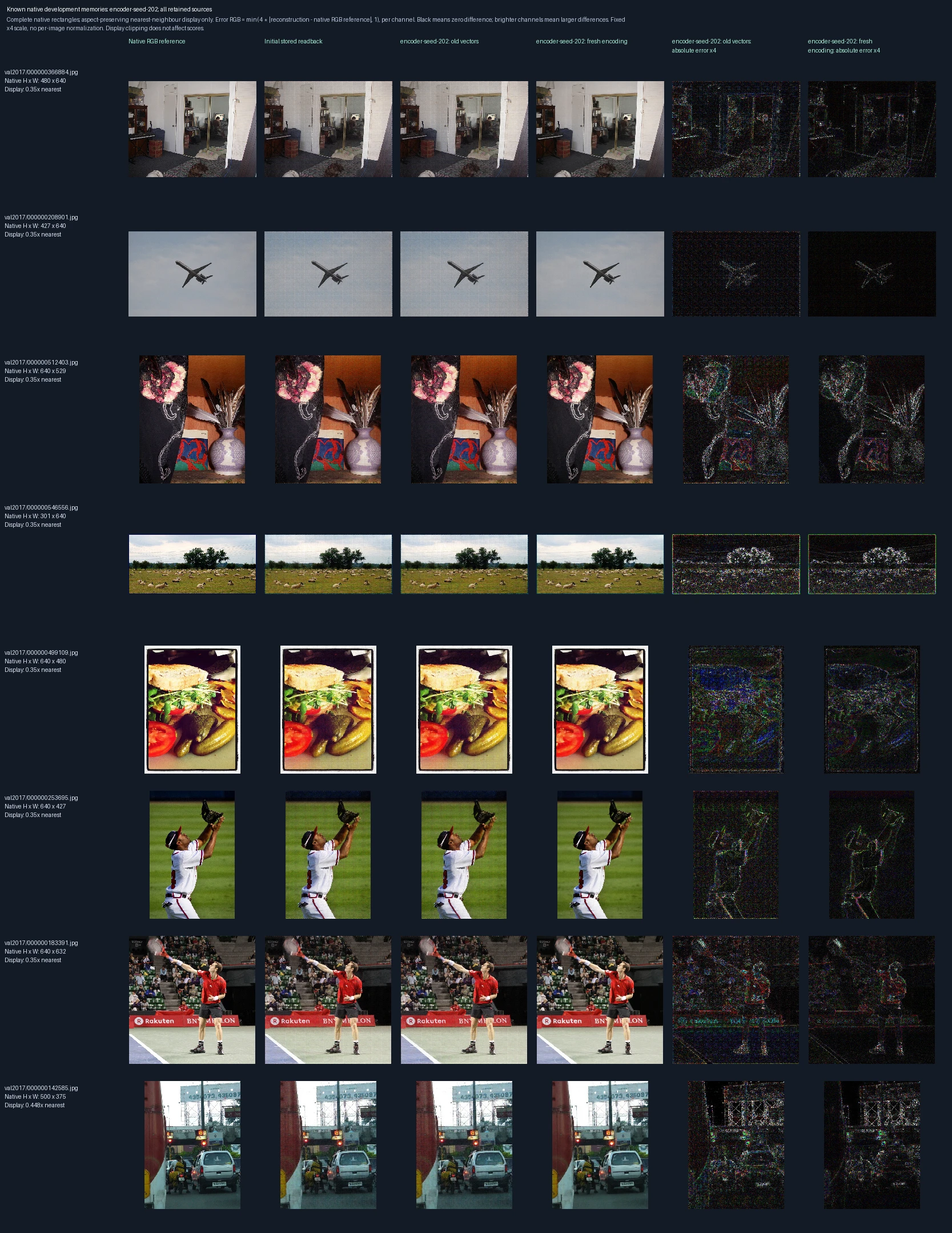
All eight previously retained development photographs, in recorded order. Left to right: original pixels, original stored-vector reconstruction, the candidate decoder reading the same old vectors, and the candidate encoding and decoding the images again. The last two panels show errors for the candidate’s old-vector and newly encoded outputs. Compare these to distinguish memory compatibility from fidelity after new encoding. These are known development images, not independent test images. Error panels show four times the absolute RGB difference from the reference, separately for each color channel, clipped at full brightness. Darker pixels mean smaller errors; black is zero or below the display’s precision. The scale is fixed across examples, not adjusted to make each image look better.
Encoder-only training: detail from an earlier native-size memory
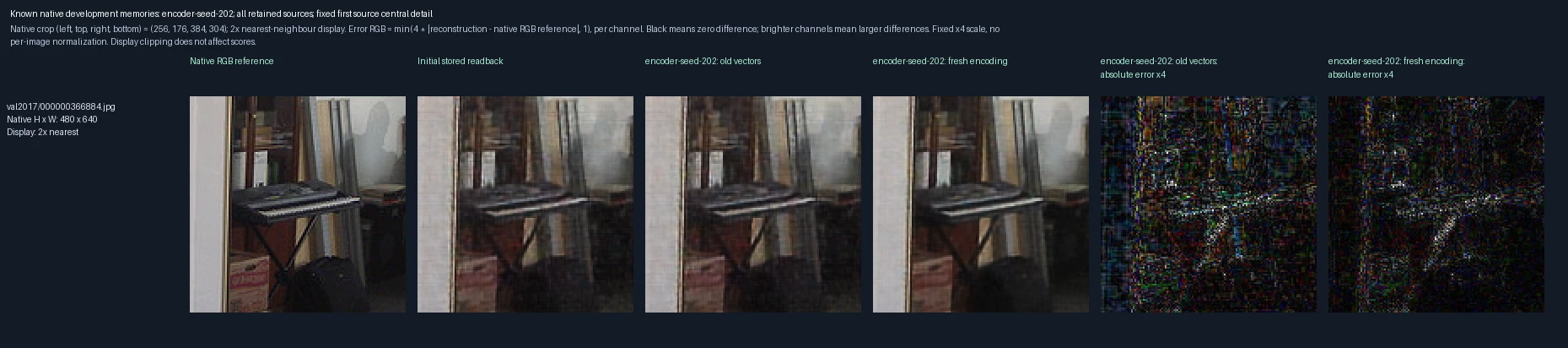
The central crop of the first retained development photograph, enlarged twofold. Left to right: original pixels, original stored-vector reconstruction, the candidate decoder reading the same old vectors, and the candidate encoding and decoding the images again. The last two panels show errors for the candidate’s old-vector and newly encoded outputs. Compare these to distinguish memory compatibility from fidelity after new encoding. These are known development images, not independent test images. Error panels show four times the absolute RGB difference from the reference, separately for each color channel, clipped at full brightness. Darker pixels mean smaller errors; black is zero or below the display’s precision. The scale is fixed across examples, not adjusted to make each image look better.
Encoder-only training: reading earlier 64-pixel memories
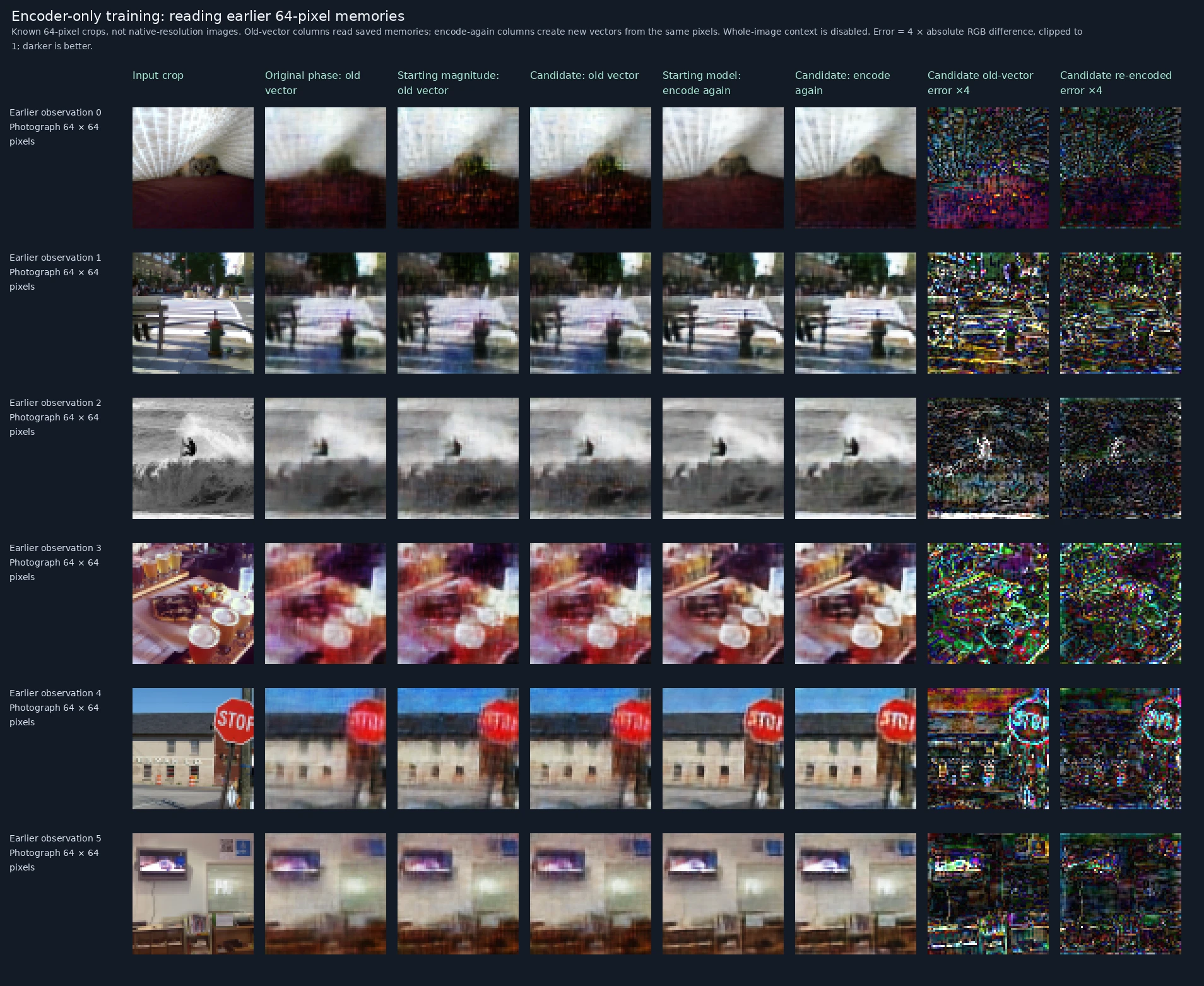
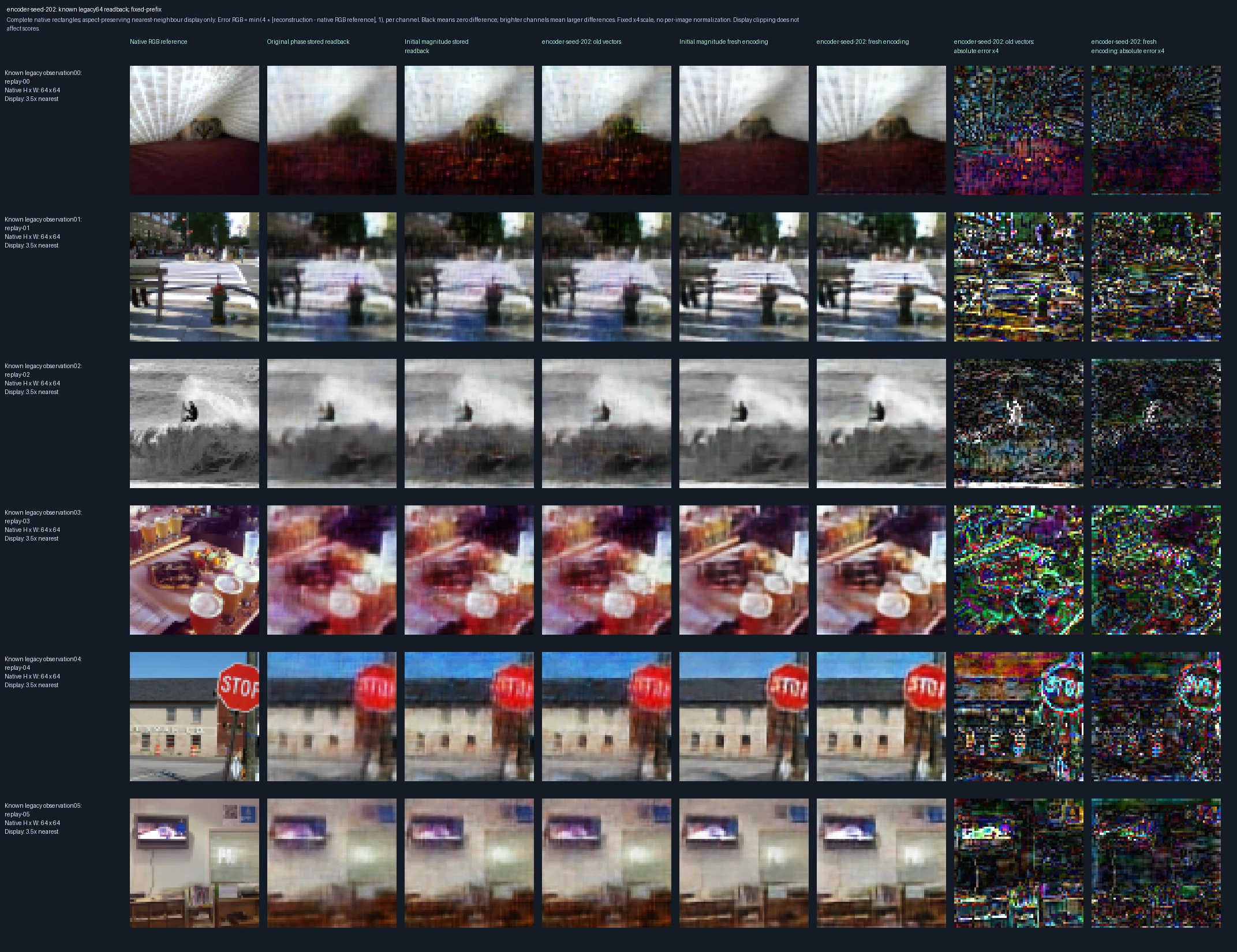
The first six earlier observations, in their recorded order. Left to right: original 64-pixel input; original phase-only decoder reading its old vector; starting magnitude-preserving decoder reading that vector; trained candidate reading it; starting model encoding and decoding the input again; trained candidate doing the same; then the candidate’s old-vector and newly encoded errors. This separates changing the reader from changing the representation. These are previously encountered images, with whole-image context disabled for this compatibility check. Error panels show four times the absolute RGB difference from the reference, separately for each color channel, clipped at full brightness. Darker pixels mean smaller errors; black is zero or below the display’s precision. The scale is fixed across examples, not adjusted to make each image look better.

Original recorded figure ↗

Encoder-only training: largest old-memory readback changes
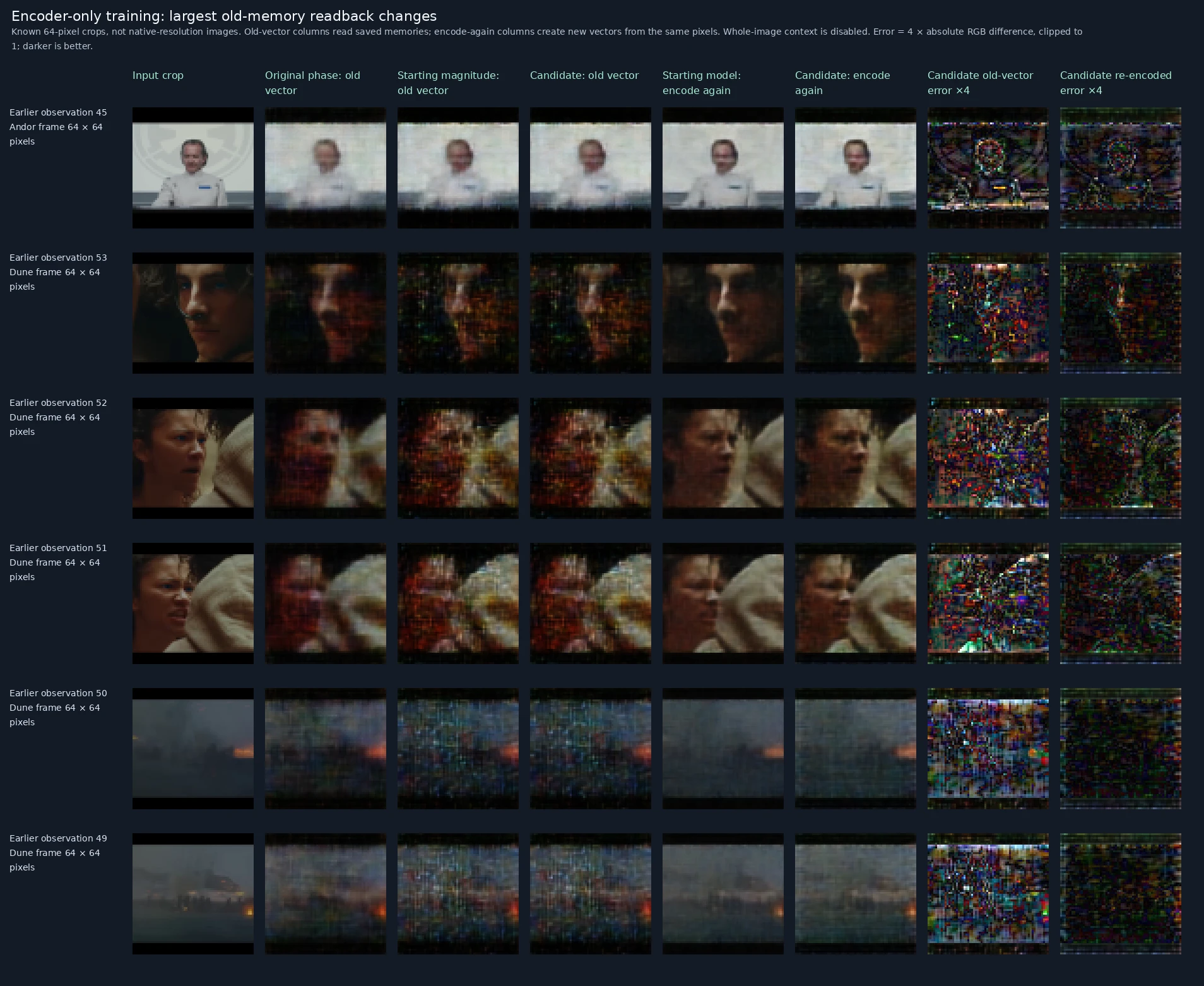
The six most unfavorable changes in MSE when the candidate decodes actual old vectors, selected after measurement. Left to right: original 64-pixel input; original phase-only decoder reading its old vector; starting magnitude-preserving decoder reading that vector; trained candidate reading it; starting model encoding and decoding the input again; trained candidate doing the same; then the candidate’s old-vector and newly encoded errors. This separates changing the reader from changing the representation. These are previously encountered images, with whole-image context disabled for this compatibility check. Error panels show four times the absolute RGB difference from the reference, separately for each color channel, clipped at full brightness. Darker pixels mean smaller errors; black is zero or below the display’s precision. The scale is fixed across examples, not adjusted to make each image look better.

Original recorded figure ↗

Encoder-only training: largest changes when old inputs are encoded again
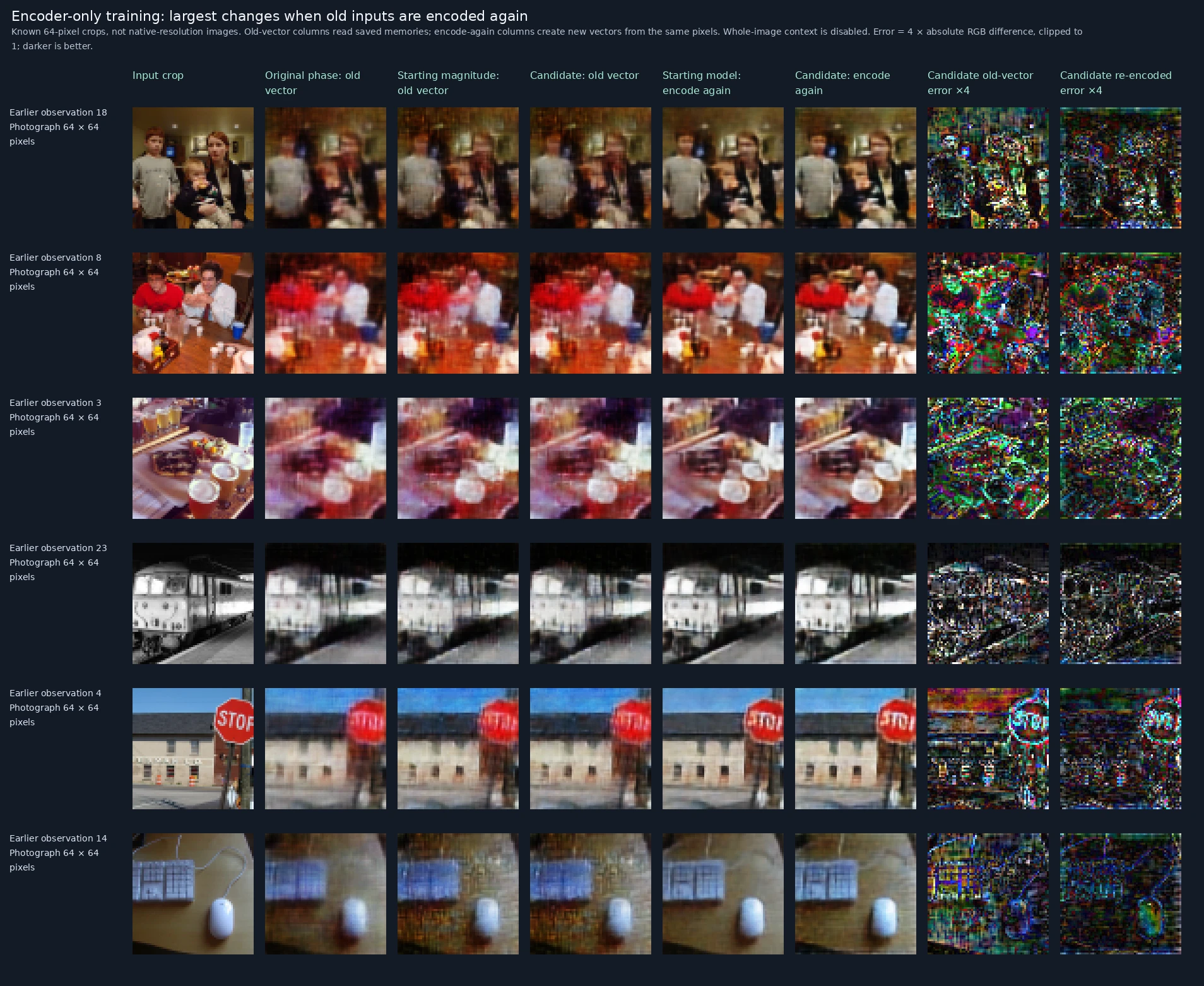
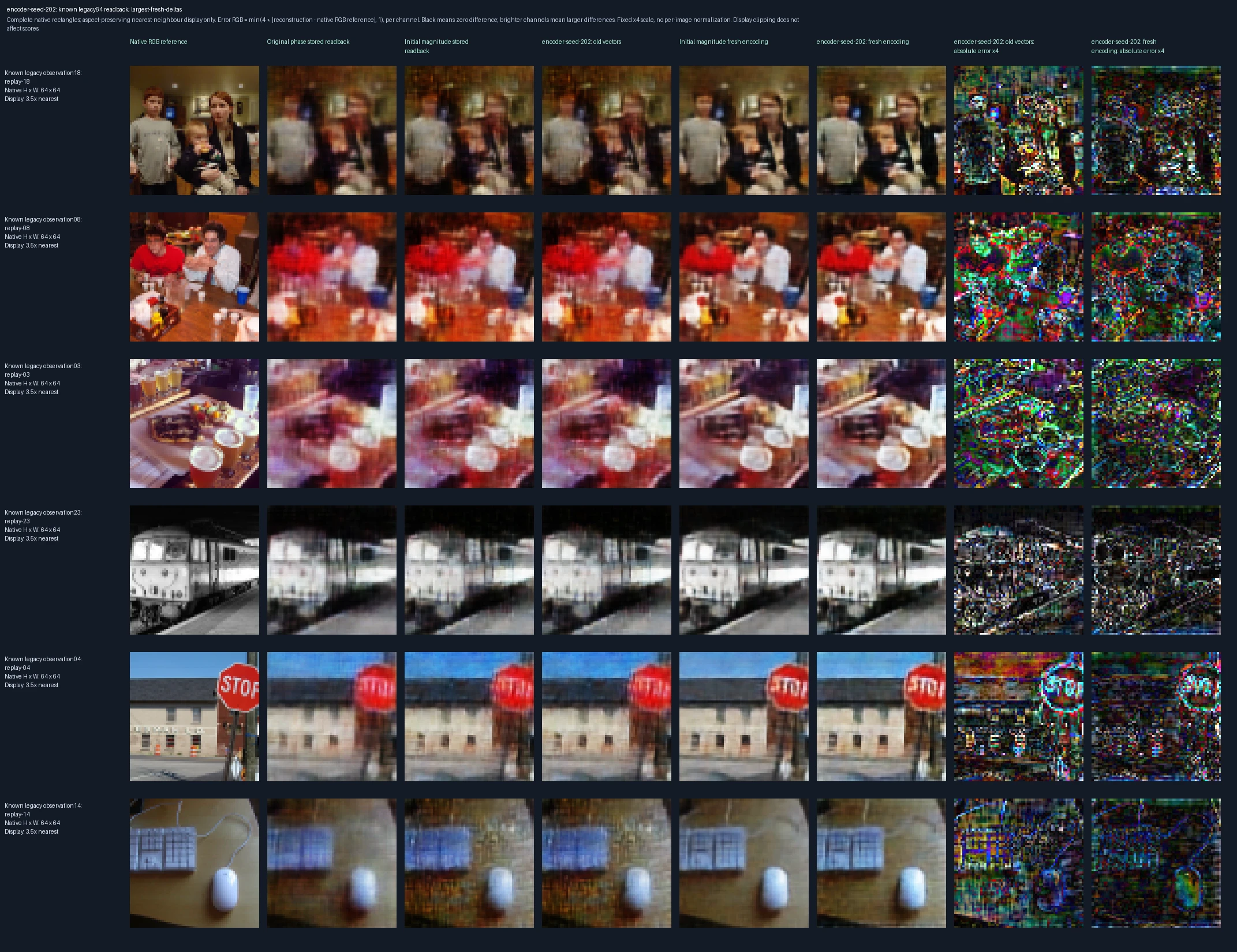
The six most unfavorable changes in MSE when old inputs are encoded again, selected after measurement. Left to right: original 64-pixel input; original phase-only decoder reading its old vector; starting magnitude-preserving decoder reading that vector; trained candidate reading it; starting model encoding and decoding the input again; trained candidate doing the same; then the candidate’s old-vector and newly encoded errors. This separates changing the reader from changing the representation. These are previously encountered images, with whole-image context disabled for this compatibility check. Error panels show four times the absolute RGB difference from the reference, separately for each color channel, clipped at full brightness. Darker pixels mean smaller errors; black is zero or below the display’s precision. The scale is fixed across examples, not adjusted to make each image look better.

Original recorded figure ↗

Decoder-only training: can it still read earlier native-size memories?
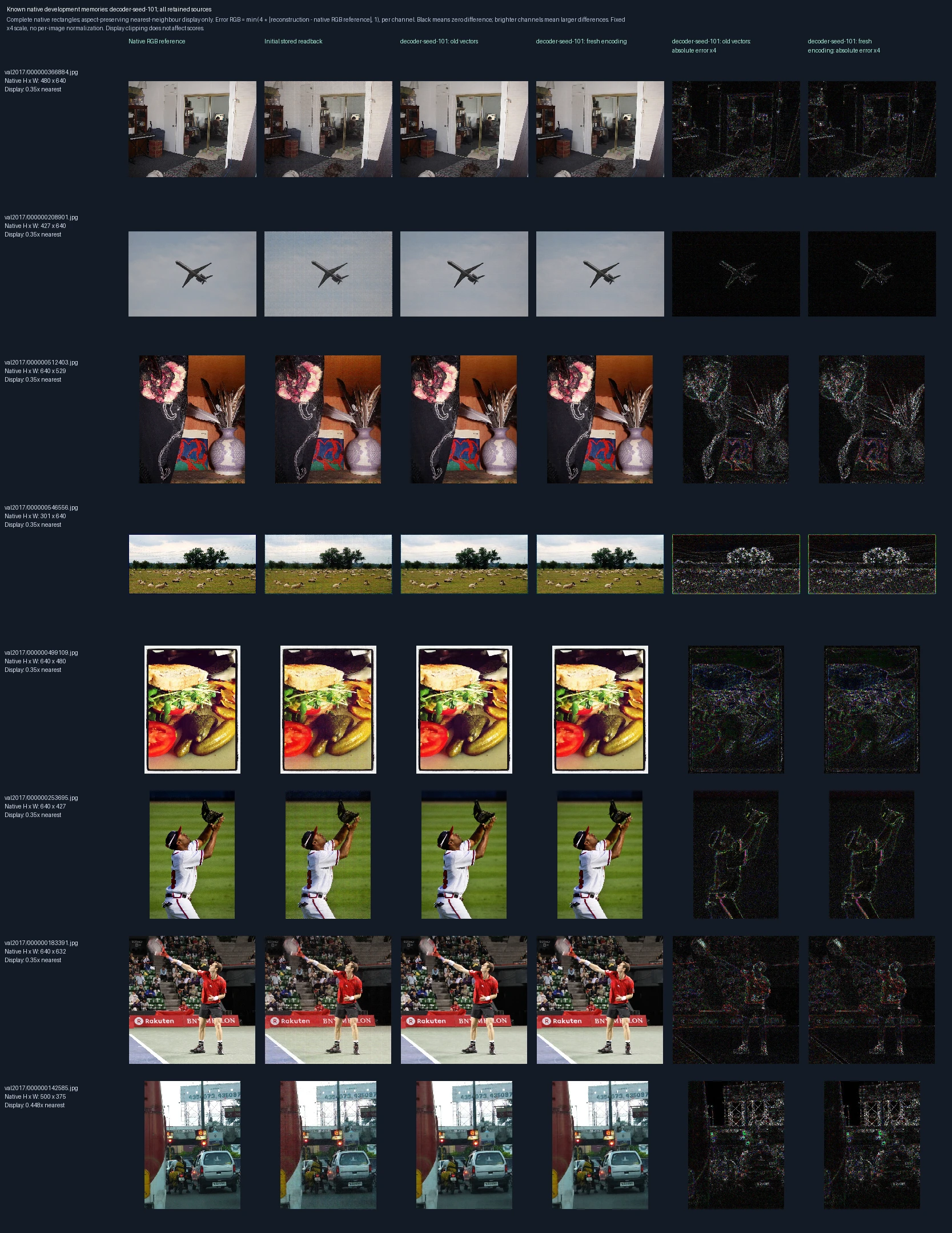
All eight previously retained development photographs, in recorded order. Left to right: original pixels, original stored-vector reconstruction, the candidate decoder reading the same old vectors, and the candidate encoding and decoding the images again. The last two panels show errors for the candidate’s old-vector and newly encoded outputs. Compare these to distinguish memory compatibility from fidelity after new encoding. These are known development images, not independent test images. Error panels show four times the absolute RGB difference from the reference, separately for each color channel, clipped at full brightness. Darker pixels mean smaller errors; black is zero or below the display’s precision. The scale is fixed across examples, not adjusted to make each image look better.
Decoder-only training: detail from an earlier native-size memory
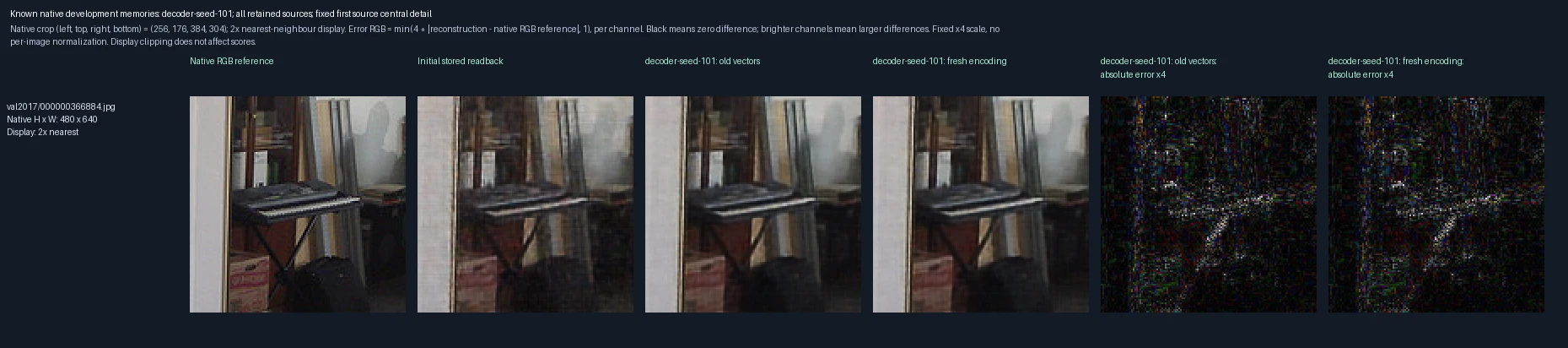
The central crop of the first retained development photograph, enlarged twofold. Left to right: original pixels, original stored-vector reconstruction, the candidate decoder reading the same old vectors, and the candidate encoding and decoding the images again. The last two panels show errors for the candidate’s old-vector and newly encoded outputs. Compare these to distinguish memory compatibility from fidelity after new encoding. These are known development images, not independent test images. Error panels show four times the absolute RGB difference from the reference, separately for each color channel, clipped at full brightness. Darker pixels mean smaller errors; black is zero or below the display’s precision. The scale is fixed across examples, not adjusted to make each image look better.
Decoder-only training: reading earlier 64-pixel memories
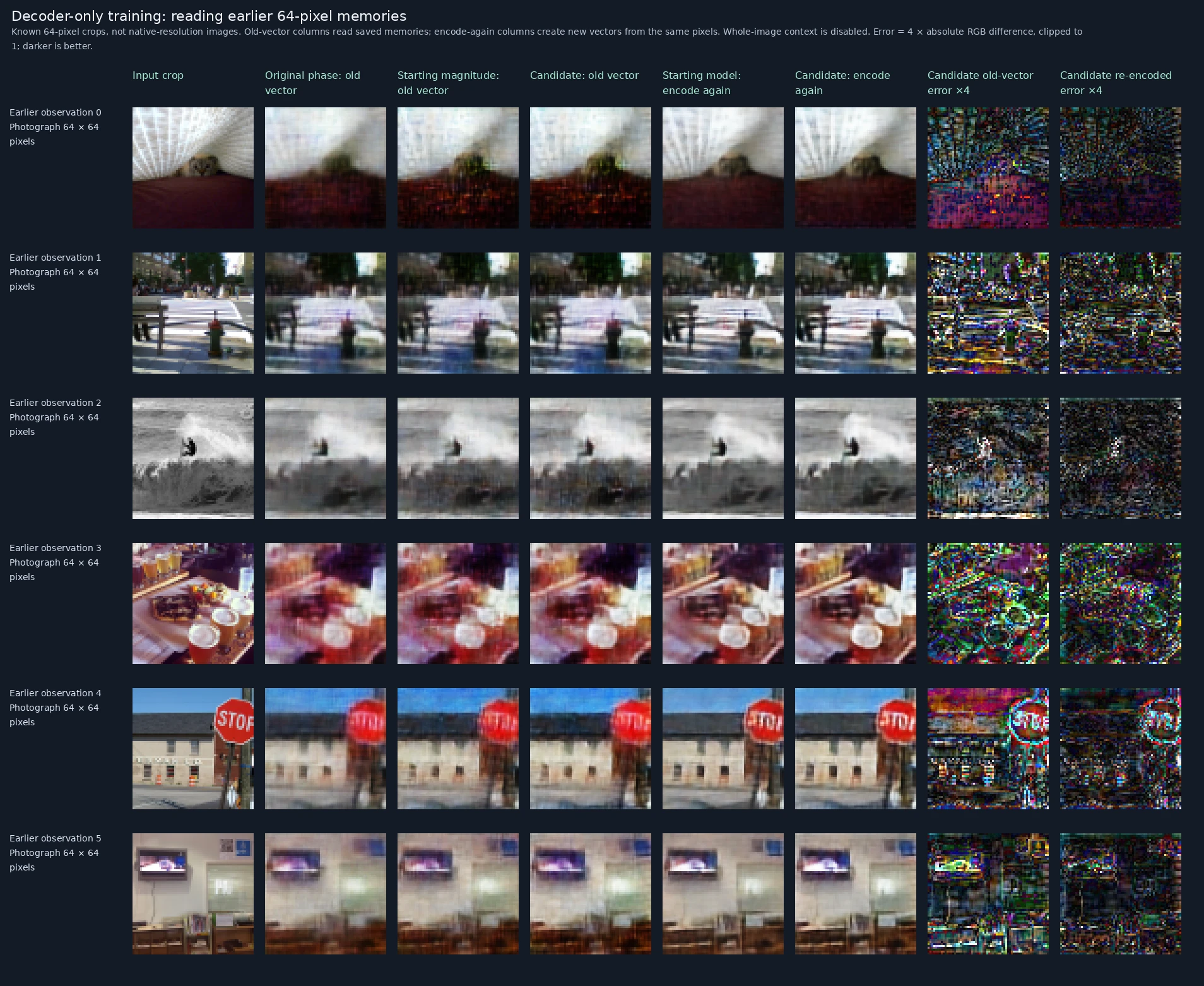
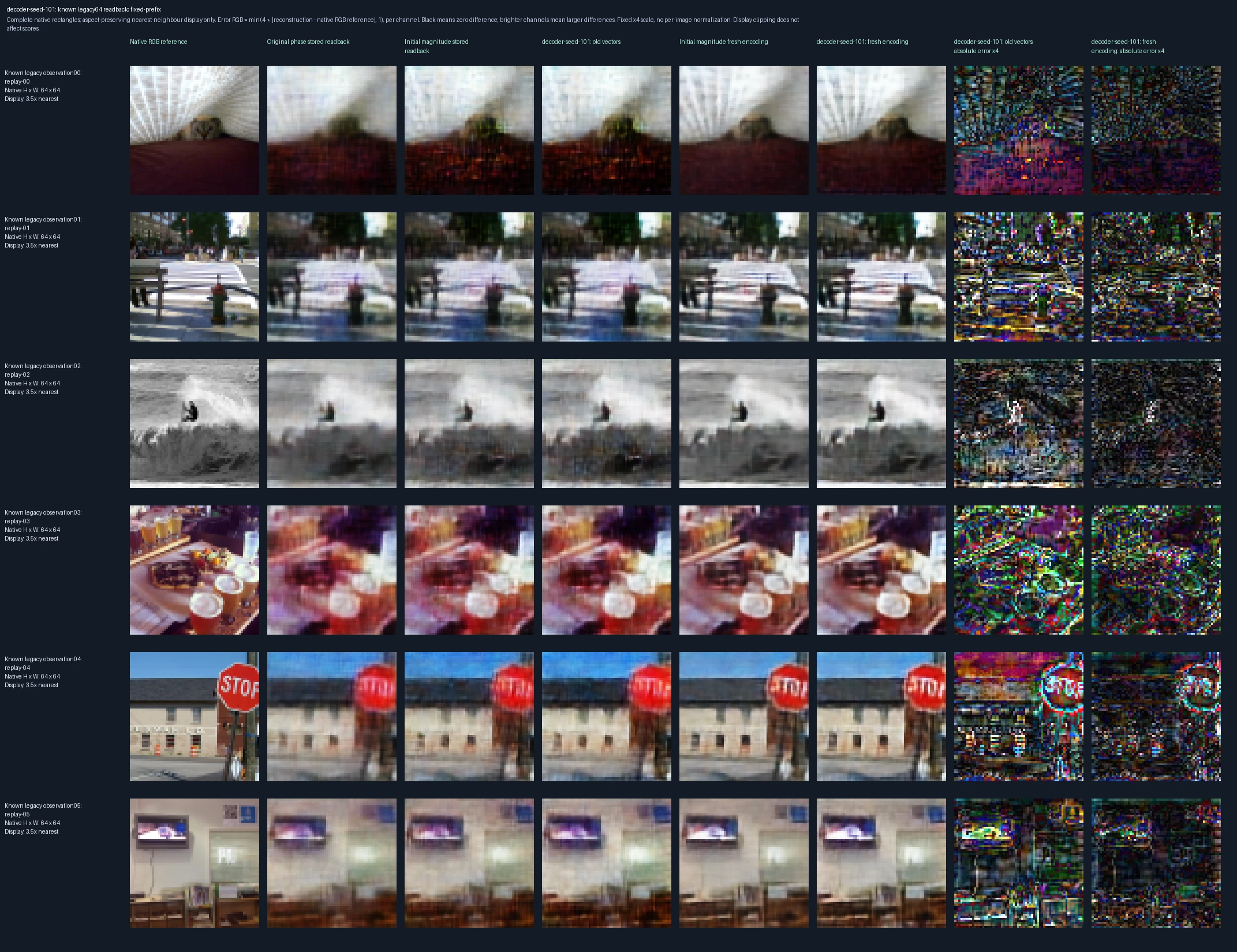
The first six earlier observations, in their recorded order. Left to right: original 64-pixel input; original phase-only decoder reading its old vector; starting magnitude-preserving decoder reading that vector; trained candidate reading it; starting model encoding and decoding the input again; trained candidate doing the same; then the candidate’s old-vector and newly encoded errors. This separates changing the reader from changing the representation. These are previously encountered images, with whole-image context disabled for this compatibility check. Error panels show four times the absolute RGB difference from the reference, separately for each color channel, clipped at full brightness. Darker pixels mean smaller errors; black is zero or below the display’s precision. The scale is fixed across examples, not adjusted to make each image look better.

Original recorded figure ↗

Decoder-only training: largest old-memory readback changes
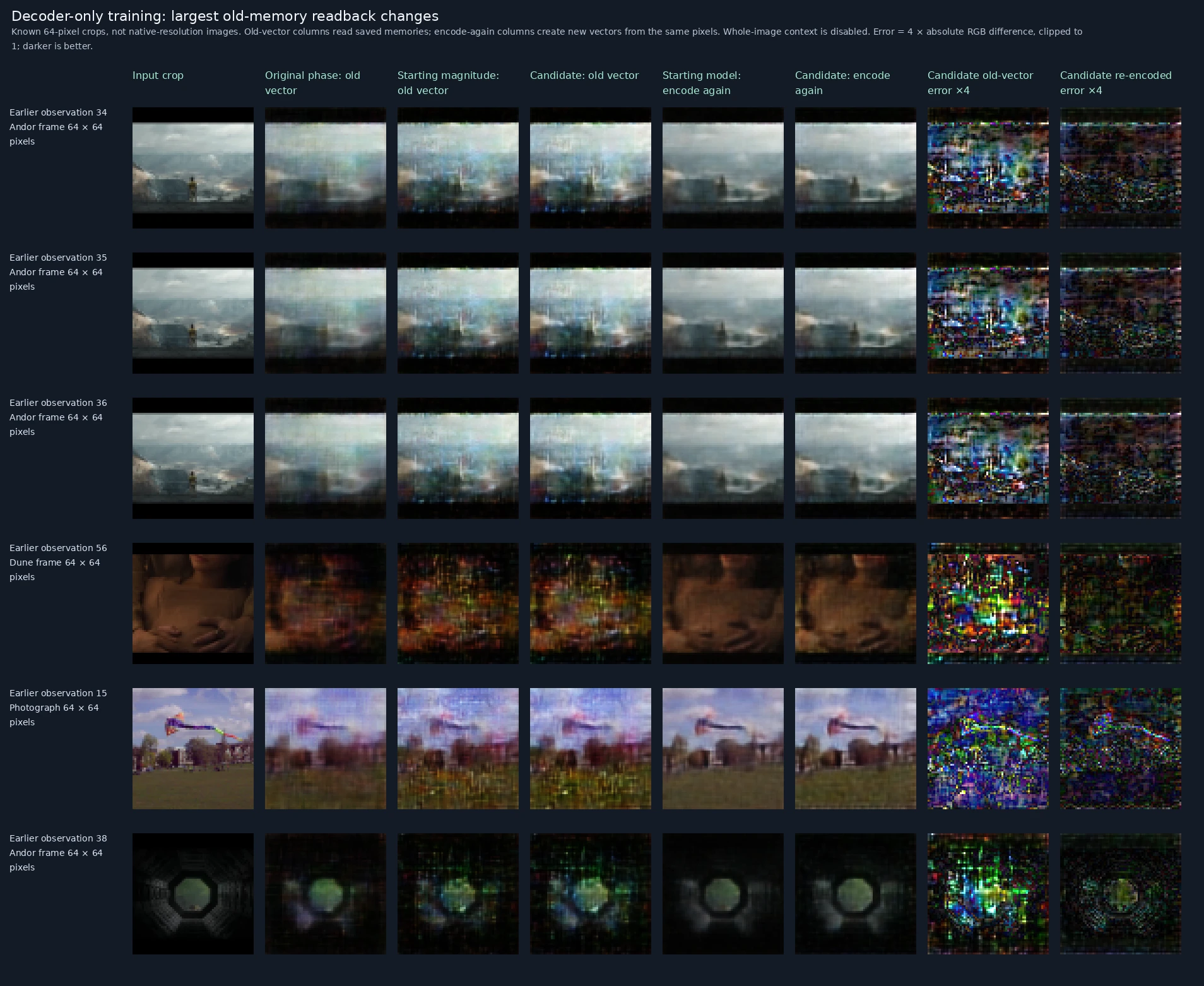
The six most unfavorable changes in MSE when the candidate decodes actual old vectors, selected after measurement. Left to right: original 64-pixel input; original phase-only decoder reading its old vector; starting magnitude-preserving decoder reading that vector; trained candidate reading it; starting model encoding and decoding the input again; trained candidate doing the same; then the candidate’s old-vector and newly encoded errors. This separates changing the reader from changing the representation. These are previously encountered images, with whole-image context disabled for this compatibility check. Error panels show four times the absolute RGB difference from the reference, separately for each color channel, clipped at full brightness. Darker pixels mean smaller errors; black is zero or below the display’s precision. The scale is fixed across examples, not adjusted to make each image look better.

Original recorded figure ↗

Decoder-only training: largest changes when old inputs are encoded again
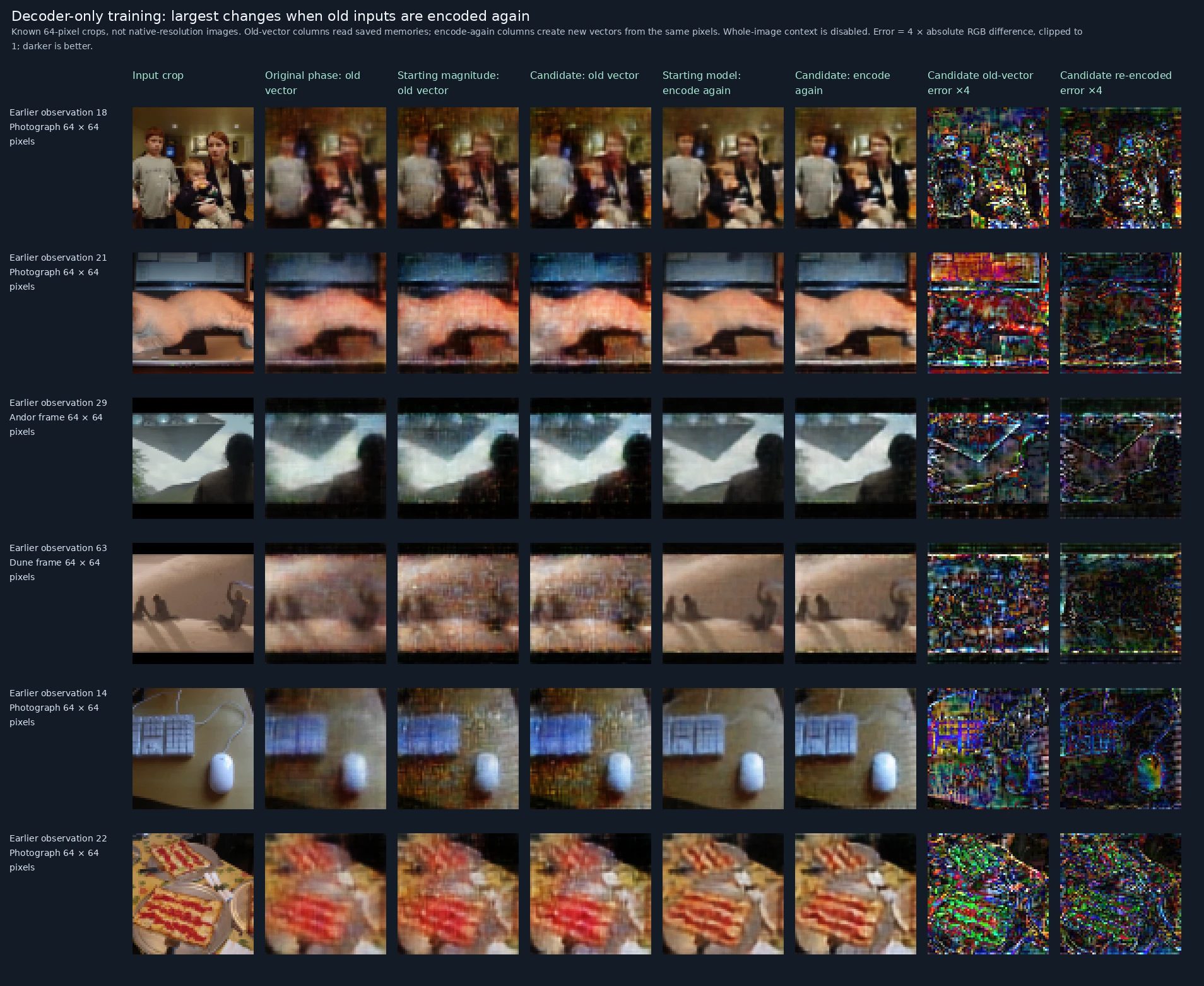
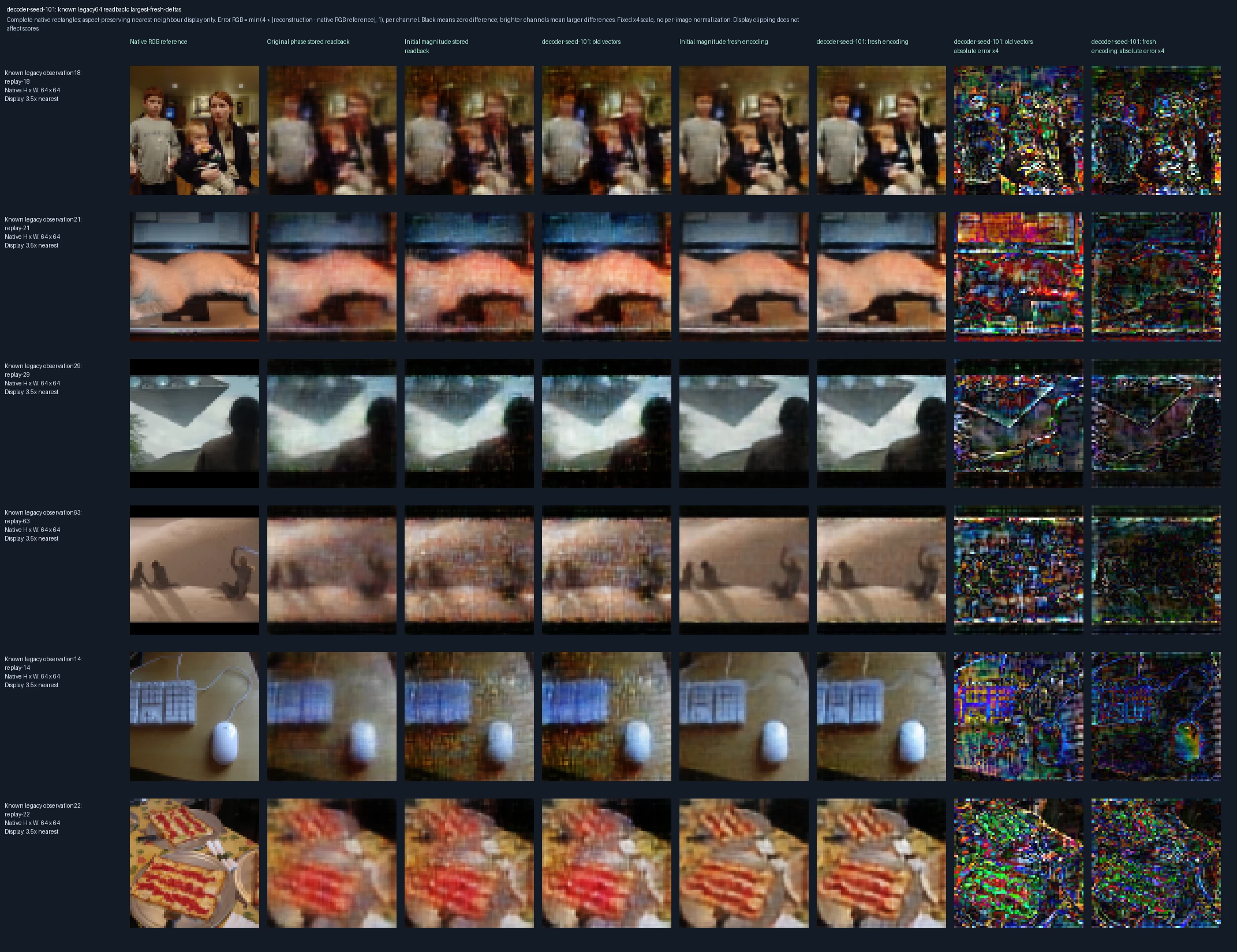
The six most unfavorable changes in MSE when old inputs are encoded again, selected after measurement. Left to right: original 64-pixel input; original phase-only decoder reading its old vector; starting magnitude-preserving decoder reading that vector; trained candidate reading it; starting model encoding and decoding the input again; trained candidate doing the same; then the candidate’s old-vector and newly encoded errors. This separates changing the reader from changing the representation. These are previously encountered images, with whole-image context disabled for this compatibility check. Error panels show four times the absolute RGB difference from the reference, separately for each color channel, clipped at full brightness. Darker pixels mean smaller errors; black is zero or below the display’s precision. The scale is fixed across examples, not adjusted to make each image look better.

Original recorded figure ↗

Encoder and decoder trained together: can it still read earlier native-size memories?
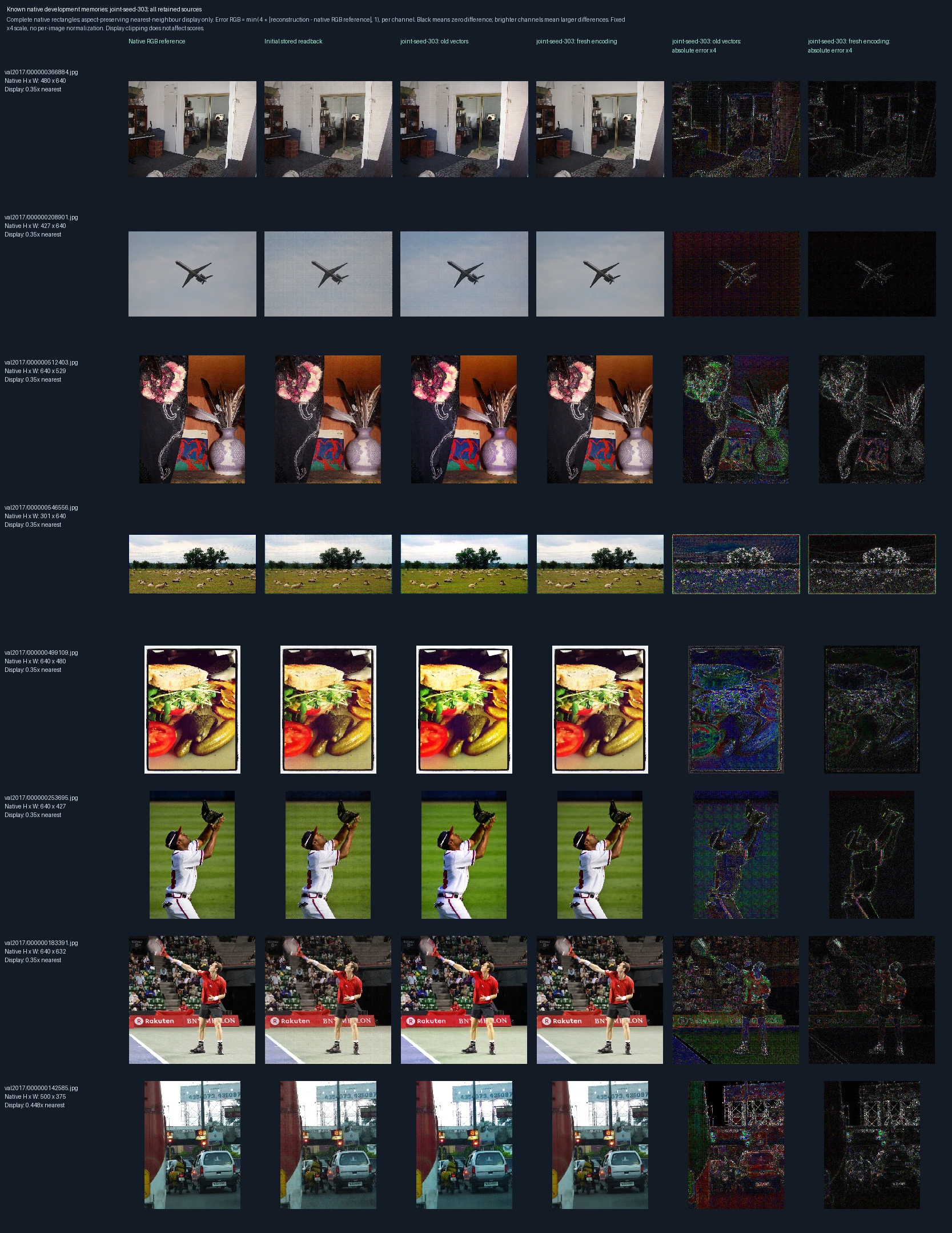
All eight previously retained development photographs, in recorded order. Left to right: original pixels, original stored-vector reconstruction, the candidate decoder reading the same old vectors, and the candidate encoding and decoding the images again. The last two panels show errors for the candidate’s old-vector and newly encoded outputs. Compare these to distinguish memory compatibility from fidelity after new encoding. These are known development images, not independent test images. Error panels show four times the absolute RGB difference from the reference, separately for each color channel, clipped at full brightness. Darker pixels mean smaller errors; black is zero or below the display’s precision. The scale is fixed across examples, not adjusted to make each image look better.
Encoder and decoder trained together: detail from an earlier native-size memory
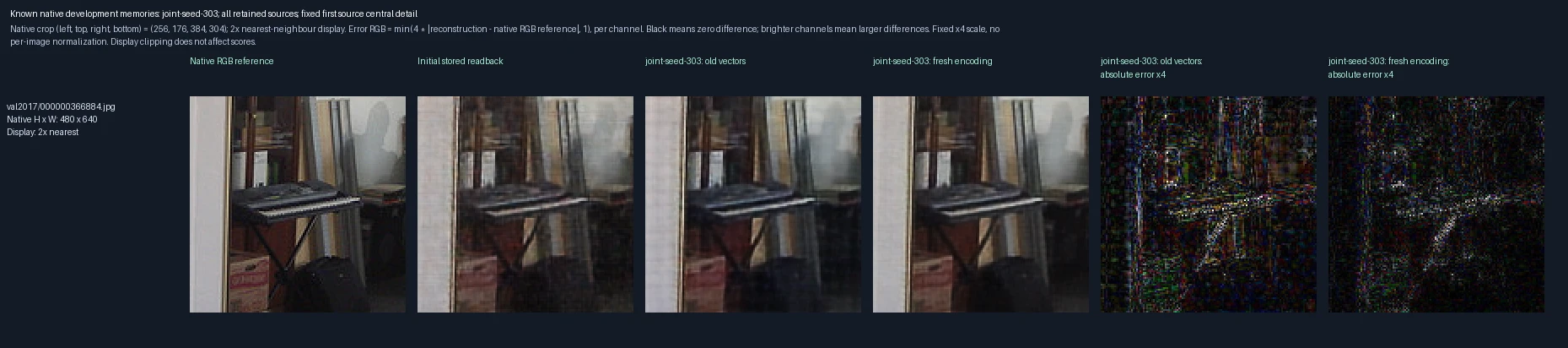
The central crop of the first retained development photograph, enlarged twofold. Left to right: original pixels, original stored-vector reconstruction, the candidate decoder reading the same old vectors, and the candidate encoding and decoding the images again. The last two panels show errors for the candidate’s old-vector and newly encoded outputs. Compare these to distinguish memory compatibility from fidelity after new encoding. These are known development images, not independent test images. Error panels show four times the absolute RGB difference from the reference, separately for each color channel, clipped at full brightness. Darker pixels mean smaller errors; black is zero or below the display’s precision. The scale is fixed across examples, not adjusted to make each image look better.
Encoder and decoder trained together: reading earlier 64-pixel memories
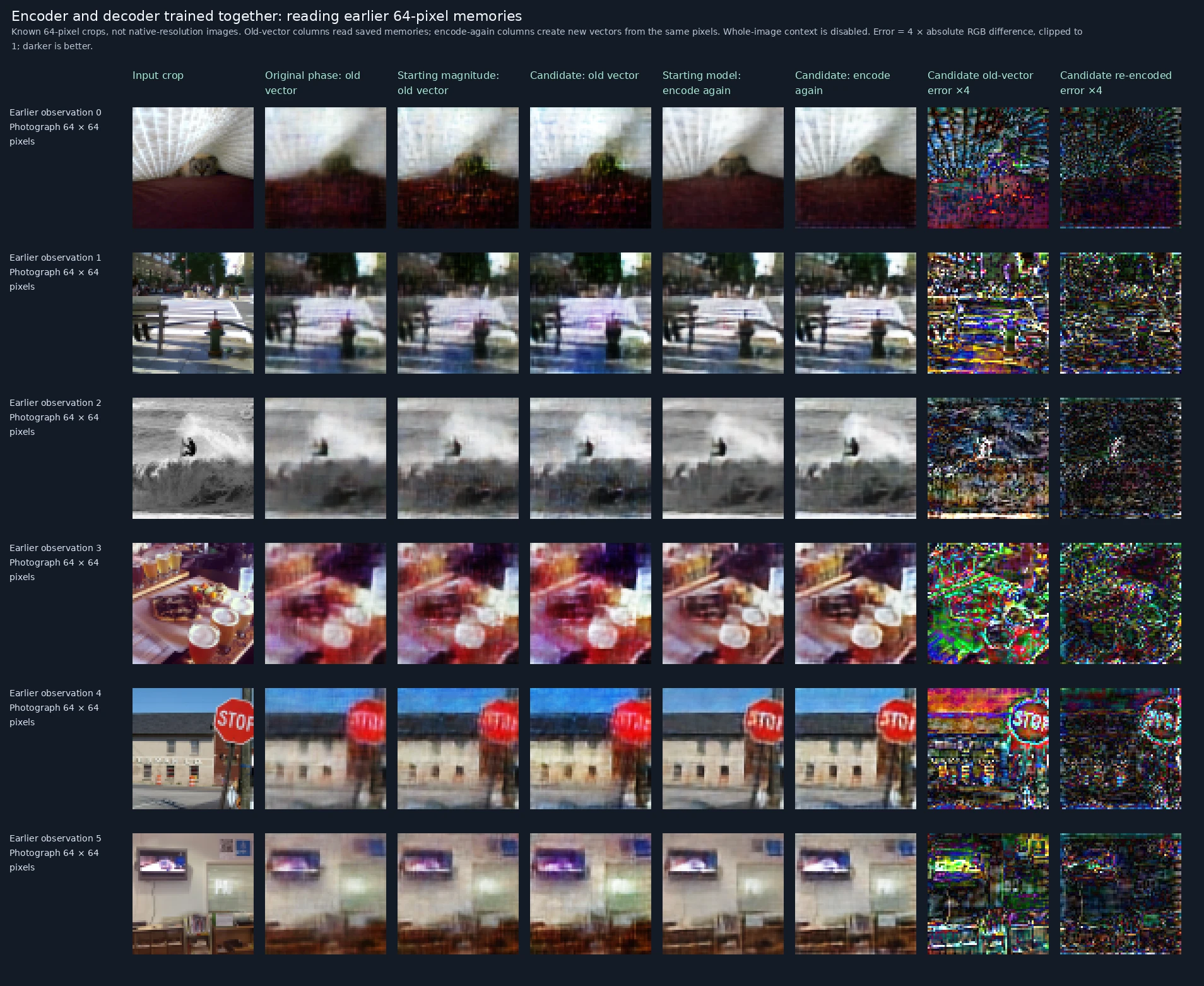
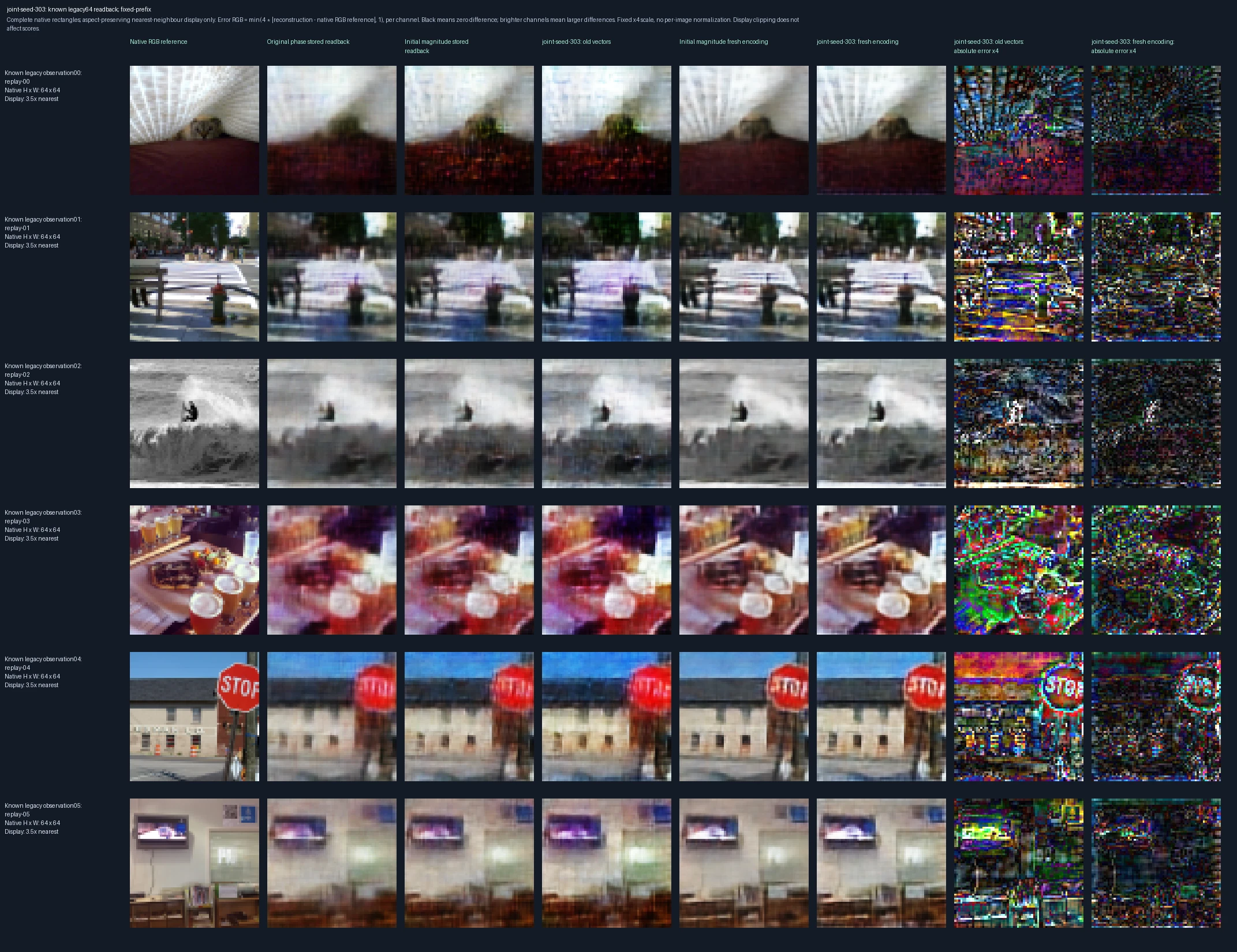
The first six earlier observations, in their recorded order. Left to right: original 64-pixel input; original phase-only decoder reading its old vector; starting magnitude-preserving decoder reading that vector; trained candidate reading it; starting model encoding and decoding the input again; trained candidate doing the same; then the candidate’s old-vector and newly encoded errors. This separates changing the reader from changing the representation. These are previously encountered images, with whole-image context disabled for this compatibility check. Error panels show four times the absolute RGB difference from the reference, separately for each color channel, clipped at full brightness. Darker pixels mean smaller errors; black is zero or below the display’s precision. The scale is fixed across examples, not adjusted to make each image look better.

Original recorded figure ↗

Encoder and decoder trained together: largest old-memory readback changes
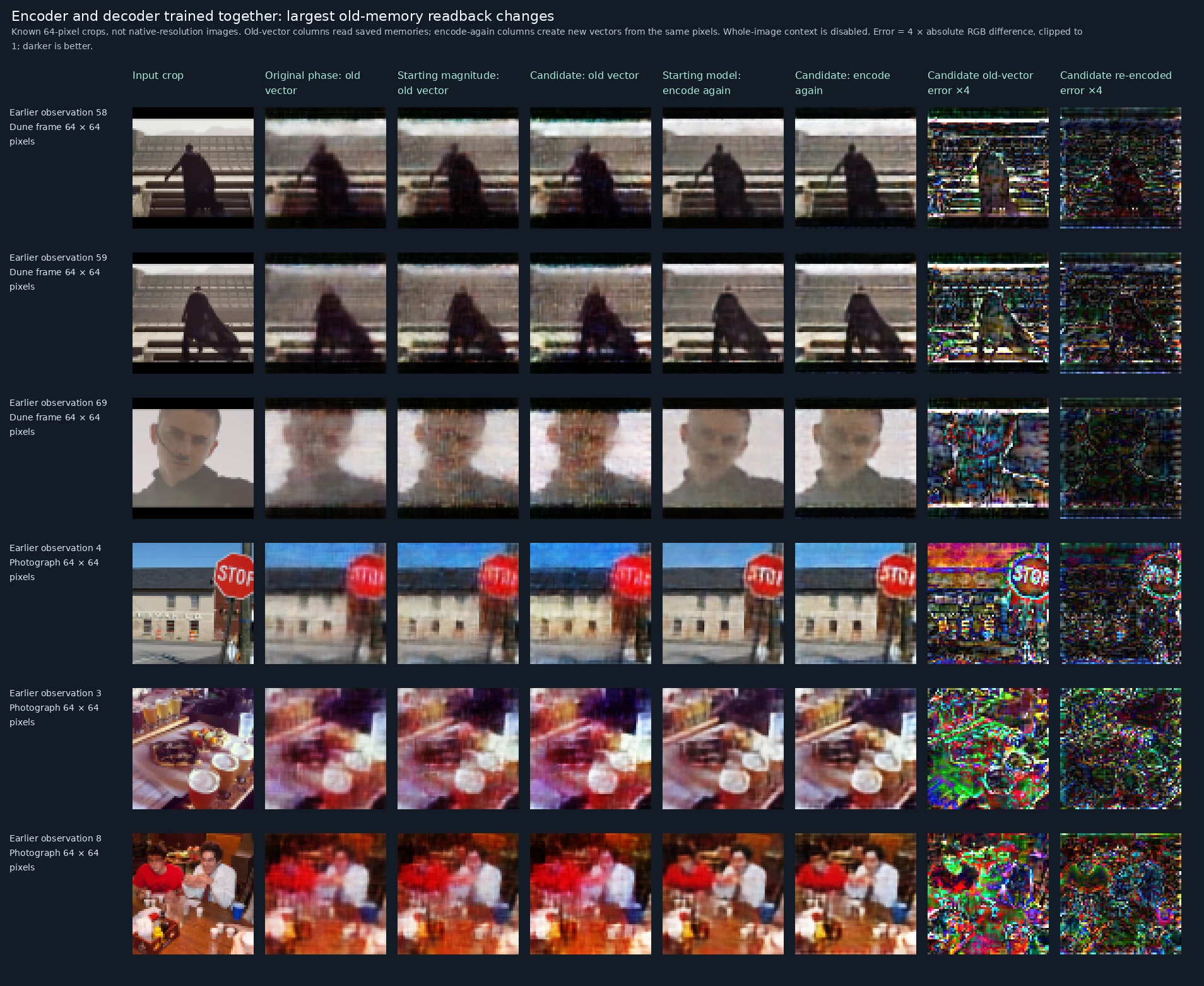
The six most unfavorable changes in MSE when the candidate decodes actual old vectors, selected after measurement. Left to right: original 64-pixel input; original phase-only decoder reading its old vector; starting magnitude-preserving decoder reading that vector; trained candidate reading it; starting model encoding and decoding the input again; trained candidate doing the same; then the candidate’s old-vector and newly encoded errors. This separates changing the reader from changing the representation. These are previously encountered images, with whole-image context disabled for this compatibility check. Error panels show four times the absolute RGB difference from the reference, separately for each color channel, clipped at full brightness. Darker pixels mean smaller errors; black is zero or below the display’s precision. The scale is fixed across examples, not adjusted to make each image look better.

Original recorded figure ↗

Encoder and decoder trained together: largest changes when old inputs are encoded again
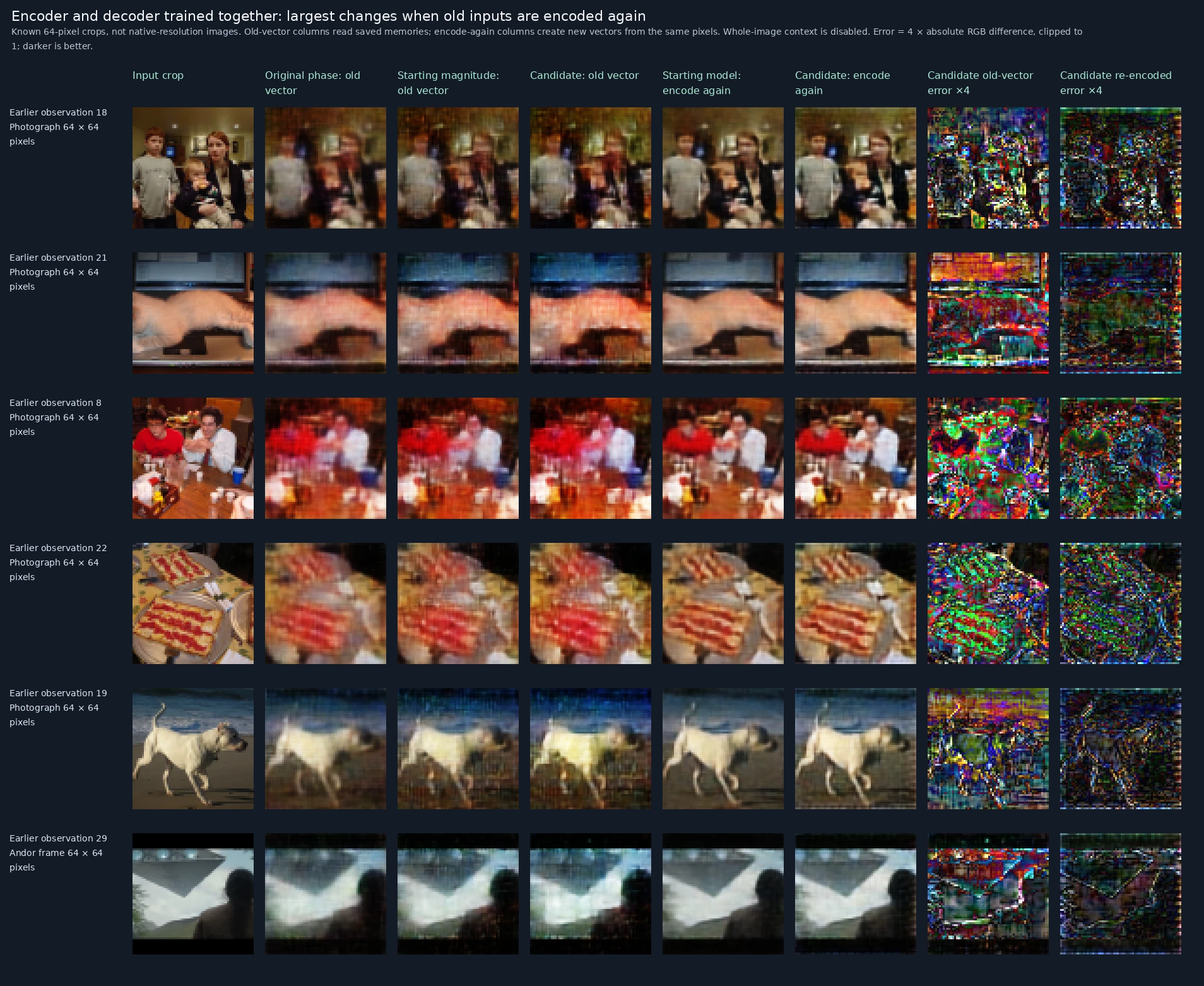
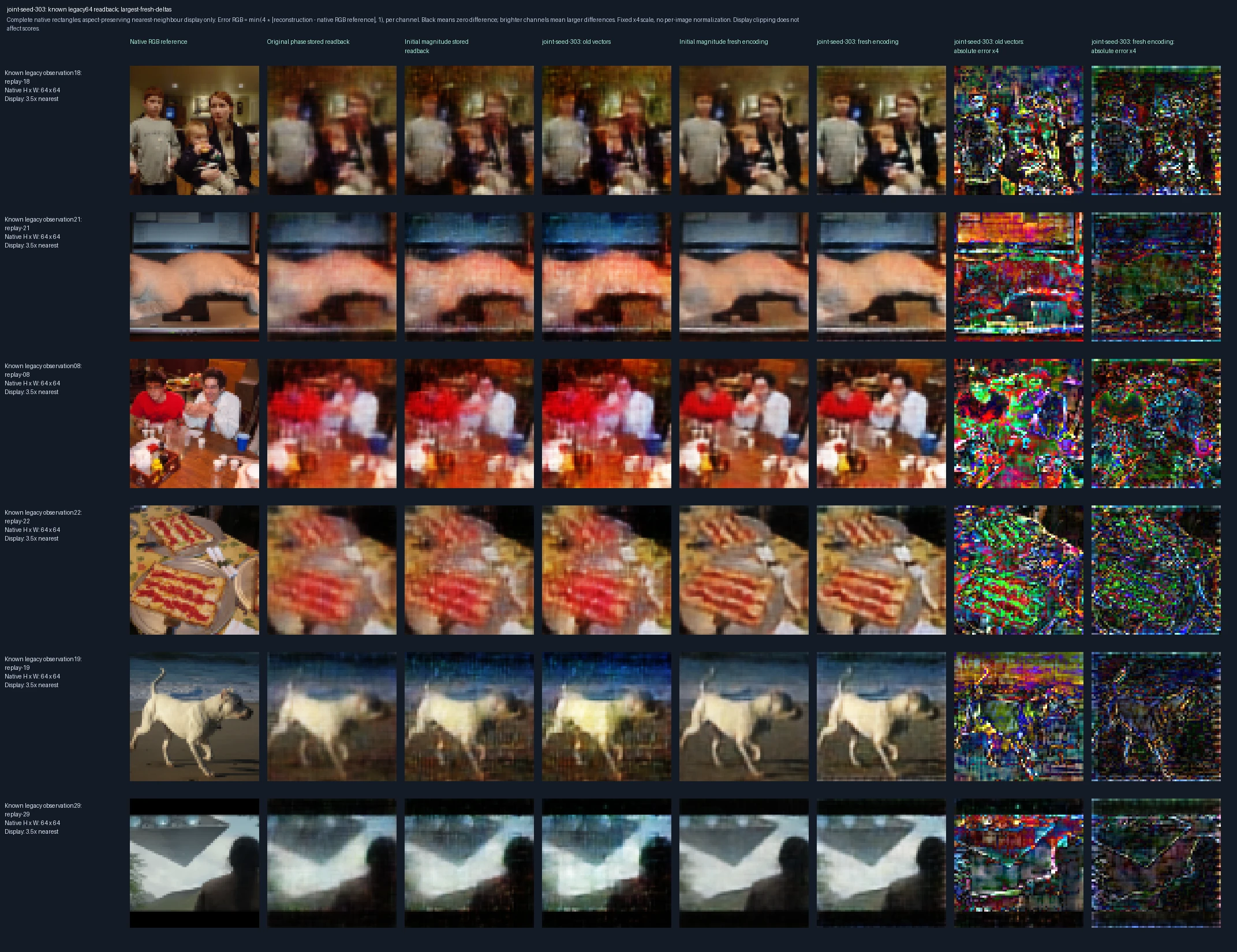
The six most unfavorable changes in MSE when old inputs are encoded again, selected after measurement. Left to right: original 64-pixel input; original phase-only decoder reading its old vector; starting magnitude-preserving decoder reading that vector; trained candidate reading it; starting model encoding and decoding the input again; trained candidate doing the same; then the candidate’s old-vector and newly encoded errors. This separates changing the reader from changing the representation. These are previously encountered images, with whole-image context disabled for this compatibility check. Error panels show four times the absolute RGB difference from the reference, separately for each color channel, clipped at full brightness. Darker pixels mean smaller errors; black is zero or below the display’s precision. The scale is fixed across examples, not adjusted to make each image look better.

Original recorded figure ↗

Limits and next question

Geometry, binary size coding and spatial bindings are supplied sensory structure, not learned number concepts or relations. Native regions and the overview consume additional vectors; fidelity gains are not equal-compression superiority. Each current complex128 region costs 256 KiB before overlap and other state. Report bytes per image and megapixel, latency, training exposure and peak memory. The overview is intentionally coarse; native detail regions preserve the complete admitted field. Component regimes have different trainable subsets. Earlier lives retain their original models; no candidate is installed. Better appearance does not establish reading, acquired meaning, general cognition or a VSA capacity ceiling.

Next question. Use native-pixel fidelity, border/seam detail, source-free geometry, compatibility, time and storage evidence to choose further encoding, decoding, spatial composition or continuing-life integration work.

Inspect the evidence

Download the methods and measurements for this experiment. Large training and saved-state files are not included.